I've already pointed this problem out in a previous post, but thought I'd share another case with some details.
I start by wanting to make a map that has percentages labeled on polygons.
Added a feature class to my map, which has data like this:
| Name | Percentage |
|---|
| John Doe | 0.12 |
| Jane Doe | 0.25 |
In ArcGIS Pro, I go to Data tab > Fields
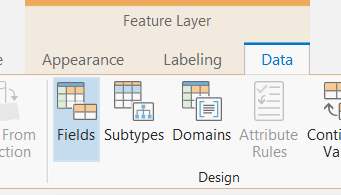
and format the Percentage column to be Percentage with no decimals:
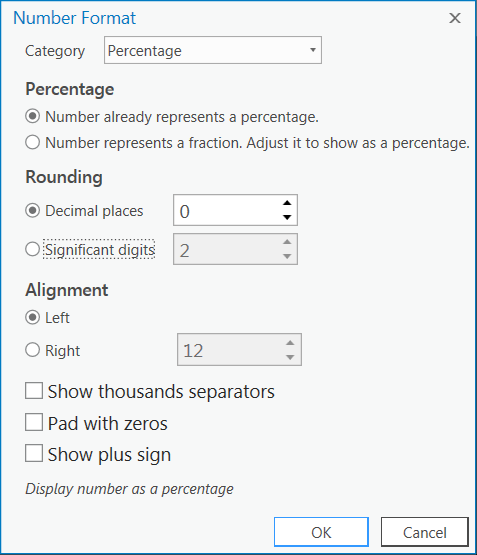
What I expect to see in the table is this:
| Name | Percentage |
|---|
| John Doe | 12% |
| Jane Doe | 25% |
Instead, however, I see this:
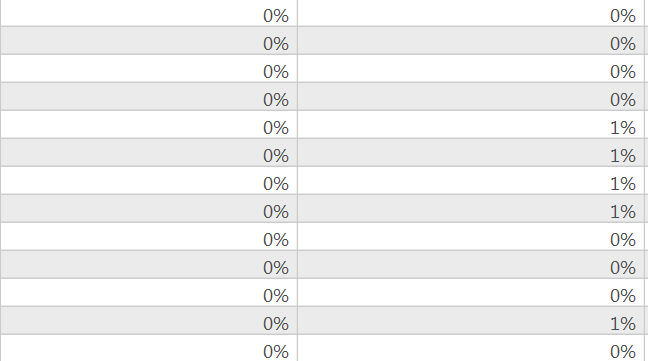
Question: why does Pro round percentages when I specify no decimal places?
To resolve the issue, I try setting it to 2 decimal places, which yields this:
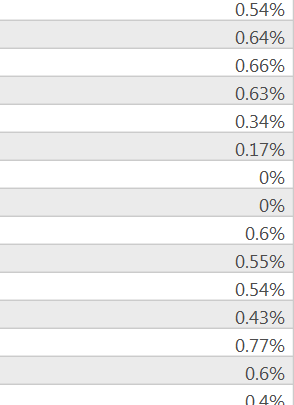
This is incorrect, because the values are actual 0.54, 0.64, etc. and I expect them to translate to 54%, 64%, etc.
Next, I set out to just find an Arcade expression so that I can display percentages on the polygons and not worry about the number formatting. So I find an expression like this:
Text($feature.PERCENTAGE, '#%')<SPAN class="line-numbers-rows"><SPAN></SPAN></SPAN>
So that's cool, now I end up with labels like this:

So I try to actually make a map for a slide with a legend (something the software is supposed to be able to do well, right?). I go to my Layout view, Insert > Legend and get this:
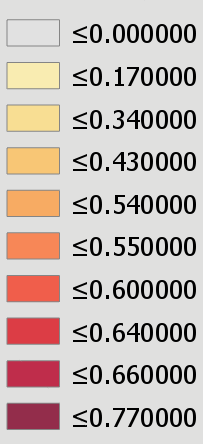
Yikes, what a mess. So now am I supposed to manually make a legend? I don't see another way to handle this.





