Hi Team,
I hope you all are doing well!
Recently, we migrated our ArcGIS Enterprise deployment to new machine (latest Windows Server OS). Our environment is a multi-machine deployment, and we have successfully migrated Portal for ArcGIS, ArcGIS Server, and the Web Adaptors to the new servers. (Portal and server on the same machine)
However, the ArcGIS Data Store (both relational and tile cache/object store) remains on the same original machine and was not part of the migration. (Data store on another machine)
Currently, we’re facing the following issue:
When running the tools utility (Describedatastore.bat) from the Data Store installation directory, it shows both relational and object store data stores. However, it does not display the Portal for ArcGIS URL under the relational data store section.
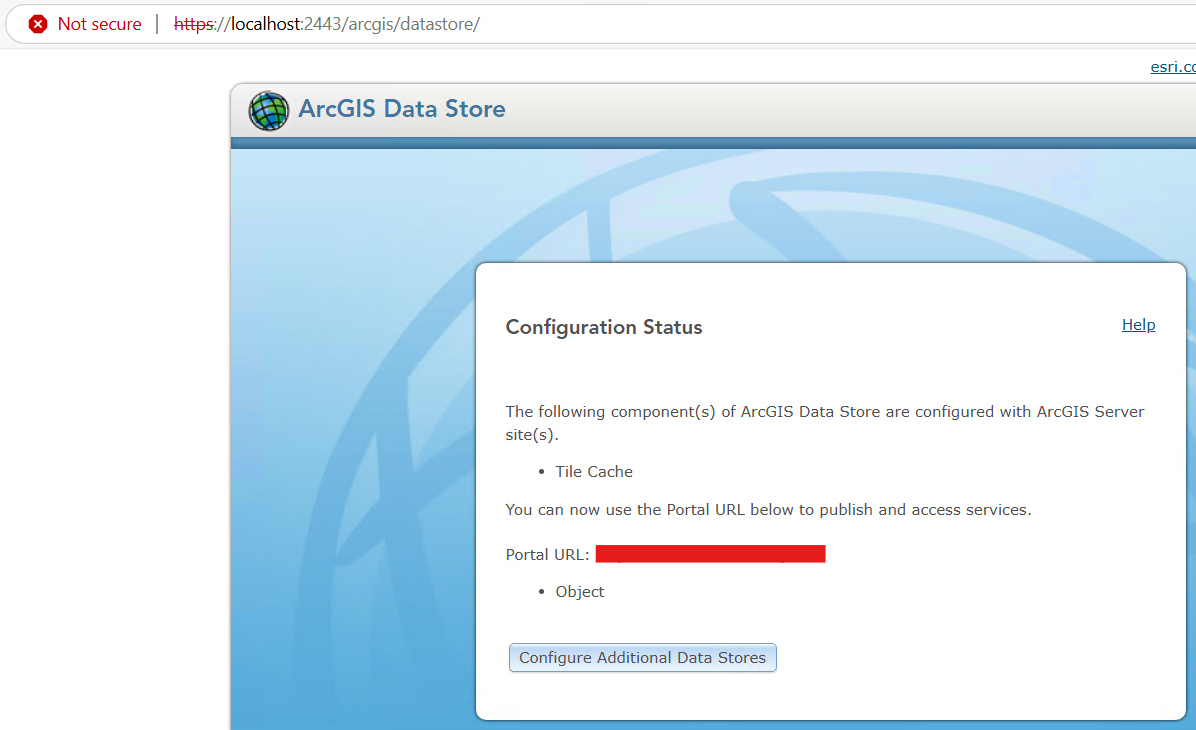
When opening the ArcGIS Data Store Configuration Wizard from the Start Menu, it shows only the object store as configured.
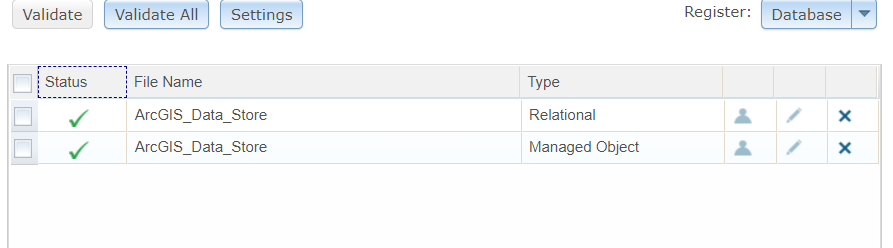
Despite this, when validating the data stores from ArcGIS Server Manager, both the relational and object stores validate successfully
Also, the team has not experienced any issues with data loading or service performance so far.
Thanks & Regards,
Kristofer




