So in a way this is part 2 to a recent post about manipulating what ends up in the PDF generated with the Print Widget. I have two (2) questions:
1// How do I hide the Advanced Options in the widget? I've plowed through the code and noticed numerous commented references to things like:
<SPAN class="comment token">// this.config.showAdvancedOption = this.showAdvancedOptionChk.getValue();</SPAN>
<SPAN class="line-numbers-rows"><SPAN></SPAN></SPAN>
But I haven't had a chance to figure out what combination of uncommenting what might hide the options. I'm trying to build something where I don't need the user to get lost in options. They should only have to select a papersize and the app takes care of the rest.
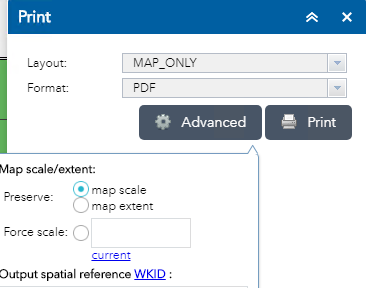
2// Similarly, I would like to limit printing to 2 paper sizes for which I've prepared optimal layouts. I don't need and don't want to see the "MAP_ONLY". How do I hide/remove it?
These may be rudimentary tasks for custom widgeteers. I feel like I'm still only scratching the surface on the widget universe.

