Hello all,
I have created a survey with an existing feature layer. The survey is supposed to capture a few images and 1 audio, but when I tested it on the phone, there are no icons where I can activate my cameras and voice record. There are just names listed, Image1, Image2, ... Image 5, Audio.
Before publishing the feature layer, I ran the tool 'Enable Attachments' and there was no error when I published survey. Any advice where I need to look into??
Cheers,
+
Image/audio seems work when I test in in the survey123 connect preview, but not in the downloaded mobile app.
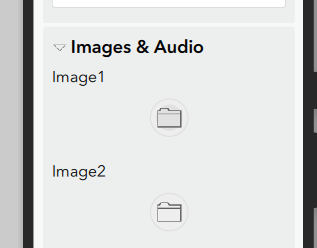
+ Additional Note
My current method is selecting the existing feature from Inbox> open survey. This case I do not see any image/audio buttons. However, if I start with 'Collect', I can see them and can capture images/audio.
So it looks like I need to enable to add/edit attachments of the existing features.....any advice?

