- Home
- :
- All Communities
- :
- Products
- :
- Scene Viewer
- :
- Scene Viewer Ideas
- :
- Maintain symbol integrity: Publish from ArcGIS Pro...
- Subscribe to RSS Feed
- Mark as New
- Mark as Read
- Bookmark
- Printer Friendly Page
Maintain symbol integrity: Publish from ArcGIS Pro, view in Scene Viewer

- Mark as New
- Bookmark
- Subscribe to RSS Feed
- Permalink
To enhance data visualization and user experience, I advocate for the comprehensive compatibility of feature layer symbols published from ArcGIS Pro within Scene Viewer, guaranteeing their consistent rendering and functionality.
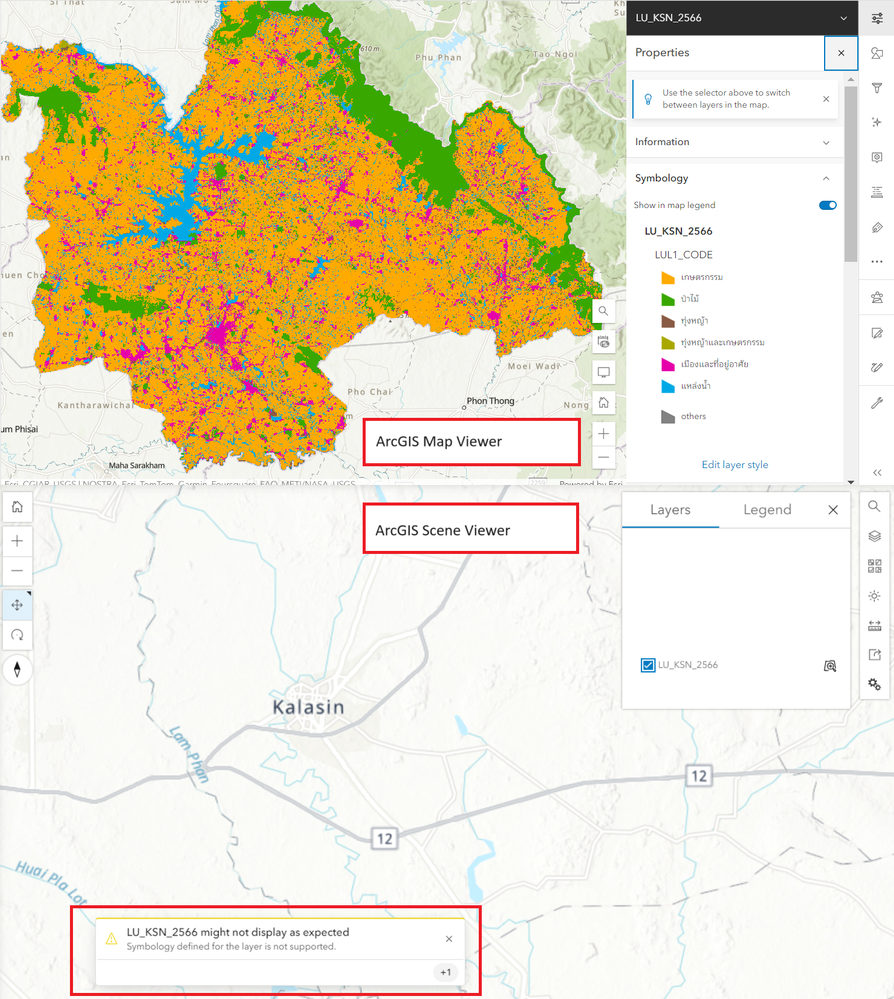
The symbol settings for the data are already set in ArcGIS Pro, but when you want to use them in Scene View, you have to set them up again every time.
This means that when you create a map in ArcGIS Pro and add it to a scene in Scene Viewer, the symbols used to represent the data may not be the same as the symbols used in Map Viewer. This is because Scene Viewer does not support all of the symbol properties that are available in ArcGIS Pro.
As a result, you may have to manually set the symbol properties in Scene Viewer to match the symbols used in Map Viewer. This can be time-consuming and tedious, especially if you have a large number of layers.


Thanks for your post @Watchanun .
This is correct, Scene Viewer (and more in general the 3D capabilities on the web) supports fewer symbol properties than ArcGIS Pro and the 2D rendering capabilities we offer on the web.
As for the example you show in the screenshots above, may you be able to share the ArcGIS Pro project and/or the published weblayer or webmap with us? This allows us to better understand the limitations you're experiencing.
Thank you so much for your Reply @GianlucaMiele1
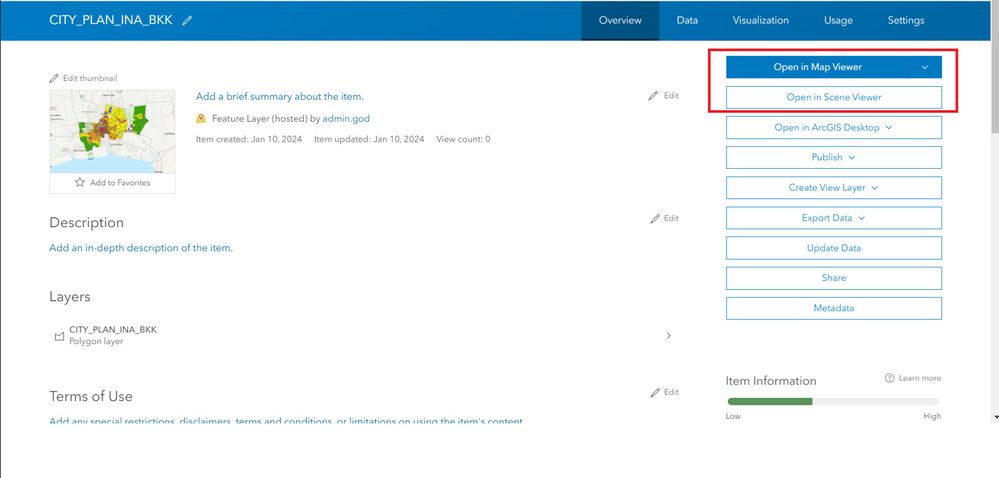
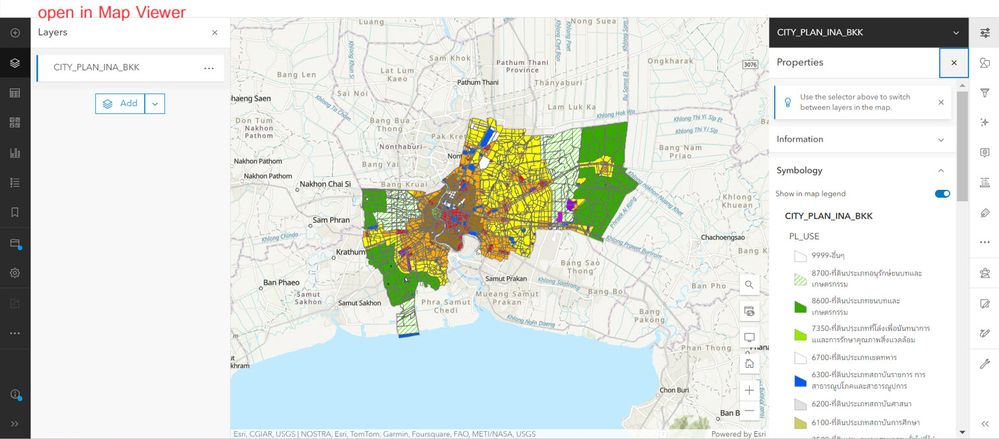
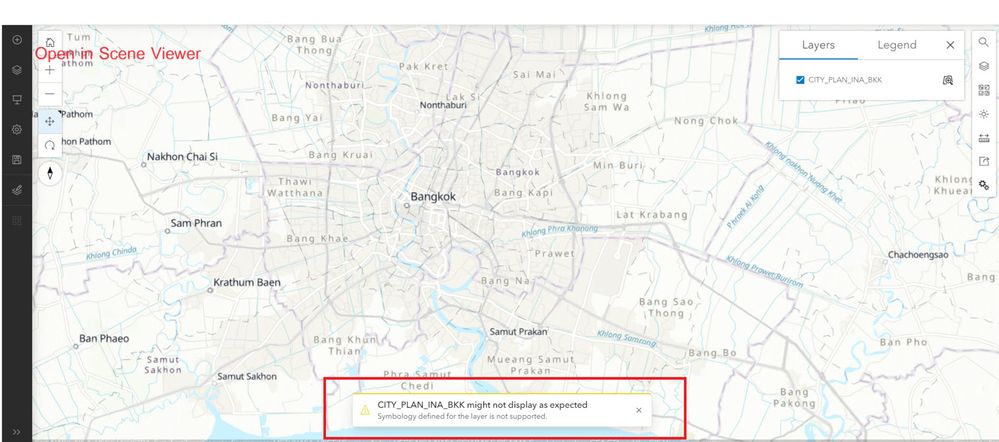
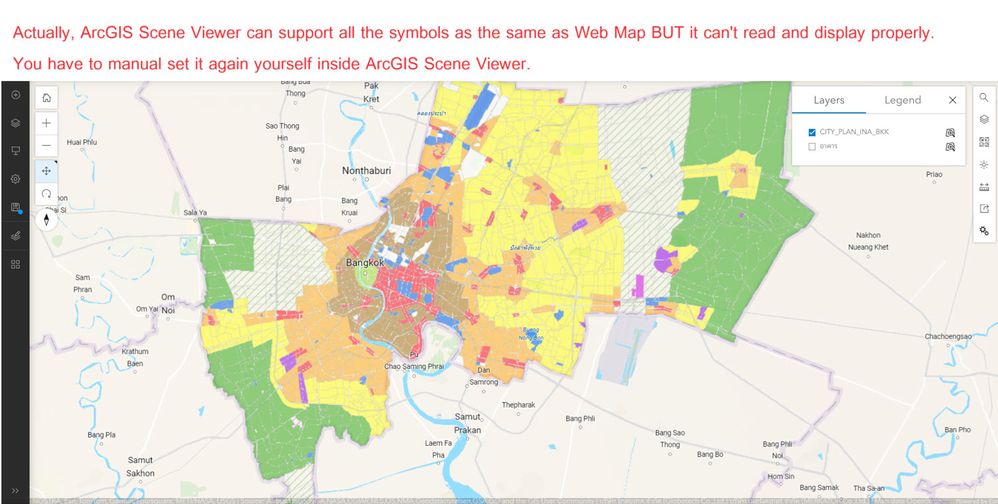
You will see the picture when opened in Map Viewer it opens normally. However, when opened in Scene Viewer for the first time, it will not display the symbols and show a yellow warning that it cannot be displayed normally. So we have to go and set the symbols ourselves again in that layer on the Scene Viewer.
But actually, Scene Viewer can be set to display it. It's not that it doesn't have compatible symbols or doesn't match. I don't know why it doesn't read and display it properly from the beginning.
Thanks @Watchanun
Could you provide the repro case to us? This would help to analyze the difference in behavior you are reporting between Map Viewer and Scene Viewer.
Thanks

@GianlucaMiele1 I would like to ask whether there has been any progress on this case, as the issue is still present and remains the same.
This is actually not a data-related issue, but rather a problem with the program itself. Regardless of the data used, when we set the symbology in ArcGIS Pro and publish it as a service, once it is added to Scene Viewer, most of the symbology is lost, based on our experience so far.
We would kindly request that you consider improving the engine or the method used to support symbology in Scene Viewer.
Thank you very much for your support.
Ps. I will provide more examples that we have encountered, in addition to the examples in this thread, to demonstrate that this issue occurs with almost all layers. This is not a problem specific to any particular layer, but rather an issue with Scene Viewer itself.


This is due to the current limitation that CIMLineSymbol and CIMPolygonSymbol are not supported in 3D SceneView in the underlying JavaScript SDK:
https://developers.arcgis.com/javascript/latest/references/core/symbols/CIMSymbol/
It is our long-term plan to extend support for CIM symbology to lines and polygons in 3D scenes.
@GianlucaMiele1
I'm not sure what type of CIMSymbol it is, but even a simple color-classified polygon—not any specialized symbol—still doesn't render correctly in Scene Viewer, just like in the examples above.
Yes, these are CIM symbols, as far as I can tell. When sharing layers, maps and scenes from Pro there is the option to "Use symbol types compatible with all clients" to be checked for compatibility with all clients including ones not supporting CIM symbology. See Step 7 in https://doc.esri.com/en/arcgis-pro/latest/help/sharing/overview/save-a-web-map.html#E8F
@GianlucaMiele1 Oh, I must have completely missed that—I never even noticed that option. Thanks for pointing it out! It should at least help with the problem. As for the rest, I guess we'll have to wait for future developments.
You must be a registered user to add a comment. If you've already registered, sign in. Otherwise, register and sign in.