- Home
- :
- All Communities
- :
- Developers
- :
- Python
- :
- Python Questions
- :
- Re: The Error of "TypeError: GPToolDialog() takes ...
- Subscribe to RSS Feed
- Mark Topic as New
- Mark Topic as Read
- Float this Topic for Current User
- Bookmark
- Printer Friendly Page
The Error of "TypeError: GPToolDialog() takes at most 1 argument (2 given)"

- Mark as New
- Bookmark
- Subscribe to RSS Feed
- Permalink
Hello!
I try to click a button that I created in python add-in to execute a model (this model is made of the script tool), the button1 is ok, but when I click the button2 or button3 on the toolbar, it has an error as the title. Below are the pictures of my code and error.
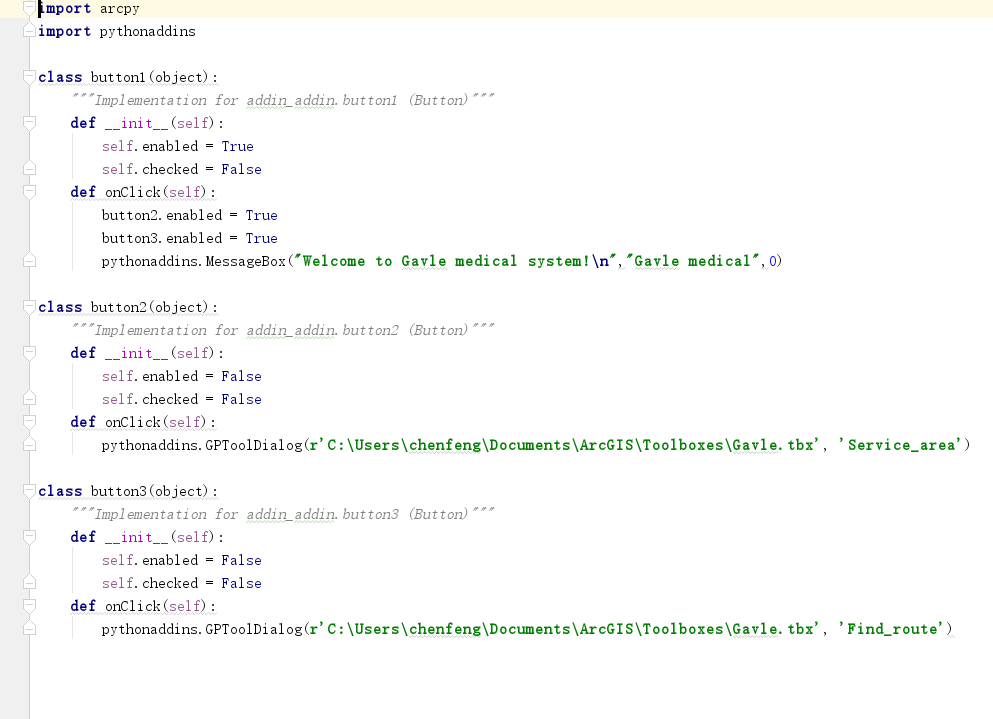
Fig.1 code
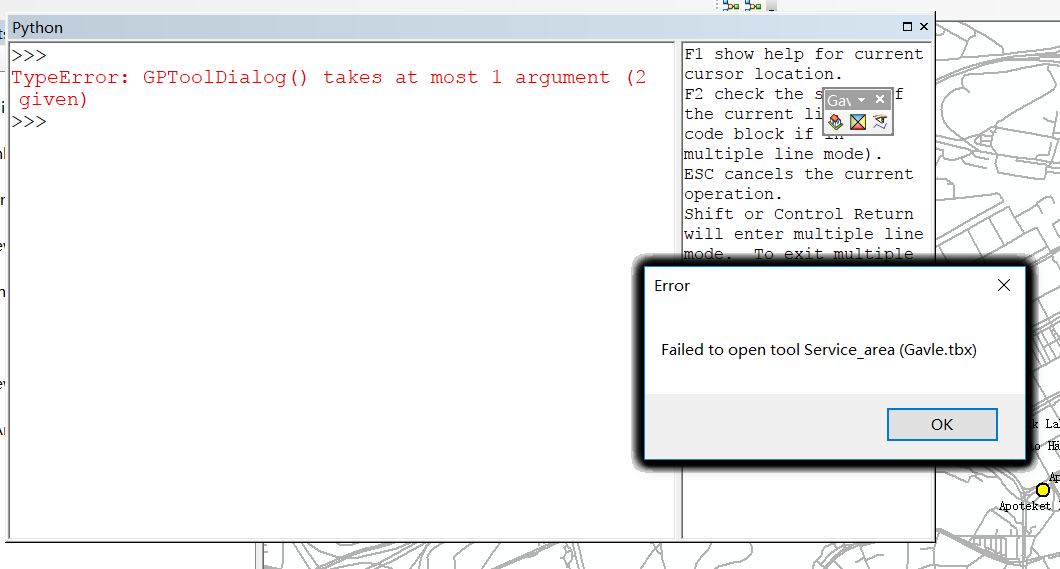
Fig.2 error (look at the black part of error dialog, this error dialog repeats almost 50 times!)
Looking for your reply, thank you so much.
- Mark as New
- Bookmark
- Subscribe to RSS Feed
- Permalink
Hi, Rebecca.
I tried your post and renamed the tool, but it still has the same problem. Below are the pictures of my revised code and steps. Could you please help me to check the problem? Thank you so much.
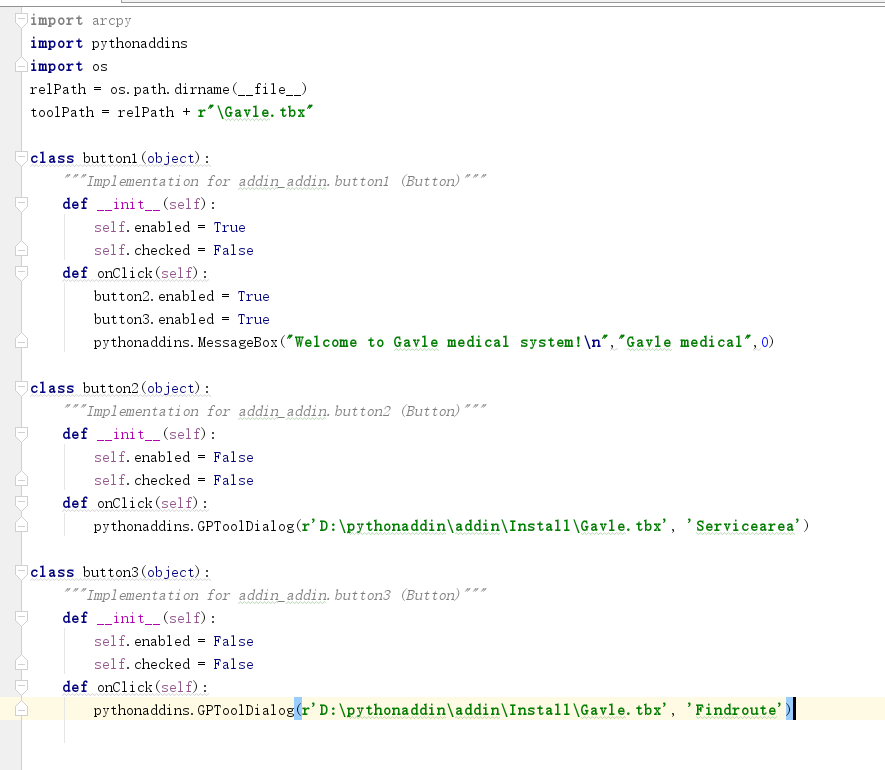
Fig.1
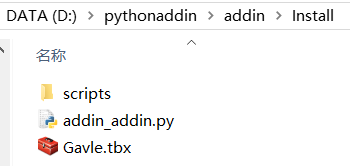
Fig.2 the contents of the Install folder
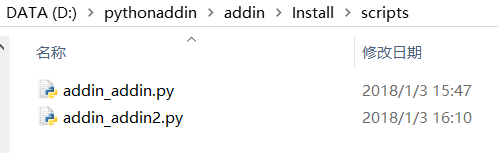
Fig.3 the contents of the script folder


- Mark as New
- Bookmark
- Subscribe to RSS Feed
- Permalink
A few things to try..
- try using the variable toolPath in place of the path in the GPToolDialog lines.
- try commenting out the MessageBox line. I haven't had much luck with that. At least eliminate that as an issue.
Is the ServiceArea tool in your inbox pointing to the addin_addin.py And is FindRoute pointing to addin_addin2.py? And are these checked on a relative paths? Typically my scripts in my Scripts founders are named closer to the tool the would be attached (vs a name like addin.py). I have on .py in the scripts folder for each tool. The actual addin.py that will be ru to created the add will be in the install folder. Although you may edit tweak this file, it is created when you use the wizard to initially create the addin.
As i mention on the blog, when you start editing the files direct, you will want to make sure all the variables/IDs keep in sync.
Edit: also, make sure the tools run from the toolbox itself too, if you haven't already tested. This should help you determine if there is an issue with finding the .py file.
- Mark as New
- Bookmark
- Subscribe to RSS Feed
- Permalink
Hi, Rebecca,
Thanks for your suggestions. I checked all the things you mentioned and revise my code and I tried so many times even create a new work, but it still not works. I feel so desperate. I am a beginner of python, so maybe I did something wrong. If possible, could you please show me some of your folders (addin, Install and script) and python add-in wizard, because I want to compare your folder and my folder to find some differences? The folder that I want to see as below. And I have a question. When I try to move the script addin_addin.py automatically created by wizard to the Script folder, I find the "addin_addin.py" in the Script folder is not the actual addin_addin.py, so I think maybe it is a problem but I don't know how to fix that. Do you know how to fix it? Thank you so much.
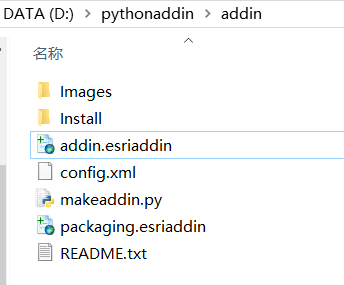
Fig.1 addin folder
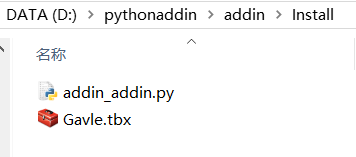
Fig.2 Install folder
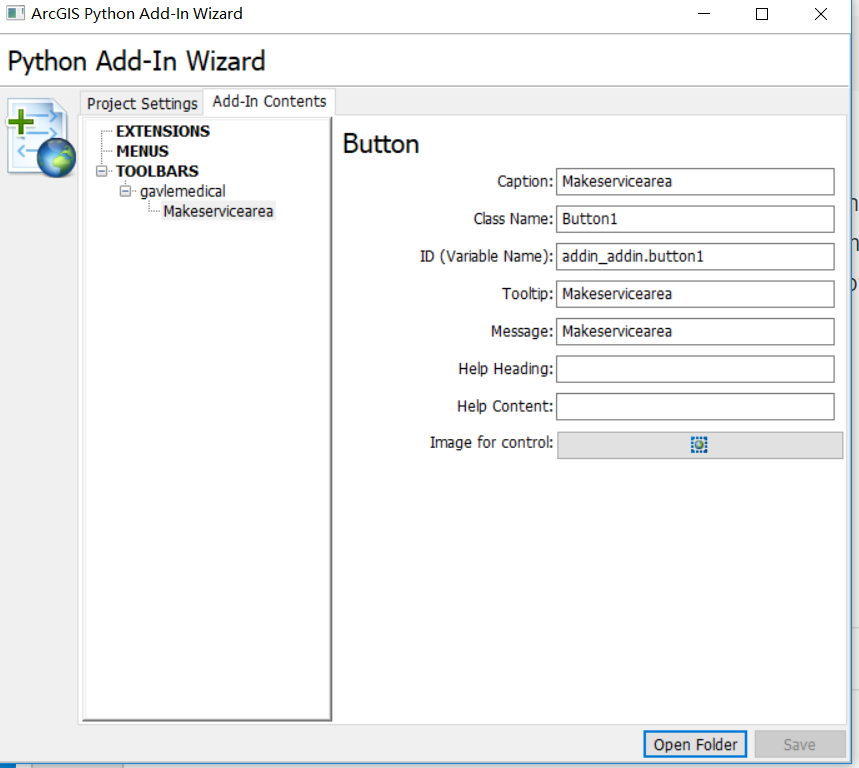
Fig.3 python add-in wizard
- Mark as New
- Bookmark
- Subscribe to RSS Feed
- Permalink
I'm not in the office right now, so can't test anything specific, but from my blog, thus us the process I follow..
Some of this info is scattered around the forums (but the online help is lacking right now), so I thought it may help to consolidate what worked for me, in case it helps others. This is how I was able to get the GPToolDialog to work with my custom python tools/toolbox:
-Copy your .tbx file into the addin wizards "Install" folder.
-Create a "scripts" folder in the same location
-Copy all your .py script to this folder
-Open the .tbx in the Install folder, make sure "relative path" is checked, and re-point all the tools to the new script location
-the "import os" and the "relPath = " line seem to be the key....see sample code below
You don't want to move the .py files created be the wizard, only the .py files you wrote that are associated with your custom tools for you custom toolbox. Again, testing that the tools work in this location, with your scripts here is important. You want to make sure they are not still linking to the original path/location.
You mention you're new to Python and tools. Are you using the tool's built in dialog (tool parameter ) and setting up the parameters you are prompting for? And is your program grabbing the parameters correctly? Again, these are thing that need to be working before wrapping them in the addin.
for a full sample of how I setup addins, you can download and look at /blogs/myAlaskaGIS/2015/08/31/python-addin-for-data-inventory-and-broken-link-repair?sr=search&searc... An .addin file is basically just a zipped file, so you can rename and very all the files. It may be helpful to look at one that is working. This is my pattern, but it is not the only option. Others may have their own method.

- Mark as New
- Bookmark
- Subscribe to RSS Feed
- Permalink
is there a space before the dot and tbx? ie . tbx
could you format your code Code Formatting... the basics
- Mark as New
- Bookmark
- Subscribe to RSS Feed
- Permalink
Hi, Dan, thanks for your suggestion. Below is my formatted code.
import arcpy
import pythonaddins
import os
relPath = os.path.dirname(__file__)
toolPath = relPath + r"\Gavle.tbx"
class button1(object):
def __init__(self):
self.enabled = True
self.checked = False
def onClick(self):
button2.enabled = True
button3.enabled = True
pythonaddins.MessageBox("Welcome to Gavle medical system!\n","Gavle medical",0)
class button2(object):
def __init__(self):
self.enabled = False
self.checked = False
def onClick(self):
pythonaddins.GPToolDialog(toolPath, "Servicearea")
class button3(object):
def __init__(self):
self.enabled = False
self.checked = False
def onClick(self):
pythonaddins.GPToolDialog(toolPath, "Findroute")
I tried all the methods in comments, but it still not works.
- Mark as New
- Bookmark
- Subscribe to RSS Feed
- Permalink
os.path.dirname(__file__)
yields a NameError: name '__file__' is not defined
so there are still pieces missing for me...
Follow the advice given by Rebecca or revisit your need for an add-in rather than a conventional toolbox


- Mark as New
- Bookmark
- Subscribe to RSS Feed
- Permalink
I totally agree with Dan that you may want to revisit your setting this up as an addin, they are far more complicated and are only really needed in specific situations. From what I can tell your workflow could be far easier to accomplish using a script tool.
- Mark as New
- Bookmark
- Subscribe to RSS Feed
- Permalink
Here's the help for that function.
The pythonaddins module—Help | ArcGIS Desktop
I think your problem is that tool names cannot include underscores. This breaks the arcpy.gp tool name parsing as in python tools use the convention toolname_alias.

- « Previous
-
- 1
- 2
- Next »
- « Previous
-
- 1
- 2
- Next »