Select to view content in your preferred language

Export to Cad with attributes

12932
6
04-28-2019 11:33 PM
MuratDemircan
Occasional Contributor

Hello everyone,

I'm trying to export feature classes by using Export To Cad Arcmap tool. For point feature classes, I created seed file that I export point feature classes with attributes. I managed to export gis to cad with attributes for points. But If I do so for line feature class, for output I get distrupted, incorrect objects in cad file.

I tried Arcgis for Autocad plug-in. But I only managed to display feature classes attributes. I couldn't export objects to dxf-dwg file with attributes by using plug-in.

I've reached dxf file which its GIS data was exported to cad file.
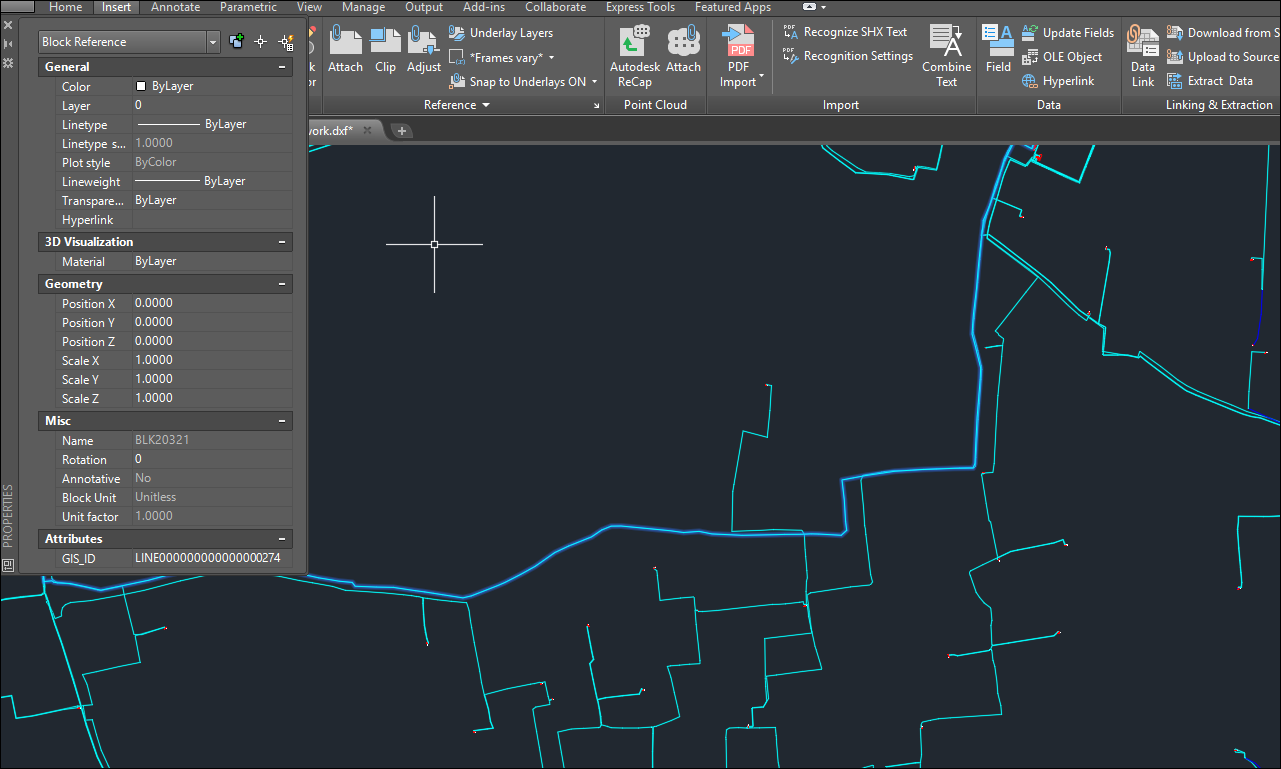
But I couldn't manage to solve how they exported this GIS data to Cad file.

Because as you can see in the picture below,  blocks must have been created for every unique object. But I don't think that blocks are created manually for every object for GIS data. Is it possible to export GIS data in this way or make it possible automated?
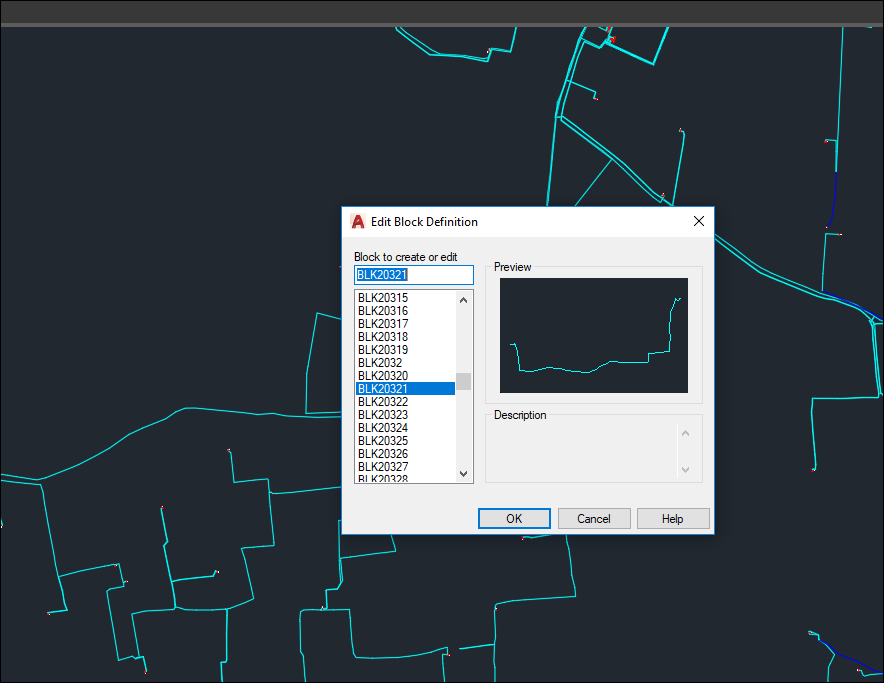
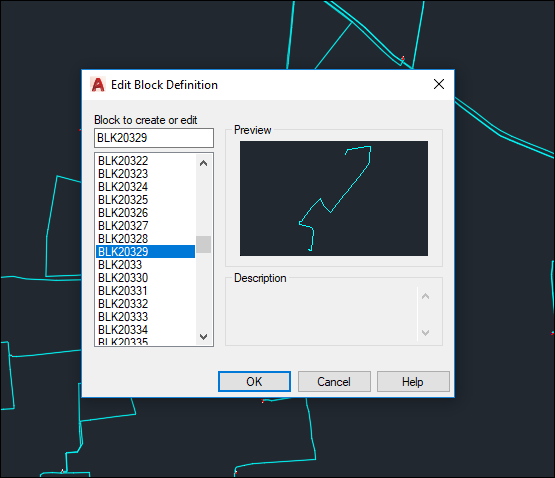
I couldn't figure out how I should export line feature classes with attributes to CAD file. Do you have any suggestion?

Thanks,

Murat

0 Kudos
6 Replies
RobertBorchert
Honored Contributor

Export as Shapefiles and then import into CAD and attaching data to the features.

0 Kudos
KarenHodge
Esri Contributor

Let's see if this helps you.

First you have to create a template file.  Assume you have block definitions with attributes in some sort of DWG file.

If you use the Export to CAD tool, you can use this blank DWG file as a "Seed File".

If the block definitions match the feature class names...and the block attributes tags match the field names, then the block attributes will be populated with the field values for each point feature.

0 Kudos
MuratDemircan
Occasional Contributor

Thank you Karen. As you said, I can also export point features with field values by using "Seed File". But I couldn't do the same thing with line features.

0 Kudos
DonKuehne
Esri Contributor

To be clear we are talking about two different meanings of the word attributes in this thread.  One is the AutoCAD attributes only found on a block insert entity when there  is a ATTRIBUTE entity on the block.  With ArcGIS desktop' EXPORT TO CAD geoprocessing tool (ArcMap/ArcCatalog/ArcGIS Pro) you can generate AutoCAD blocks with attributes by including a seed file with a block definition that includes the block and any block attributes.  If the tagname of the block definition matches the ArcGIS feature layer field name then when the Point feature class is added to the AutoCAD drawing it will use the block specified in the feature class field name REFNAME and then populate the blocks.   REFNAME needs to be the field name and whatever value that point feature class feature has in that field will drive the blockname.  You also have to have a feature layer field in that data called CADType and the value of those records need to be INSERT, which denotes that  you will overrided the default POINT  entity for exported feature class content and instead create block INSERT  entity. 

Now all of this is very useful,  but even more important is that if you are talking about ATTRIBUTES as the generic term for GIS attributes on points, lines, multipatch, annotation and polygons all of those attributes are always created on all the data you export to AutoCAD automatically by default.  You don't have to do anything.  You don't need shapefiles or anything else other than the free plug-in ArcGIS for AutoCAD to read your attributed feature classes that are exported into the DWG.   ArcGIS for AutoCAD exposes all of that information that is  already there in the DWG file exported from ArcGIS desktop, and has been there for over a decade.  ArcGIS desktop also reads thisattributed feature class data within the DWG created from  ArcGIS desktop or ArcGIS for AutoCAD.  For example as a test you can just look at the DWG file you created with EXPORT TO CAD back in ArcMap or ArcGIS Pro and see that all the rich content is already in the AutoCAD DWG file.  And of course you see it with ArcGIS for AutoCAD loaded in AutoCAD.

tikola
by Esri Contributor
Esri Contributor

This is an ancient thread, but my question is still just what reads in a topic. Actually exporting attributes is no issue - rather finding exported attributes in CAD tools.

In nutshell current 2026 situation is this:

  1. If you write out using ArcGIS Pro Export to CAD tools any normal layer you get all (or many) attributes written in CAD file additional feature layer. With my limited CAD skills (and tools) I have never heard anyone using CAD been able to find those attributes. When you open exported dwg in ArcGIS it is obvious that in top of normal Point, Multipoint etc. layers there is additional layer in the end of list named as input layer and that contains all atributes that are missing, but I have no idea how that layer can be seen in AutoCad etc. None of my CAD end users have been able to find those thoug in ArcGIS Pro it opens nicely.
  2.  CAD_Attributes.jpg
  3. Another  approach is that If your input data has a Layer field anything written in it transfers to CAD file Layer attribute. This is a bit clumsy way as Layer defines unique featuretype inside CAD and if each layer has a different text - each of them is considered a different feature type in CAD.


Additional methods in top of those two I am testing are:

  • Data Interoperability/FME allows you to define atribute mapping. However so far I have had no success and it looks all CAD exporters have more or less hard coded attribute list and typically outputs tends to be null no matter what you do.
  • Seed file allows you do things like this but there also contents is based on single value per layer style. For example feeding separate pipe dimensions from feature attributes seems challenging. 

Any comments from CAD users - which has been the best way to transfer attributes from ArcGIS to CAD.

0 Kudos
tikola
by Esri Contributor
Esri Contributor

As an update today I have seen case where CAD user used ArcGIS for AutoCAD connector and Esri attributes were visible on CAD side. In that case symbology did not transfer but attributes went nicely. Most likely symbology moves also if seed file style solution is used.

I my case data was read from ArcGIS Online to Autodesk AutoCAD without any Esri desktop tool exports etc. just using Autodesk ArcGIS connector plugin in Autocad

0 Kudos
