- Home
- :
- All Communities
- :
- Industries
- :
- Conservation
- :
- Conservation Questions
- :
- Divide tool in ArcPro greyed out
- Subscribe to RSS Feed
- Mark Topic as New
- Mark Topic as Read
- Float this Topic for Current User
- Bookmark
- Printer Friendly Page

- Mark as New
- Bookmark
- Subscribe to RSS Feed
- Permalink
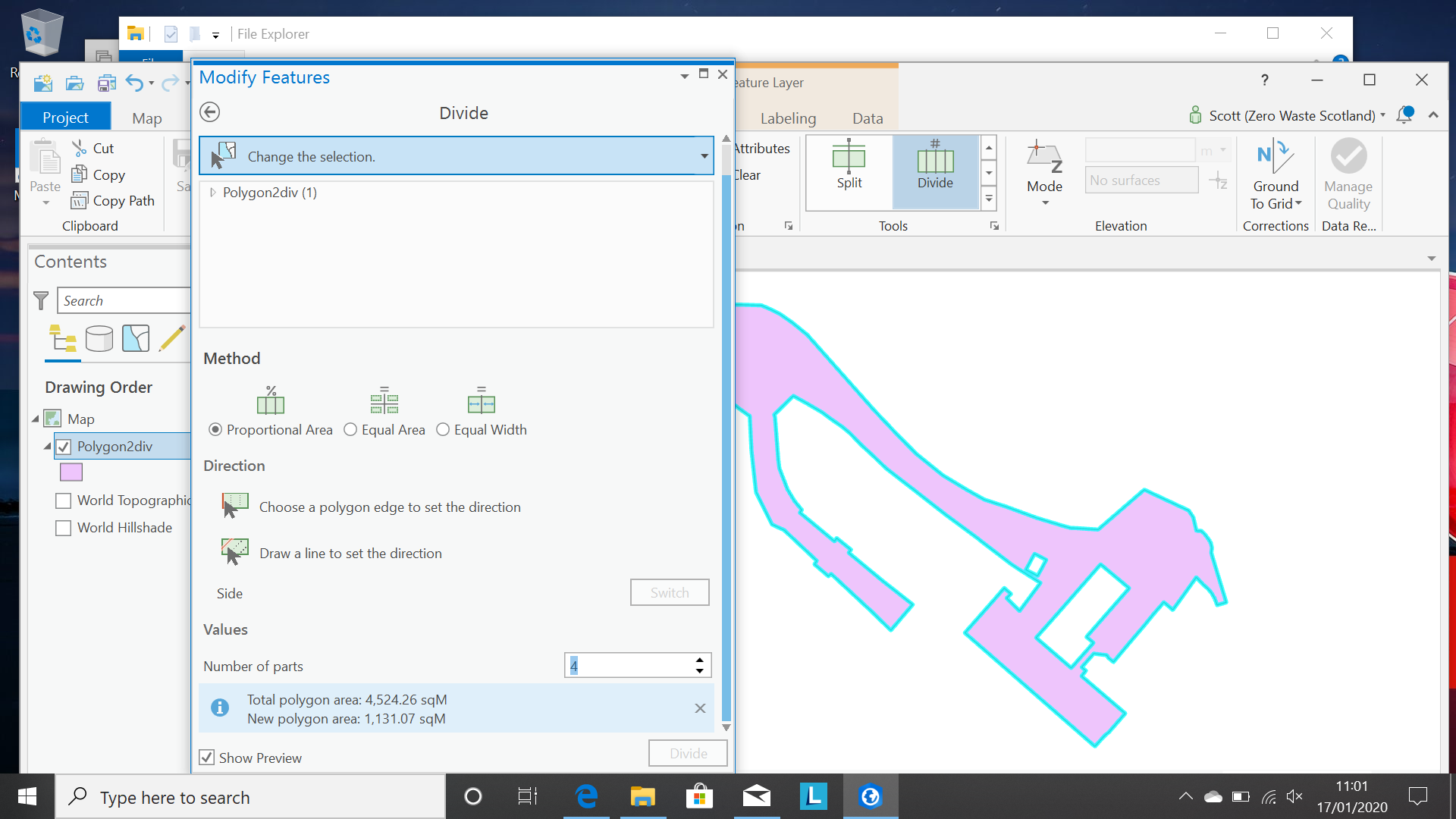
I am using ArcPro and I'm trying to divide some polygons into equal 100m sq areas using the Divide tool.
However the Divide icon remains greyed out even though I have only one polygon selected and filled in all the relevant options. Is there something I've missed? Not sure why I can't press divide!
Solved! Go to Solution.
Accepted Solutions


- Mark as New
- Bookmark
- Subscribe to RSS Feed
- Permalink
Hi
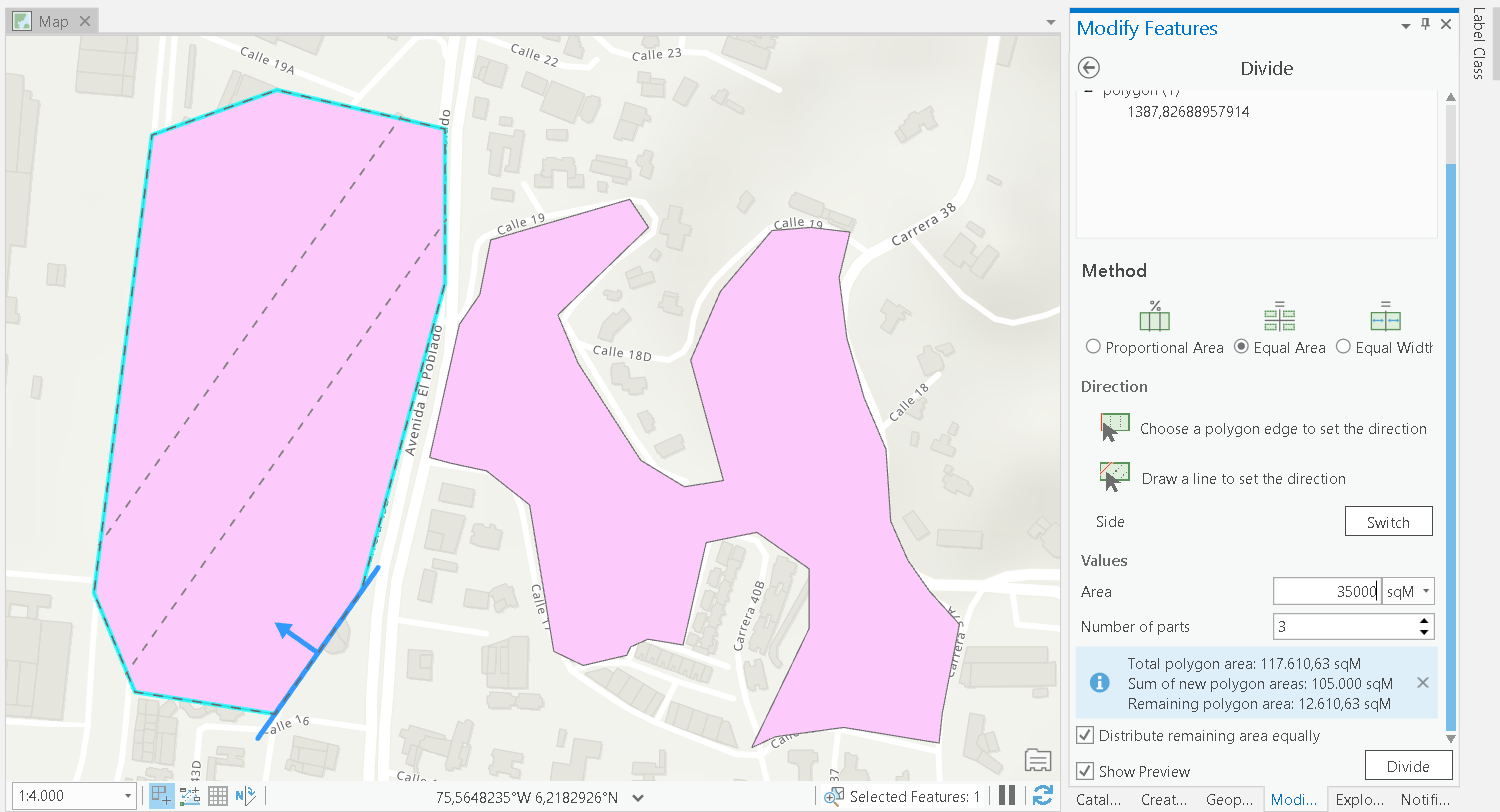
I think the complexity of the polygon and the selected edge do not result any valid solutions. Have a look at this simple example, which works:
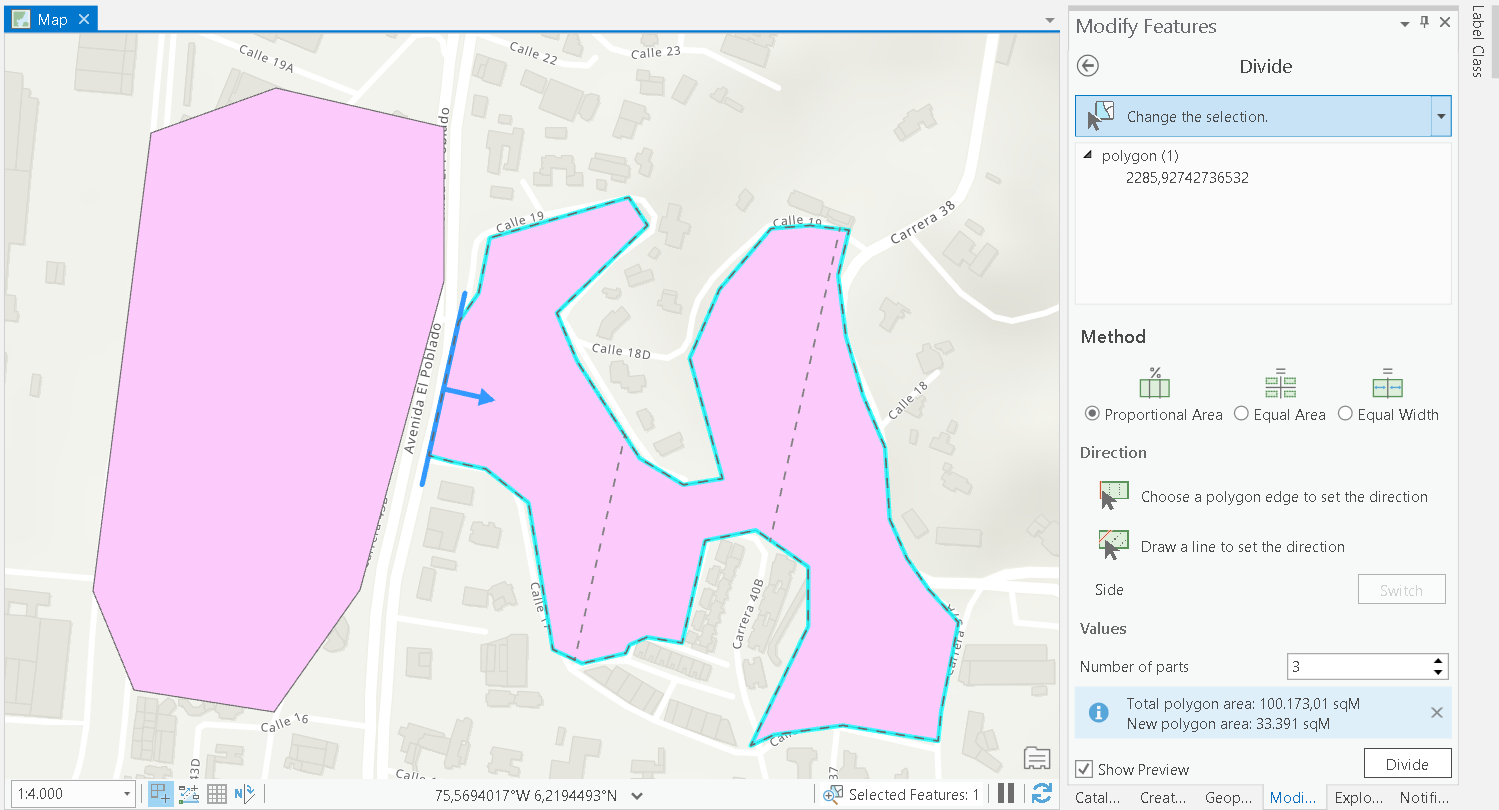
The other polygon is a bit more complex (you even have holes) and only for selected edges it will result in a solution:
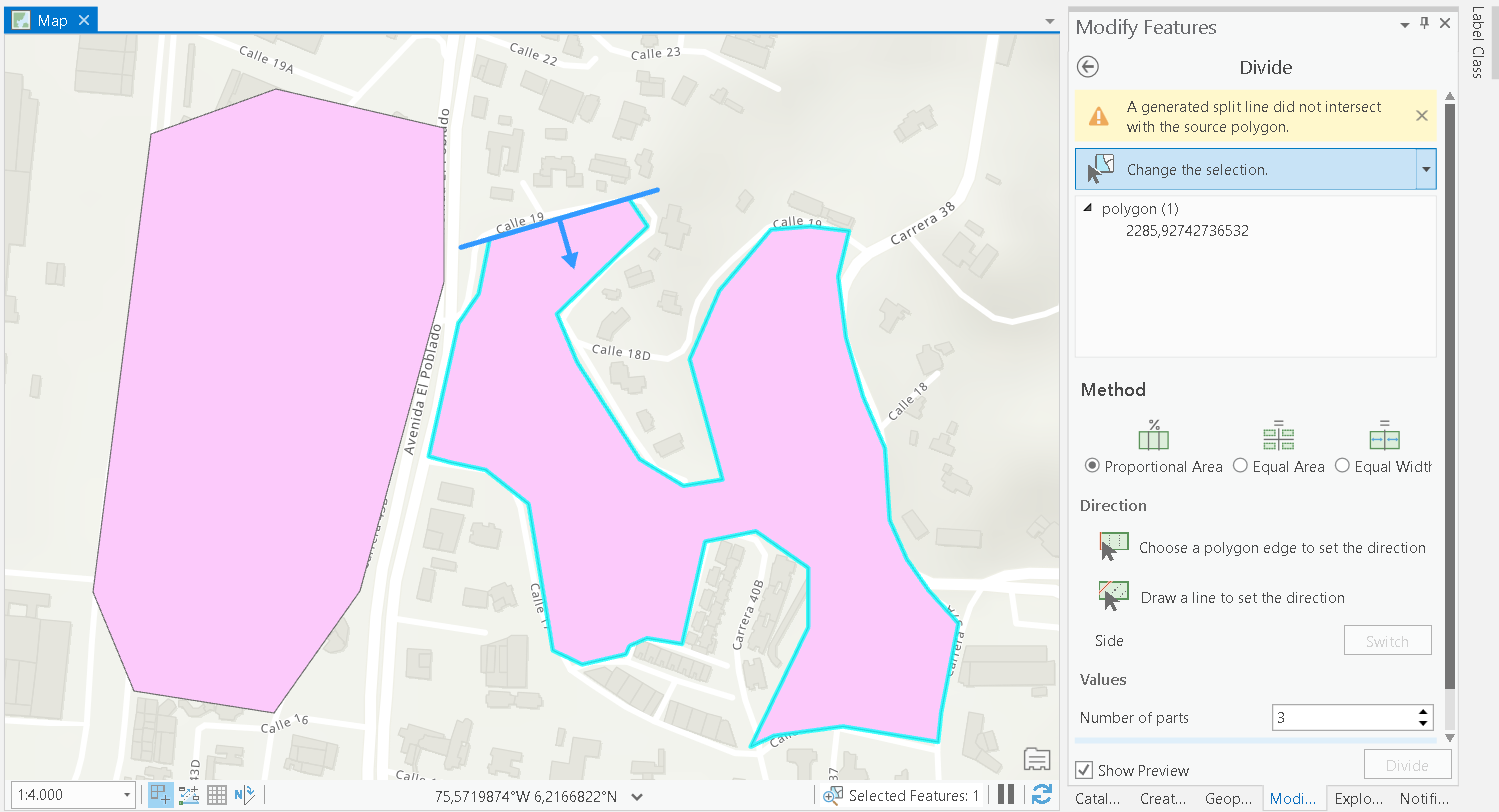
However, this one does not:


- Mark as New
- Bookmark
- Subscribe to RSS Feed
- Permalink
Did you set the direction? It looks like it wasn't selected
Divide a polygon by a value—ArcGIS Pro | ArcGIS Desktop
see the images
- Mark as New
- Bookmark
- Subscribe to RSS Feed
- Permalink
Hi Dan,
Thanks for replying to the thread.
I did set the direction but it doesn't seem to work at all - Divide is still greyed out!
Thanks for the suggestion though - will keep trying.
Scott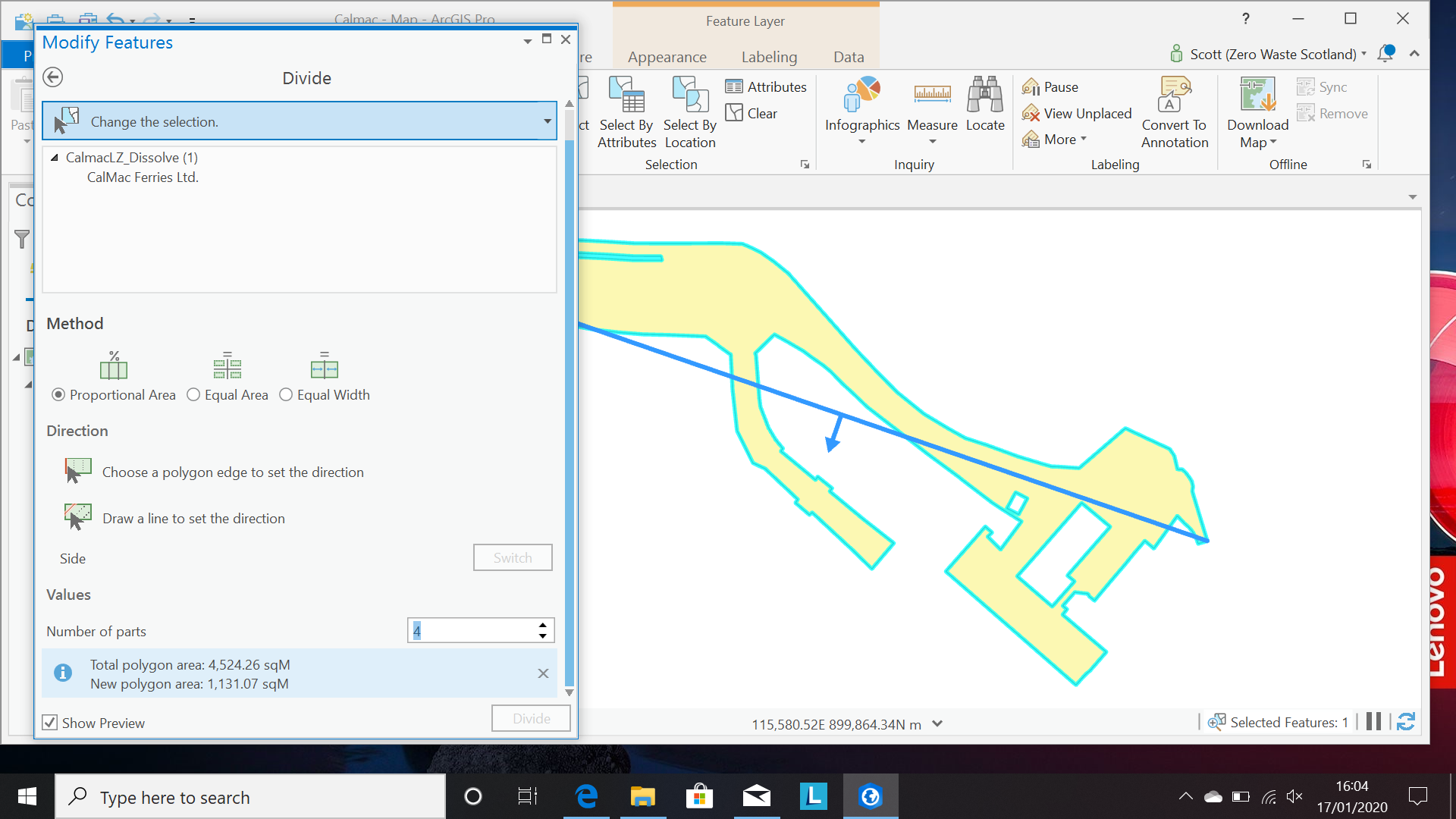
- Mark as New
- Bookmark
- Subscribe to RSS Feed
- Permalink
Hi
I think the complexity of the polygon and the selected edge do not result any valid solutions. Have a look at this simple example, which works:
The other polygon is a bit more complex (you even have holes) and only for selected edges it will result in a solution:
However, this one does not:
