- Home
- :
- All Communities
- :
- Products
- :
- ArcGIS Survey123
- :
- ArcGIS Survey123 Questions
- :
- Re: Survey123- Map Question- Bug- SSO enterprise d...
- Subscribe to RSS Feed
- Mark Topic as New
- Mark Topic as Read
- Float this Topic for Current User
- Bookmark
- Subscribe
- Mute
- Printer Friendly Page
Survey123- Map Question- Bug- SSO enterprise data prompting for named credentials


- Mark as New
- Bookmark
- Subscribe
- Mute
- Subscribe to RSS Feed
- Permalink
Hello S123 Team,
It appears we may have found a bug. When adding a map to our survey we get a prompt for Named Credentials.
Our organization uses SSO authentication and the layer has been shared to the organization so there should not be any permission issues.
This is the screen we should be seeing-
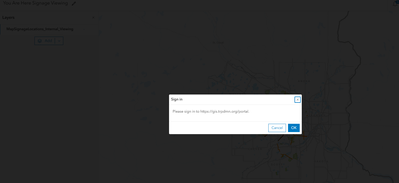
Could someone please let us know if this is a known bug?
Thanks,
Amanda Huber


- Mark as New
- Bookmark
- Subscribe
- Mute
- Subscribe to RSS Feed
- Permalink
Does it have a special basemap (that is shared to the Organization)? Are there multiple layers in the map (that are all shared to the Organization)?
- Mark as New
- Bookmark
- Subscribe
- Mute
- Subscribe to RSS Feed
- Permalink
Hi @ToddW_stl ,
Thanks for your response! To answer your question, the basemap is public but It has one layer that is shared at the organization level.
Thanks,
Amanda Huber
- Mark as New
- Bookmark
- Subscribe
- Mute
- Subscribe to RSS Feed
- Permalink
Do you get the same behavior when you try to open that webmap outside of Survey123 web designer? If so, and all the sharing has been reviewed as correct, it may be worth opening a case with Esri Technical Support.
- Mark as New
- Bookmark
- Subscribe
- Mute
- Subscribe to RSS Feed
- Permalink
Hi @ToddW_stl ,
We see it when we publish the S123 but we don't receive this behavior anywhere else in the AGOL platform (map viewer, instant apps, etc). I'm guessing it's something with how S123 passes the token auth. An Esri case was the next on my list!
Thanks,
Amanda Huber
- Mark as New
- Bookmark
- Subscribe
- Mute
- Subscribe to RSS Feed
- Permalink
after reviewing this thread again... the title of the post mentions "enterprise", but you also mention "AGOL". So are you trying to access an ArcGIS Enterprise layer from an ArcGIS Online web map? If you're using ArcGIS Enterprise, what version are you on and do you have access/admin rights to the ArcGIS Server machine?
- Mark as New
- Bookmark
- Subscribe
- Mute
- Subscribe to RSS Feed
- Permalink
Hi @ToddW_stl ,
Happy to clarify! We're using the AGOL S123 Web Designer , but the underlying webmap uses our Enterprise Server Data (distributed collaboration). We're currently on Enterprise 11.5.0 , and yes I do have administrative access to the machine and ArcGIS Portal.
Thanks!
Amanda Huber
- Mark as New
- Bookmark
- Subscribe
- Mute
- Subscribe to RSS Feed
- Permalink
In Organization Settings for both, is the order Logins in the same order? It looks like in your video (from ArcGIS Online?), the user is being prompted for username and password (not SSO), and in the web map screenshot (I'm guessing is from the portal web map?), the user is being prompted for SSO log in.

I'm not a distributed collaboration expert, but if the logins order is the same, is that layer shared/collaborated with ArcGIS Online with the credentials included? (This may not matter since it seems like you're expecting to be prompted to log in, but the login GUI is different than expected - please correct me if I'm misunderstanding).
- Mark as New
- Bookmark
- Subscribe
- Mute
- Subscribe to RSS Feed
- Permalink
Hi @ToddW_stl ,
I took a look at our org settings and it appears the order of these are switched, does this order matter for authentication? I thought it only affected the sign in page.

The web map is in ArcGIS Online, only the data is coming from enterprise and is collaborated using the Distributed Collaboration method not stored credentials method.
Typically when using Distributed Collaboration and the data is coming from Enterprise there's a message like my second screenshot that allows you to authenticate with portal. Since we're also using SSO, clicking "yes" passes our authentication/token.
Hopefully that clarifies a little more.
Thanks for your help,
Amanda Huber
- Mark as New
- Bookmark
- Subscribe
- Mute
- Subscribe to RSS Feed
- Permalink
I think the order DOES matter, as your layer is trying to authenticate with whatever login is listed first (and you don't get the other options, as you do on the log in screen). If you move SAML to the top in both organizations, clear your browser cache, and try adding the map to Survey123 again, does the expected log in show now?
