Turn on suggestions
Auto-suggest helps you quickly narrow down your search results by suggesting possible matches as you type.
Cancel
- Home
- :
- All Communities
- :
- Products
- :
- ArcGIS Pro
- :
- ArcGIS Pro Questions
- :
- ArcGIS Pro 2.5: How to apply window “identify”?
Options
- Subscribe to RSS Feed
- Mark Topic as New
- Mark Topic as Read
- Float this Topic for Current User
- Bookmark
- Printer Friendly Page

07-17-2020
02:02 AM
- Mark as New
- Bookmark
- Subscribe to RSS Feed
- Permalink
ArcGIS Pro 2.5: How to apply window “identify”?
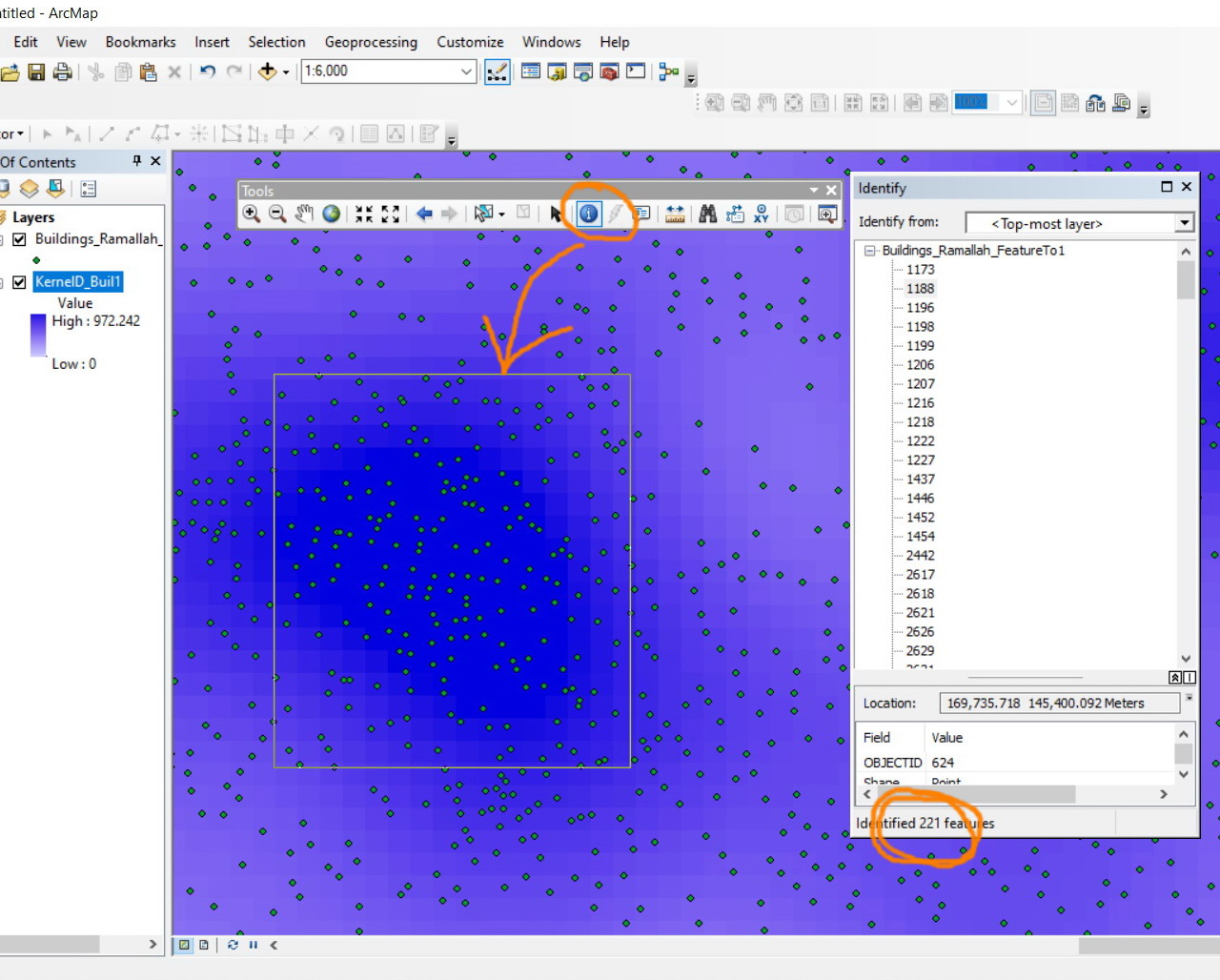
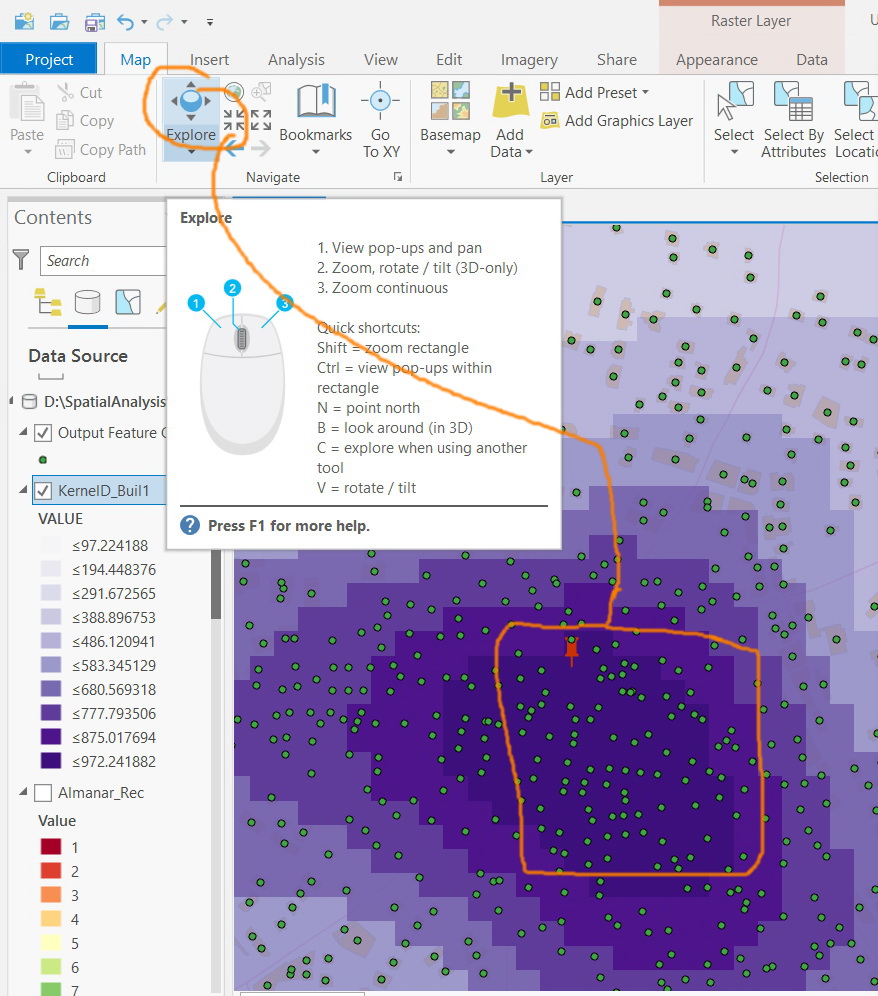
I couldn’t figure out how to apply window “identify” as it used to be in ArcMap.
----------------------------------------
Jamal Numan
Geomolg Geoportal for Spatial Information
Ramallah, West Bank, Palestine
Jamal Numan
Geomolg Geoportal for Spatial Information
Ramallah, West Bank, Palestine
Solved! Go to Solution.
1 Solution
Accepted Solutions


07-17-2020
02:28 AM
- Mark as New
- Bookmark
- Subscribe to RSS Feed
- Permalink
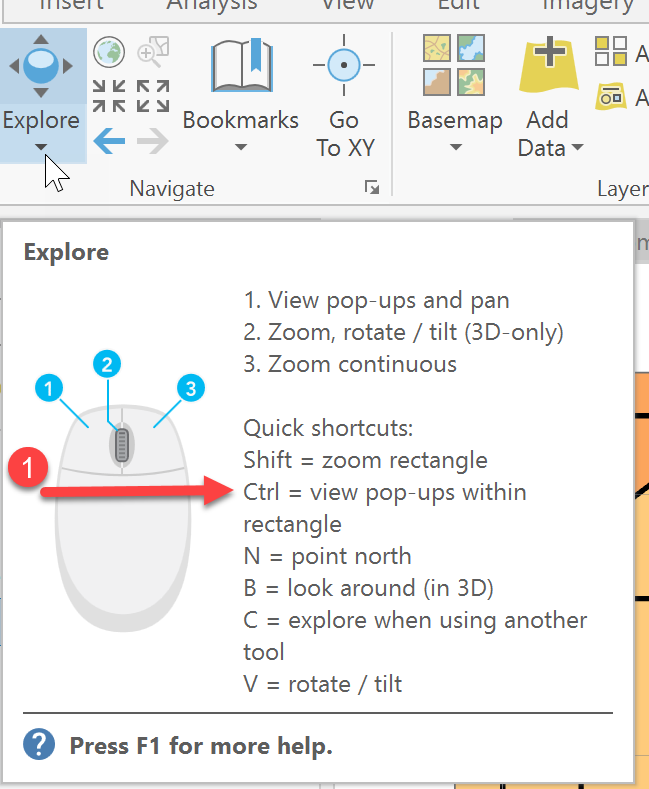
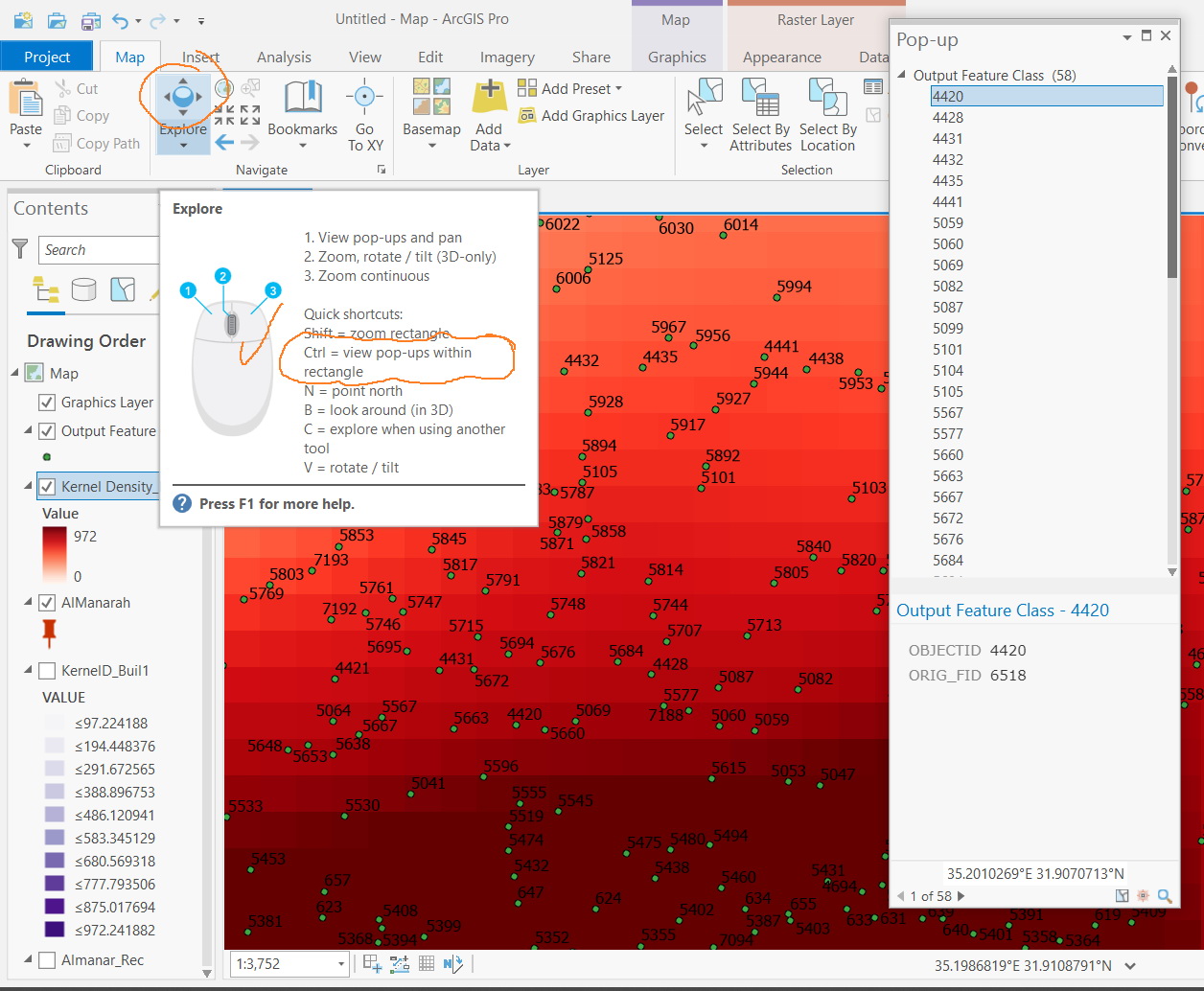
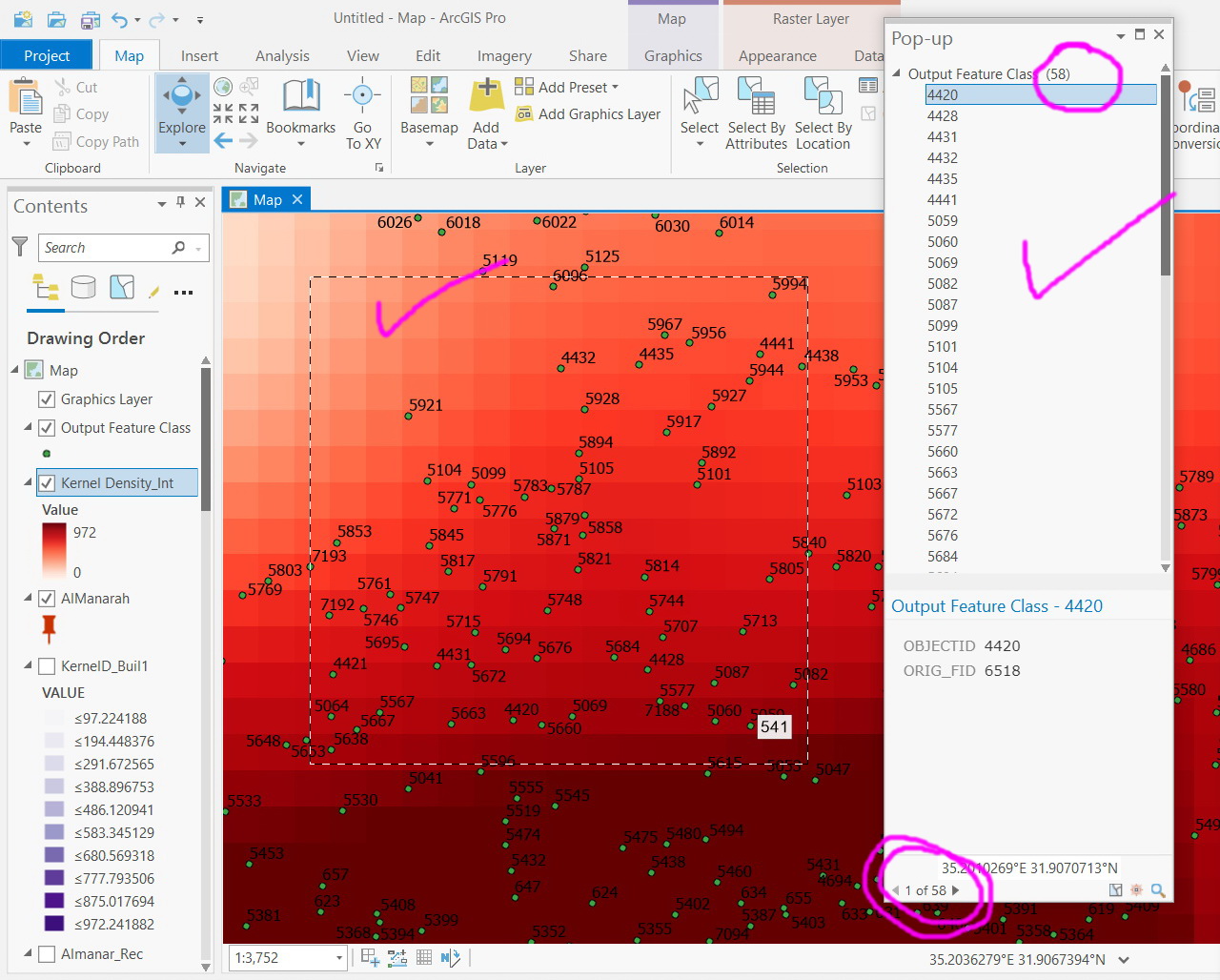
Did you hold the 'ctrl' key down when you drew the rectangle (see your image)?
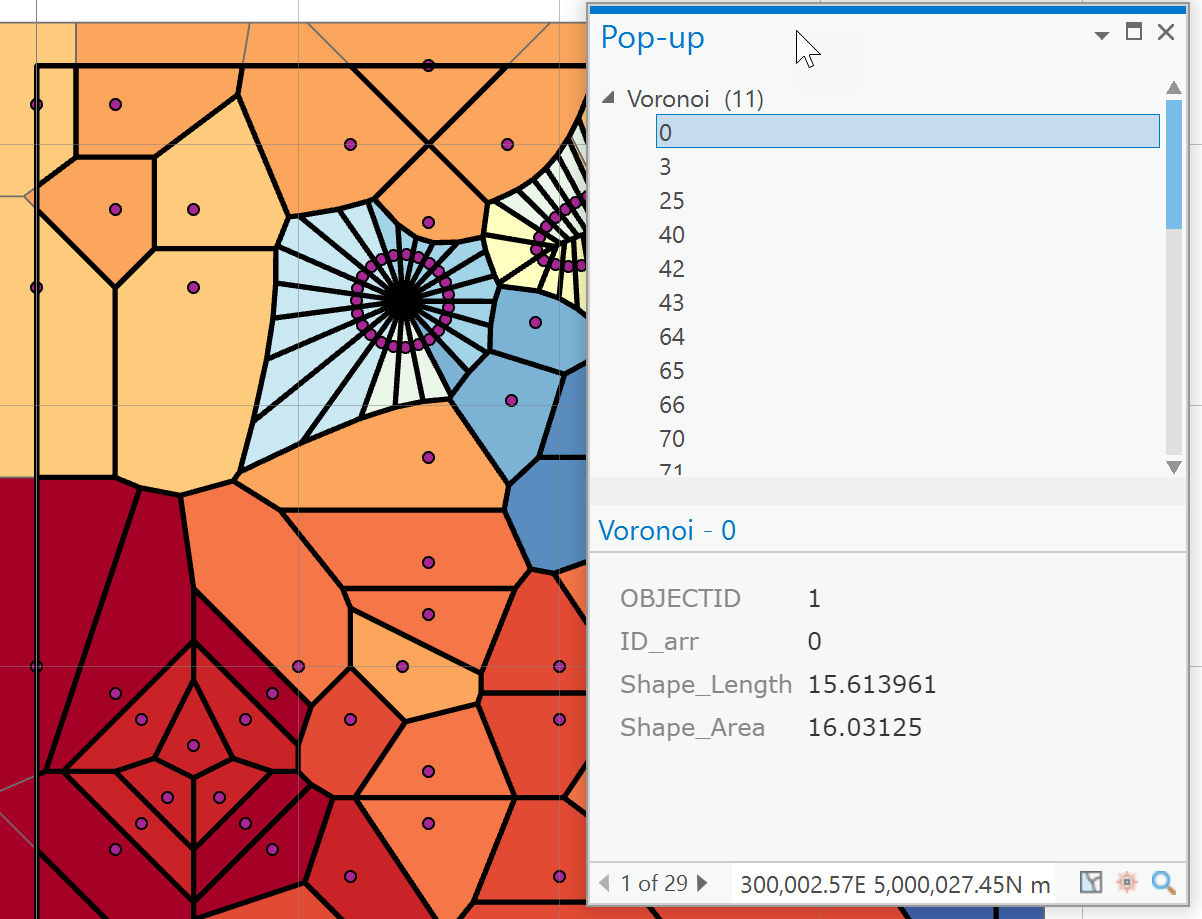
It opens a popup. It looks totally different, but the information is there
... sort of retired...
2 Replies
07-17-2020
02:28 AM
- Mark as New
- Bookmark
- Subscribe to RSS Feed
- Permalink
Did you hold the 'ctrl' key down when you drew the rectangle (see your image)?
It opens a popup. It looks totally different, but the information is there
... sort of retired...
07-17-2020
02:56 AM
- Mark as New
- Bookmark
- Subscribe to RSS Feed
- Permalink
Many thanks Dan. It works fine
----------------------------------------
Jamal Numan
Geomolg Geoportal for Spatial Information
Ramallah, West Bank, Palestine
Jamal Numan
Geomolg Geoportal for Spatial Information
Ramallah, West Bank, Palestine
