- Home
- :
- All Communities
- :
- Products
- :
- ArcGIS Monitor
- :
- ArcGIS Monitor Ideas
- :
- Changing Analysis Indicator
- Subscribe to RSS Feed
- Mark as New
- Mark as Read
- Bookmark
- Printer Friendly Page

- Mark as New
- Bookmark
- Subscribe to RSS Feed
- Permalink
It would be nice to have an analysis indicator type for ArcGIS Monitor that would allow the symbol to change automatically based on the change in a value. For example, I would like to have a single indicator to show the current status of a service , rather than have to create an indicator for each status.


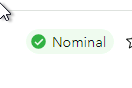
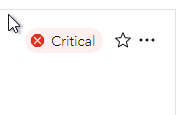
Ok, thanks @Lorne. Would it be fair to say, you're looking for a similar behavior to how Indicator elements work in ArcGIS Dashboards? Where its appearance and color may change, depending on the value reported for the Indicator?


Hello,
I'm seconding this, and wanted to provide a specific use case. I'm configuring a "SLA" indicator that sums up alert durations for ArcGIS Server outages over the past thirty days. I'd like to implement conditional formatting so that the indicator is green if the server is meeting the SLA, and red if it isn't.
Also, I'd like to be able to do calculations like (86,400 - alert minutes)/86,400 to get a percent server uptime (there are two ArcGIS Server sites x 43,200 minutes). Right now, I'm just using the Description field to instruct the user on how to calculate uptime percentage based on alert duration (screenshot below). But if there are better ways to do this, I'm all ears!

Thanks,
Andrew
You must be a registered user to add a comment. If you've already registered, sign in. Otherwise, register and sign in.