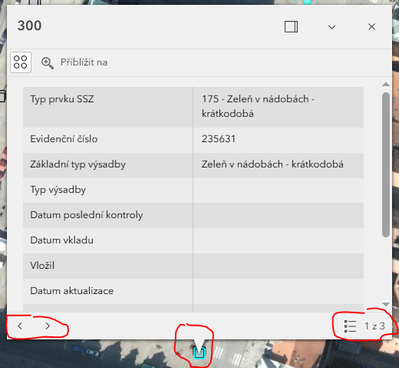
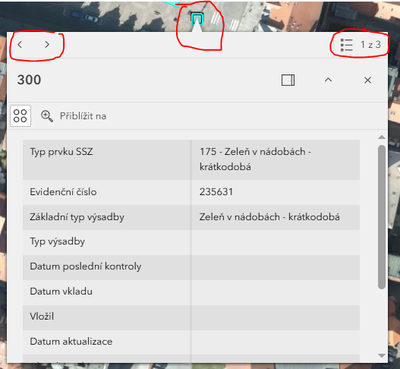
In the Experience Builder map, we use standard "pop-up window" to display details about identified features.
When more than one feature is identified, a switcher appears in this window.
My problem: The switcher changes its position depending on the position of the pop-up window "above" / "below" of identified features. When the window opens above identified features, the switcher position is at the bottom of this window. And when the window opens below the identified features, the switcher appears at the top of the window.
This is very confusing.
The switcher appears only when more than one feature is identified . And the user needs to see at the first look, if more (how much) features are identified / use the switcher. When this switcher changes its position (or isn't in the window at all), the user doesn't know where to look for it.
=> Please, lock the position of the switcher in the pop-up window when more than one feature is identified in the Experience Builder map. Only at the top or only at the bottom of the window - but in the same place every time.