- Home
- :
- All Communities
- :
- Industries
- :
- AEC
- :
- AEC Questions
- :
- revit file in ArcGIS Pro has lower version number ...
- Subscribe to RSS Feed
- Mark Topic as New
- Mark Topic as Read
- Float this Topic for Current User
- Bookmark
- Printer Friendly Page
revit file in ArcGIS Pro has lower version number then in BIM cloud even after downloaded latest version

- Mark as New
- Bookmark
- Subscribe to RSS Feed
- Permalink
Hi,
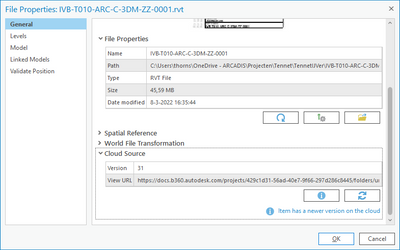
When I have loaded a rvt file to a scene in Pro via a BIM cloud connection, I am able to check if the rvt file is updated. If a newer version is available, I can download the source file.
But after downloading the version number is not updated and therefore ArcGIS Pro keeps saying a new version is available. Removing and adding again the rvt file via the BIM cloud connection does not solve this.
working with ArcGIS Pro 2.9.1

Solved! Go to Solution.
Accepted Solutions
- Mark as New
- Bookmark
- Subscribe to RSS Feed
- Permalink
After discussing the issue with David @DA_BIM-GIS it is known that this is still a bug in ArcGIS Pro (3.0.3 and 3.1)
I have created a support ticket #03301425


- Mark as New
- Bookmark
- Subscribe to RSS Feed
- Permalink
Hello Stefan,
This issue was resolved on Pro 3.0
Best regards,
David
- Mark as New
- Bookmark
- Subscribe to RSS Feed
- Permalink
Hello David, I just see your reply but unfortunately it seems I still encounter this issue. I am on Pro 3.03 and connected to a BIM360 project.
Regards,
Stefan
- Mark as New
- Bookmark
- Subscribe to RSS Feed
- Permalink
Hello Stefan,
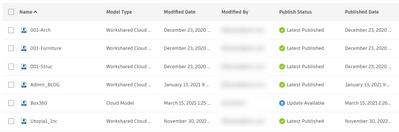
Have you check that the file(s) have been sync on the BIM360 or ACC ? as ArcGIS Pro will only see the most current version synced. In this case the file call Box360 will not show the most current version on Pro as it has not been sync.
This is a process done on the Autodesk side.
David
- Mark as New
- Bookmark
- Subscribe to RSS Feed
- Permalink
Hello David,
The UI in our BIM360 is bit different and that status is not filled in. But the files are in a Shared Folder and are updated from an WIP folder to share with the other design teams to be consumed in their discipline model.
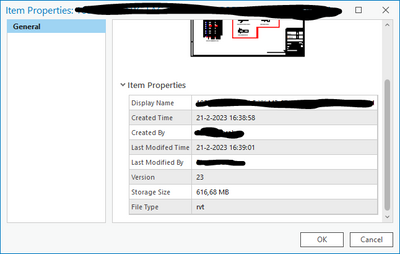
When I check via a BIM connection in Pro the properties of a file i.e. it shows me the version that I also see in BIM360:

In Pro the rvt file local to be updated:
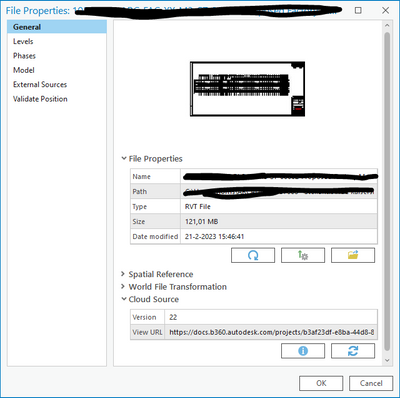
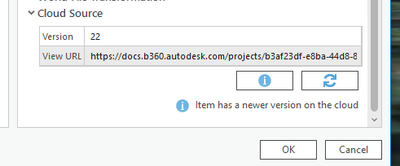
Before start 'Download the source file from the BIM cloud and overwrite local file':

After start 'Download the source file from the BIM cloud and overwrite local file':

Properties in Pro after Download:
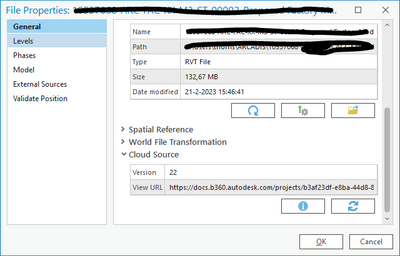
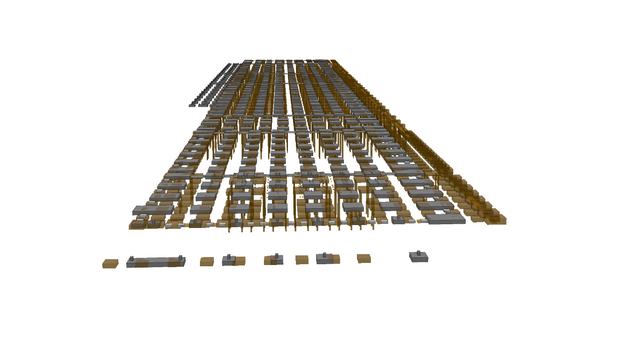
The local rvt file is updated but the metadata is not:
orange V22 (slpk)
Grey V23 (rvt)
Regards,
Stefan
- Mark as New
- Bookmark
- Subscribe to RSS Feed
- Permalink
After discussing the issue with David @DA_BIM-GIS it is known that this is still a bug in ArcGIS Pro (3.0.3 and 3.1)
I have created a support ticket #03301425
