Welcome ArcGIS for Excel Community!
What is one common task we do in the computer information or mapping industry; we are told to do this as basic troubleshooting or to apply the latest updates. If you guessed REFRESH, you are correct! It is more common than not to refresh a web page, refresh our map, or refresh to sync our data.
Refreshing ensures that all the changes, updates, and modifications made by others are reflected in the current view. It helps to maintain consistency and accuracy, which are crucial for data integrity and decision-making. Additionally, refreshing can prevent potential conflicts and discrepancies arising from working with outdated information.
Here is everything you need to know about the ‘refresh’ features in ArcGIS for Excel and how the workflows are defined.
What can we refresh?
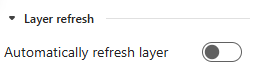
Layer refresh can be found under the Layer Properties tab. Toggle layer refresh on to automatically refresh the layer. Here you can manage settings and refresh intervals for live data layers, for example, live traffic.
The map refresh or Sync with ArcGIS can be found under the Map Data tab. You can sync the ArcGIS Online or ArcGIS Enterprise attribute table with the connected table in Microsoft Excel, as well as Sync pivot tables.

It's important to mention that as you add a data layer to a map, the information added to the worksheet will refresh the map to load the new data.
Conclusion
In conclusion, the refresh features (map and layer) in ArcGIS for Excel provide a seamless and efficient way to keep your data and maps up-to-date. These tools enhance workflows and ensure that your visualizations are always accurate and current.

