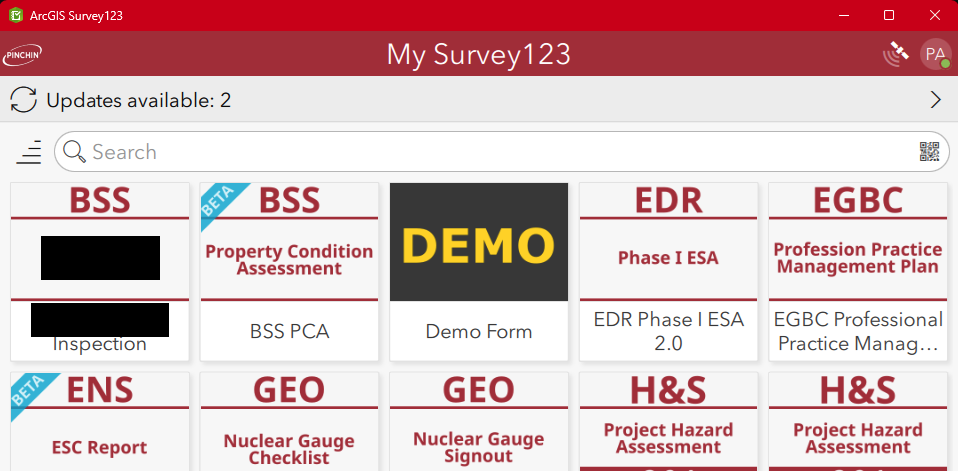
Updating surveys in the field app has several issues:
- It's hard for users to see (I know this one sounds odd, but I work with a LOT of users, and the number of people that cant see the banner is surprisingly high).
- It's slow. At best, you are making two clicks to do one thing. At worst, many more (related to #3, most users don't see the "update all" option at the bottom of the page)
- It's unintuitive. Again, I have see so many people turn into deer in headlights when I tell them to "update surveys". Also, telling users to "click anywhere and drag down to check for updates" is super confusing for the end user.
Here is the current version:
Here are some proposed changes:
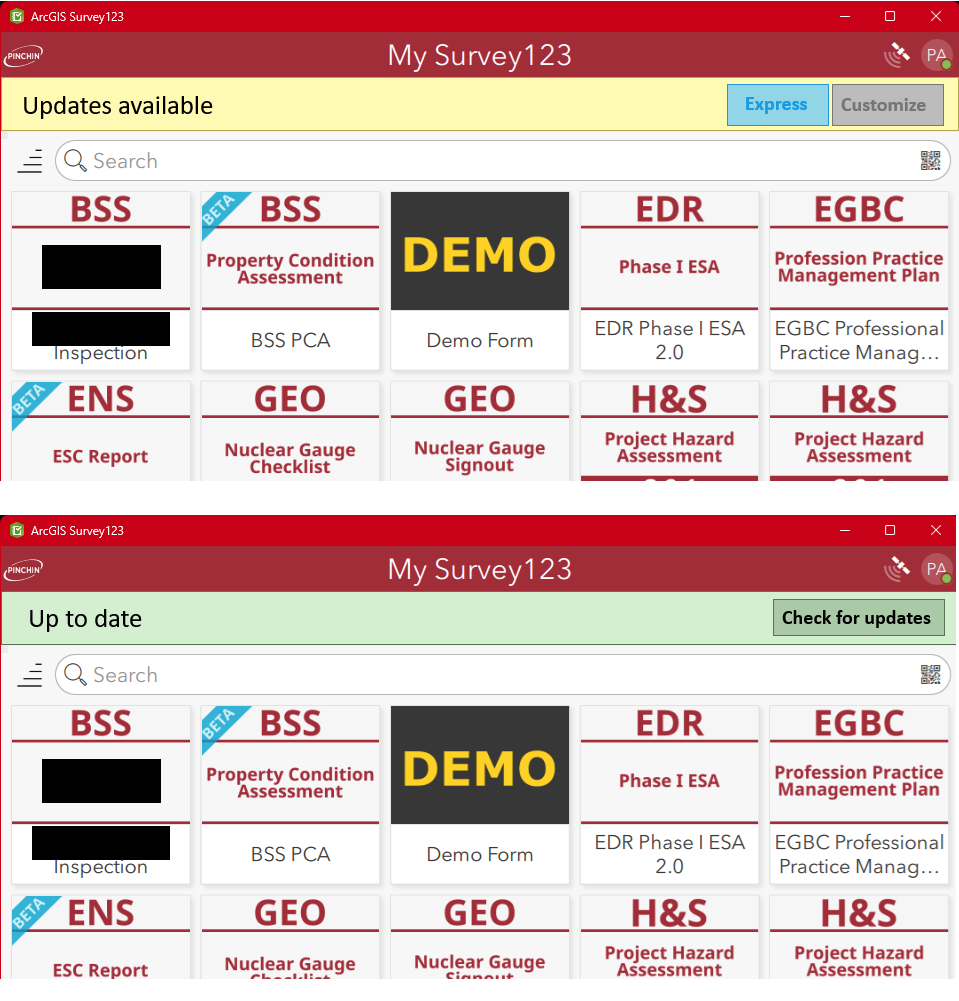
My incredible MS Paint skills aside, this visually shows users that updates are complete and lets them check for updates manually, all from one screen (I was thinking of adding a date/time stamp in there as well for added assurance). Also, when updates are detected, they are guided to update everything in bulk from the main screen, but can also individually download updates by going to the currently used update screen.


