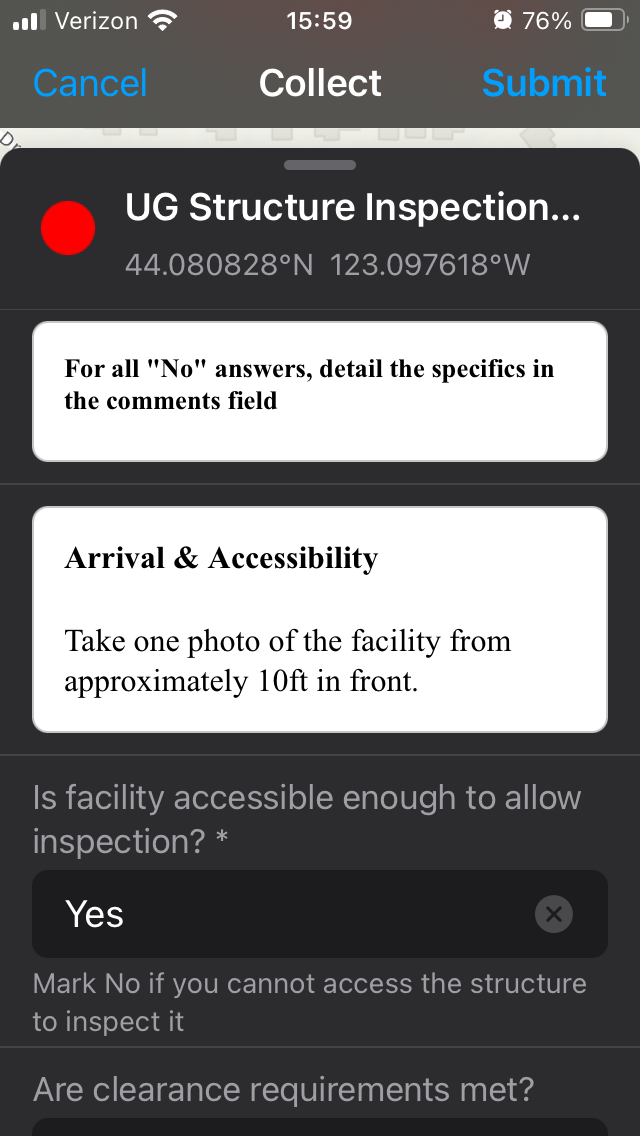
I'm using field maps designer to put together an inspection form. Most of the inspection fields are created in the form and saved to the layer. It all looks great in the designer window, but when viewing in Field Maps itself, it looks pretty terrible. The font and color of the text are completely different in the Input fields vs in the Info elements. Even worse, the info elements are surrounded by a random white box when viewing in dark mode. As well as being ugly, it makes the form difficult to read.
I don't see any controls for font, text color, or background color, and preliminary investigation shows it's not configurable. So why are they so different by default?