We recently upgraded our enterprise deployment to 11.1 and as part of that process, we federated our ArcGIS server site with the portal. This allows us to utilize integrated Windows authentication (IWA) on our enterprise systems.
Everything is working great with single sign-on (SSO) working seamlessly on our network when our portal is configured for web-tier authentication. However, we can no longer access secure services from ArcGIS Online (AGOL). AGOL does not give the option to save the credentials when adding a new URL-based item from our secure portal.
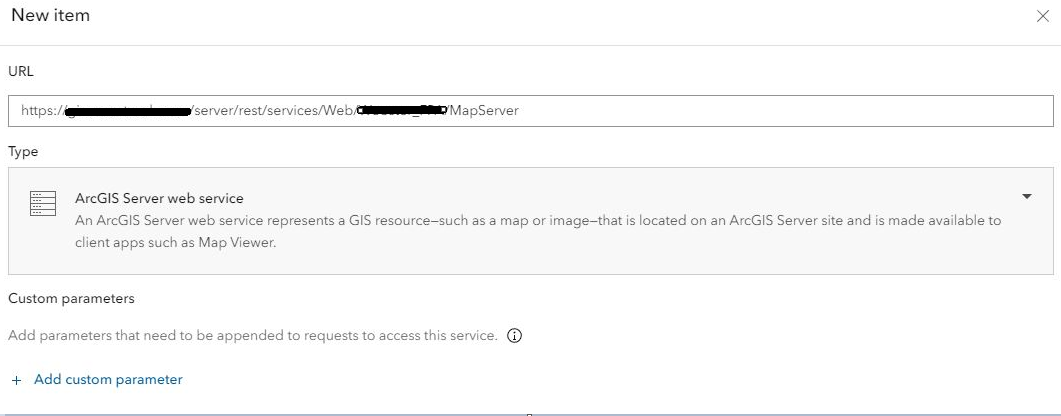
If we switch our Portal to portal-tier authentication the option to store credentials with a service item appears and we can access the secure data from AGOL without a logon; however, we lose our SSO functionality, and network users have to manually sign into secured services.
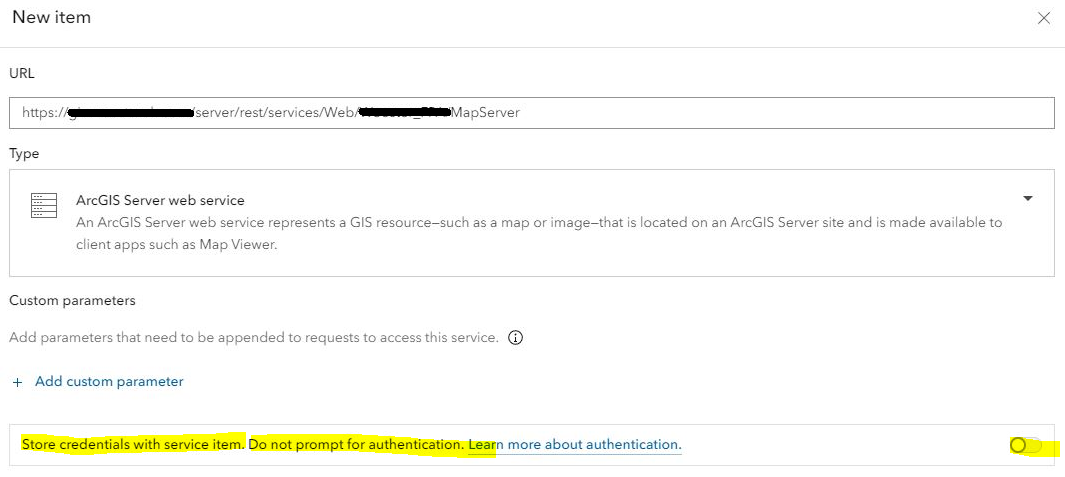
Am I missing something? Is there a workaround to be able to use web-tier authentication while still storing credentials on AGOL items?
We are using AGOL to make available some of our secure services publically available from our enterprise systems. It has worked great in stand-alone deployments and on Portal when configured with portal-tier authentication. I just cannot get it to work when using web-tier authentication.


