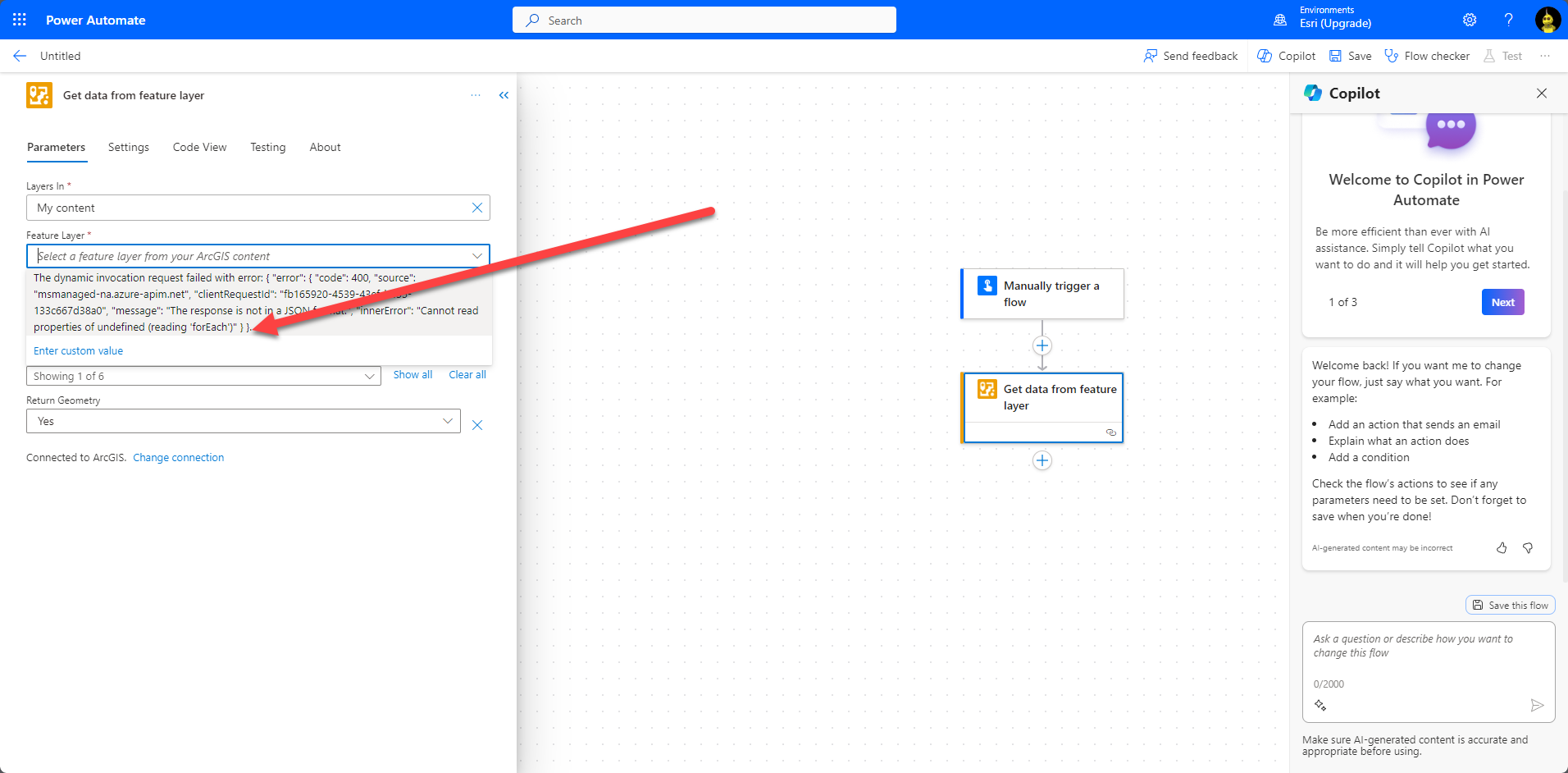
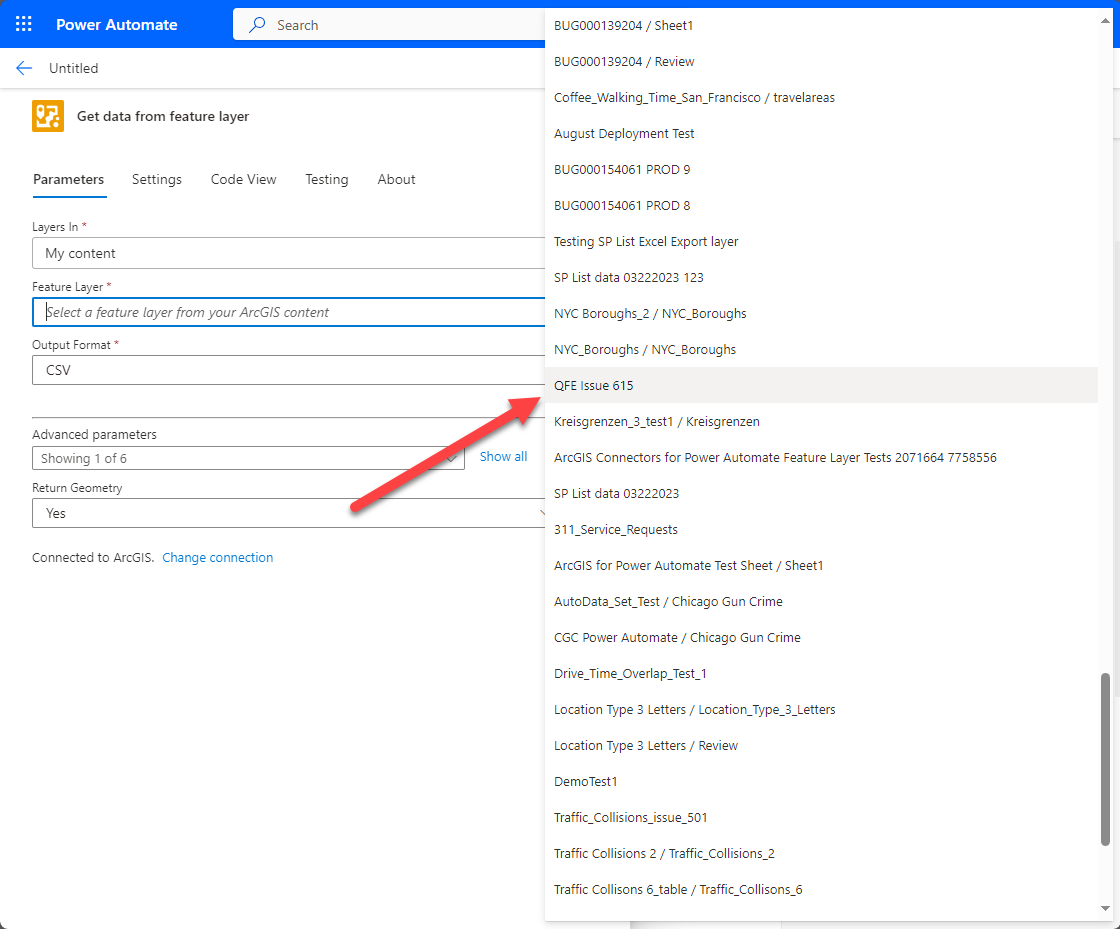
フォーラムのいくつかのスレッドで、'My Content'からデータを取得しようとした際に表示されるエラーメッセージに関する問題が報告されました。この問題は現在解決されており、修正が本番環境に展開されています。 <\/P>
<\/P>
変更が反映されない場合は、キャッシュをクリアするかPower Automateのセッションを更新する必要があるかもしれません。この修正に関して他に問題がある場合や、まだ問題が発生している場合はお知らせください。 <\/P>
関連スレッド: <\/P>
- セットアップ時にフィーチャレイヤーを取得できない ... - Esri Community<\/A><\/P>- 解決済み: テンプレートを使用したフィーチャレイヤー取得の問題 - Esri Community<\/A><\/P> <\/P>修正前<\/STRONG><\/P><\/span><\/P> <\/P>修正後<\/STRONG><\/P><\/span><\/P> <\/P>
-
修正前<\/STRONG><\/P><\/span><\/P> <\/P>修正後<\/STRONG><\/P><\/span><\/P> <\/P>
@AnthonyLatini is this in anyway related to this issue?
https://community.esri.com/t5/arcgis-for-power-automate-questions/trouble-shoot-action-failed-when-a-record-is/m-p/1348756/highlight/true#M454
@AnthonyLatini the fix works for me... but I had to delete ALL previous ArcGIS Connector connections, then from within the "broken" flow create a new connection and Voila! back to normal.
Thanks guys for working hard at finding and fixing the bug
サインインしたメンバーは投稿、更新のフォローなどができます。初めてですか?無料アカウントを登録してください。
Find useful guides, FAQs, and documents to help you navigate and make the most of Esri Community.