There are two ways to set up an 'Other' option for a multiple choice question in Survey123.
One way is to use the "or_other" option within the original question-- however, there is no way to require that the user type something in the textbox to specify what they mean.
The alternative is to set up a second, required question that is 'relevant' only if 'Other' is selected in the first question. I used this method to set up the 'Other' option for a few select_multiple questions throughout a survey.
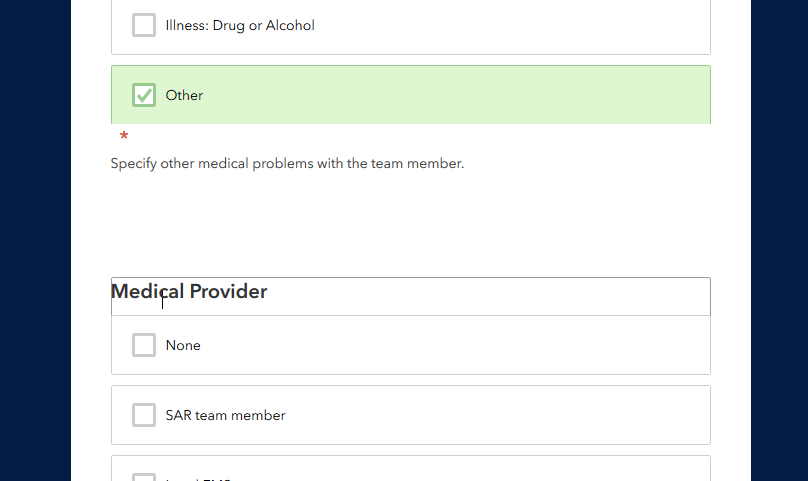
I am having a formatting problem with these secondary questions in the web form: the input is pushed down quite a bit and overlaps with the next question in the survey (see image).
I see this problem in Firefox, Edge, and Internet Explorer, but not in Chrome.

