Short version: the symbology of my features, set in the Visualization tab of the feature layer (and verified in the JSON on AGOL Assistant), is not being respected in my feature reports when using "drawingInfo:"currentLayer".
Long version: I have a Survey123 survey and feature report template that I've been using for a few years and am in the process of moving over to a new AGOL account. I have published a new survey to the new account and set up the feature report as well. After publishing, I set the symbology of the feature layers in the visualization tab:
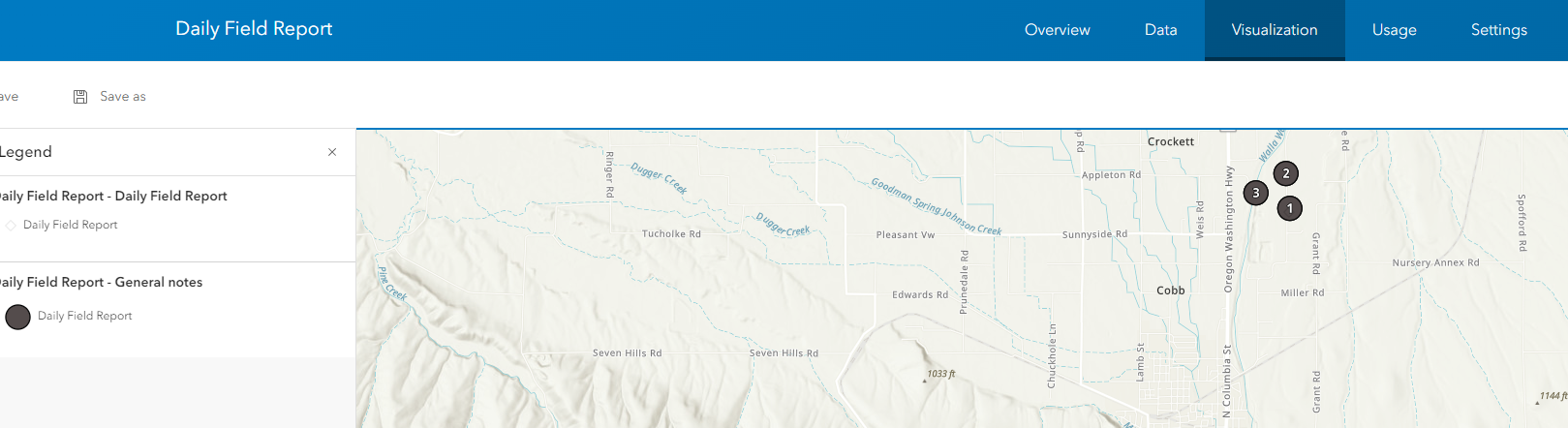
And verified the symbology was set in the feature layer's json when viewing in AGOL assistant:
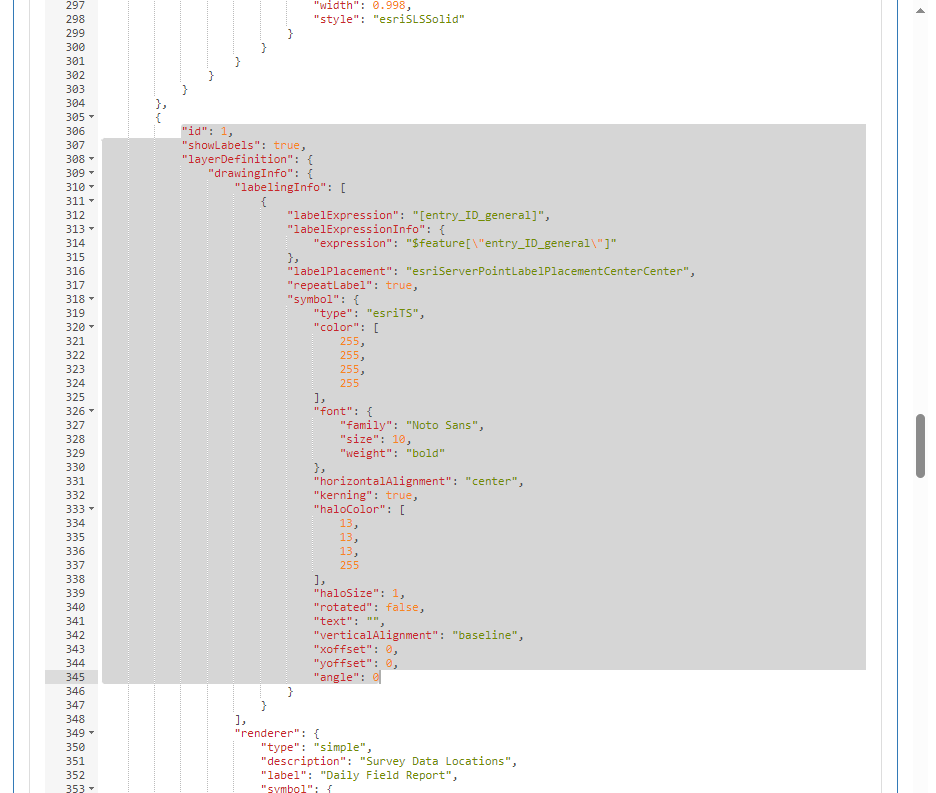
Now, I'm trying to generate the feature report so that the maps use the symbology set in the feature layer:
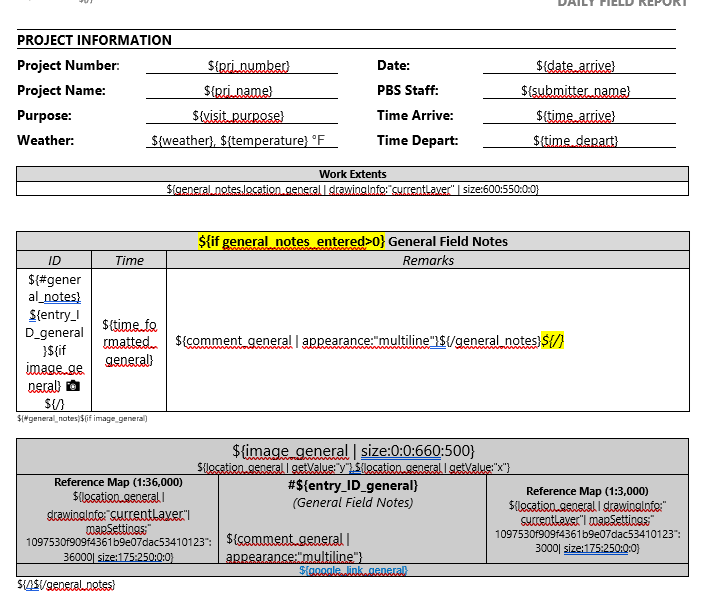
xc
${#general_notes}${if image_general}
${image_general | size:0:0:660:500} ${location_general | getValue:"y"},${location_general | getValue:"x"} |
#${entry_ID_general} (General Field Notes) ${comment_general | appearance:"multiline"} | Reference Map (1:3,000) ${location_general | drawingInfo:" currentLayer"| mapSettings:" 1097530f909f4361b9e07dac53410123":3000| size:175:250:0:0} | |
${/}${/general_notes}
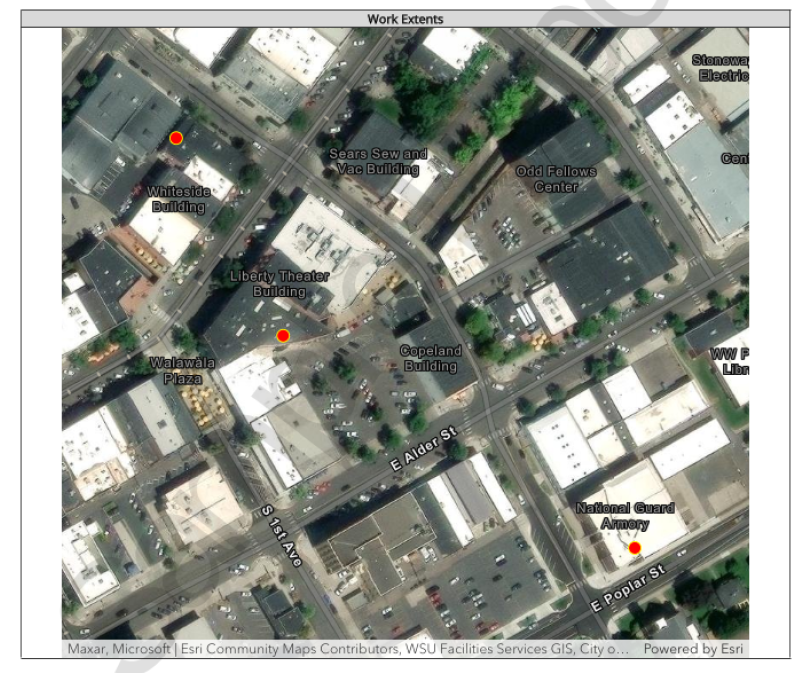
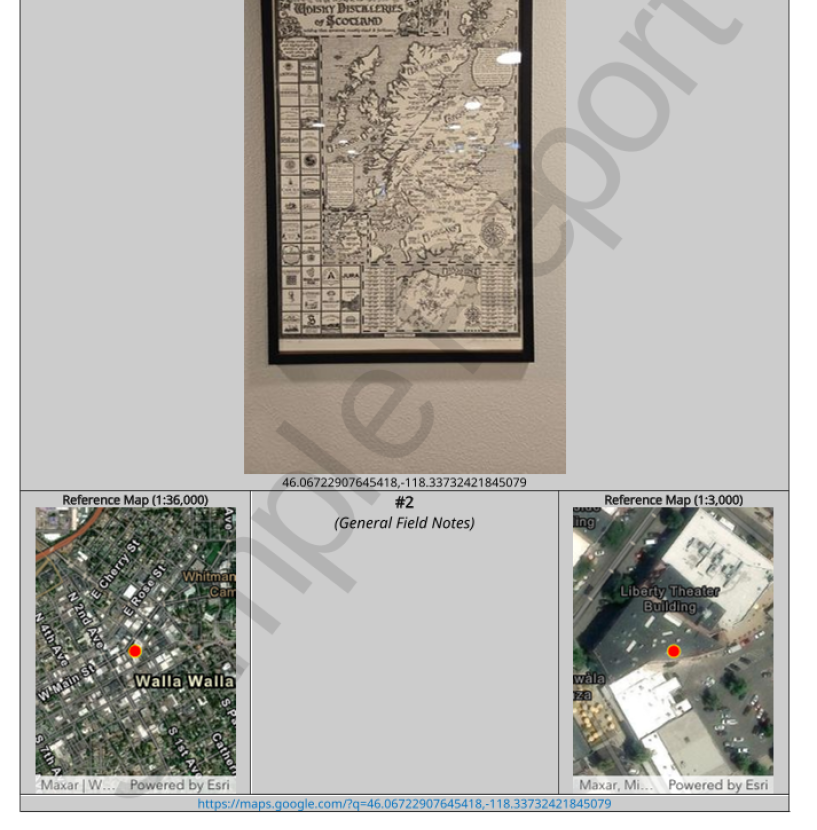
Which is not working as it has in the past:
I'd appreciate any help anyone is able to offer on this minor issue. Thanks!


