I'm attempting to deploy ArcGIS in Azure utilizing CloudBuilder.
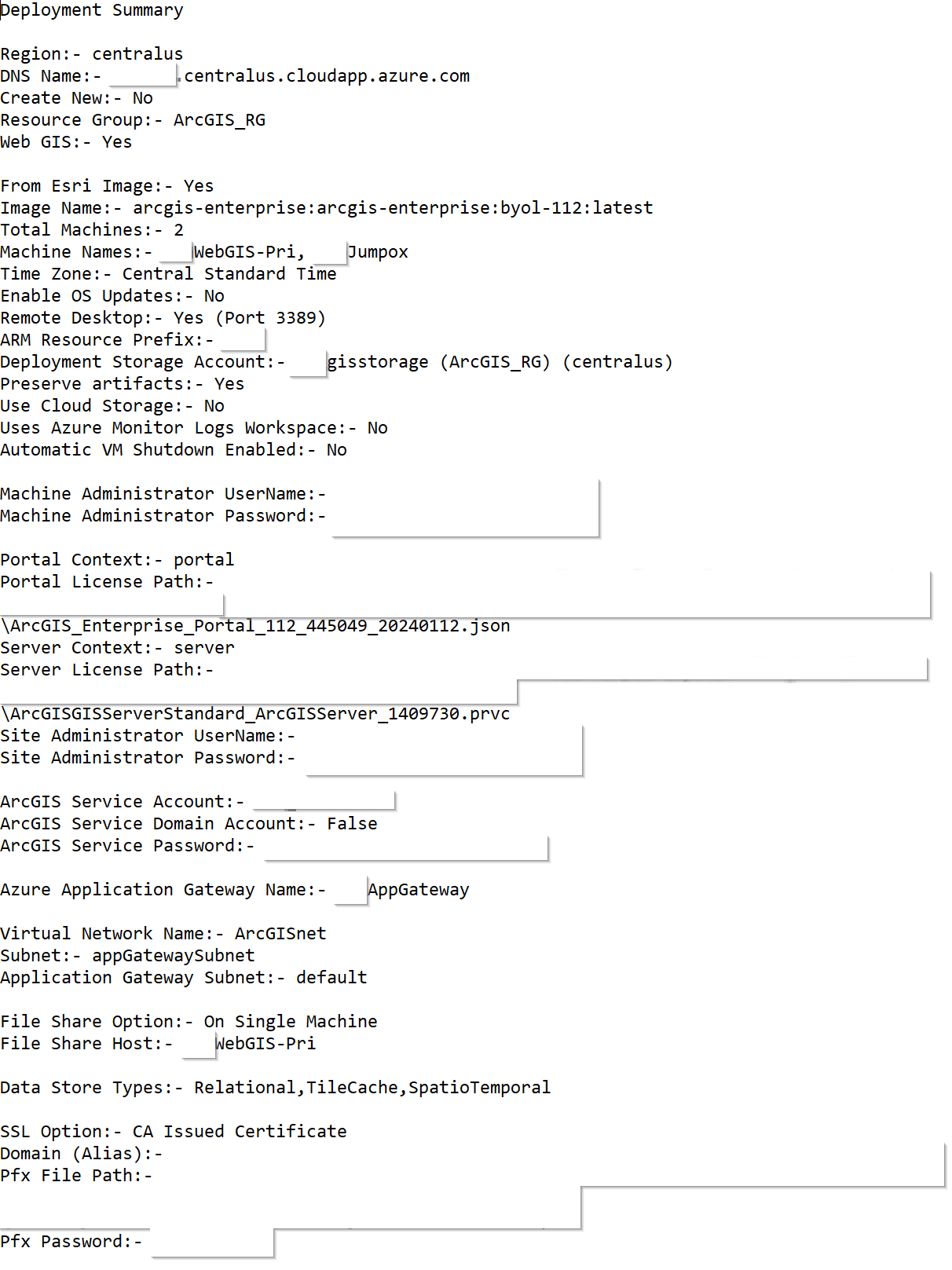
The deployment encountered the following errors
The resource bpaWebGIS-Pri/DSCConfiguration of type Microsoft.Compute/virtualMachines/extensions failed. Error:- The resource write operation failed to complete successfully, because it reached terminal provisioning state 'Failed'. VMExtensionProvisioningError - VM has reported a failure when processing extension 'DSCConfiguration' (publisher 'Microsoft.Powershell' and type 'DSC'). Error message: "DSC Configuration 'BaseDeploymentSingleTierConfiguration' completed with error(s). Following are the first few: PowerShell DSC resource ArcGIS_Federation failed to execute Set-TargetResource functionality with error message: [ERROR]:- Federation Failed after multiple attempts. Error: code=400; message=Invalid administrator username or password specified. Verify the username and password are correct and try again.; details=System.Object The SendConfigurationApply function did not succeed.".
I've added the MachineAdmin, SiteAdmin, and Service accounts to the Resource Group as both Contributors & with Reader & Data Access rights. I've confirmed/reset the passwords to confirm they're entered correctly in the Cloud Builder deployment.
What are some next steps to resolve the above error message?


