Recently I was working with a customer that wanted to send an e-mail notification from ArcGIS Online Notebooks. I’ve come to find that ArcGIS Online notebook containers have a blocking firewall that blocks the outbound SMTP connection. So, we were unable to connect to an external SMTP server (i.e. Office365) to send an e-mail. However, we were able to find a workaround using the Group object’s notify method.
The notify method can send an e-mail to any or all users in a Group. In this example, the customer wanted to notify a user that their account would be disabled when they haven’t logged in within 90 days.
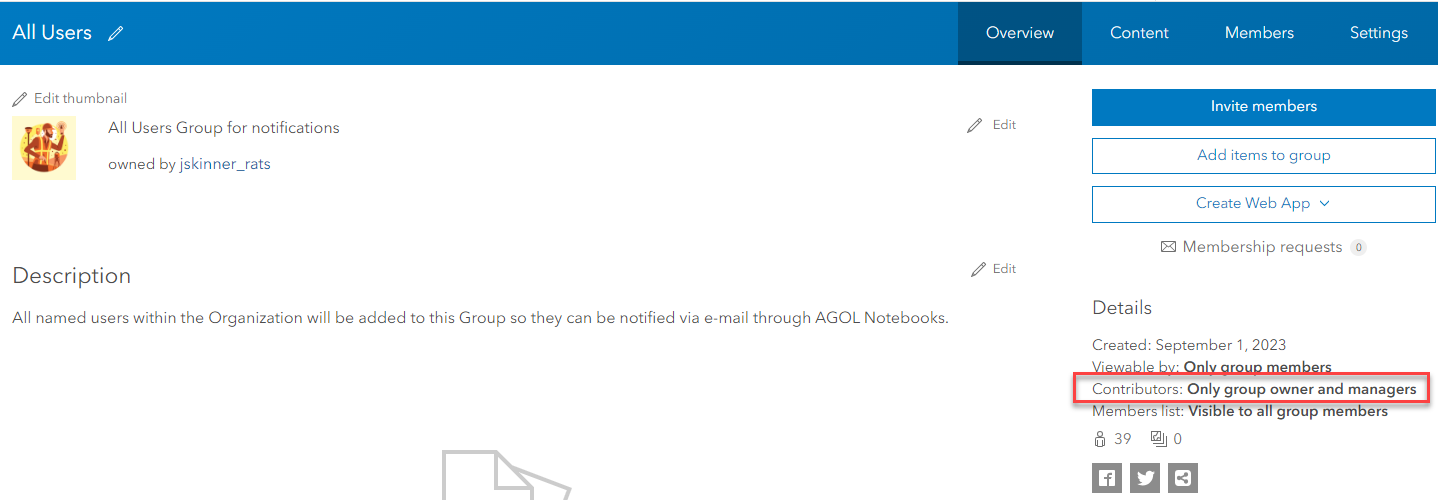
1. First step is to create a Group in AGOL. Since any user could potentially be notified, all named users have been added to this group, All Users. No content needs to be shared to this Group, so I’ve set the Contributors to only the group owner and managers:
2. Make note of the Group ID from the URL:

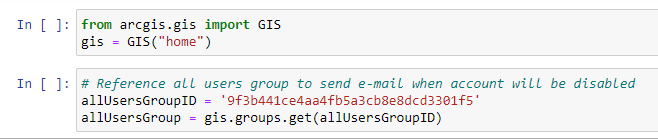
3. Reference this group in your Notebook:
4. Create a list of all named users

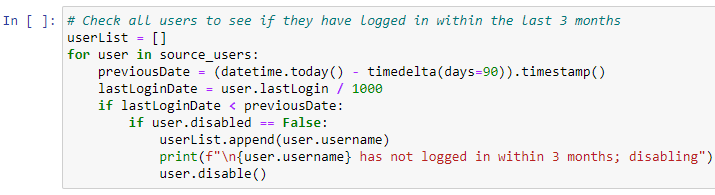
5. Check which users have not logged in within 90 days. Disable those accounts, and add that username to a list called userList
6. If there were users that were disabled, the userList can be passed to the notify method with an e-mail subject and message of your choice:

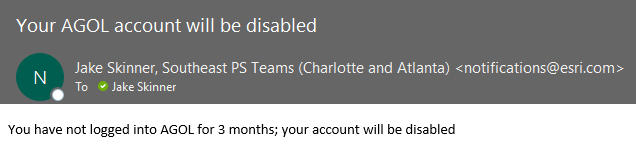
Example e-mail message:
Attached is the Notification Example notebook/script.







