When I have a point layer that I'd like to change from a circle to a square symbol, I'm unable to change it to a square by performing the same steps that I would normally do in ArcMap.
For instance, here are my workflow steps:
- Select a layer in Table of Contents
- Symbology Pane > layer is already symbolized and configured as a circle, and colored by Unique Values
- So I select all the symbols > right-click > Format Symbols
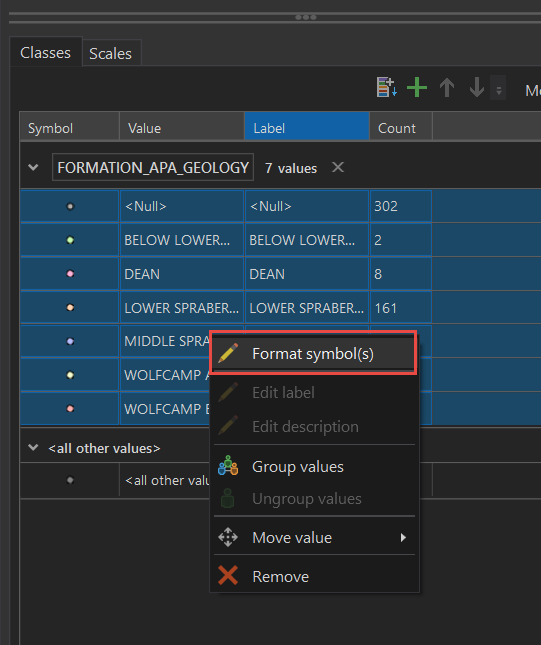
- Except I'm disappointed to see a limited set of options when formatting multiple symbols.
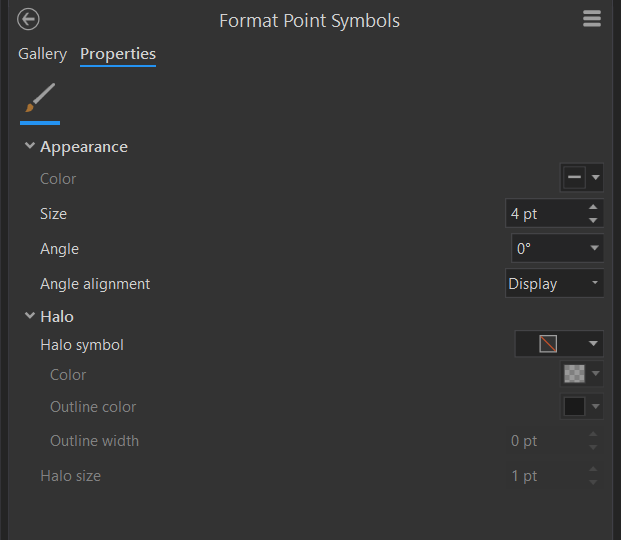
Kory Kramer This has been a frustrating missing feature for several years now. What do you think is the most efficient way to change the symbol type for a point layer, without losing the other formatting (colors, outline weights, etc.) I've specified for multiple symbols within a single layer?





