For content contributors, we have updated how content is added in Group views within ArcGIS Hub. This enhancement means that when viewing a group, the Add content button is relocated to its most useful place: within the Content tab. This results in a more unified gallery experience across Hub, bringing consistency, flexibility, and power to group-based collaboration.
What changed
Previously, the Add content button appeared above the navigation tabs in the Group view. While always visible, it was disconnected from the actual content gallery, making the user experience disjointed.
With this update:
- The Add content button is now integrated directly inside the Content tab gallery, right where content is contributed and viewed. This gives clarity to all your contributors.
- The Group’s Content tab now uses the shared gallery component used throughout ArcGIS Hub, inheriting shared features.

Why it matters
This enhancement introduces meaningful benefits for contributors and editors:
- More layout options
The shared gallery brings flexible layouts (like Grid, List, Table, Map, Compact), allowing your users to customize how content is browsed. - Improved aesthetic sort controls
The appearance or styling of sort options is now aligned with other Hub galleries. More importantly, sort styling will continue to benefit from upcoming improvements. - A more powerful “Add content” workflow
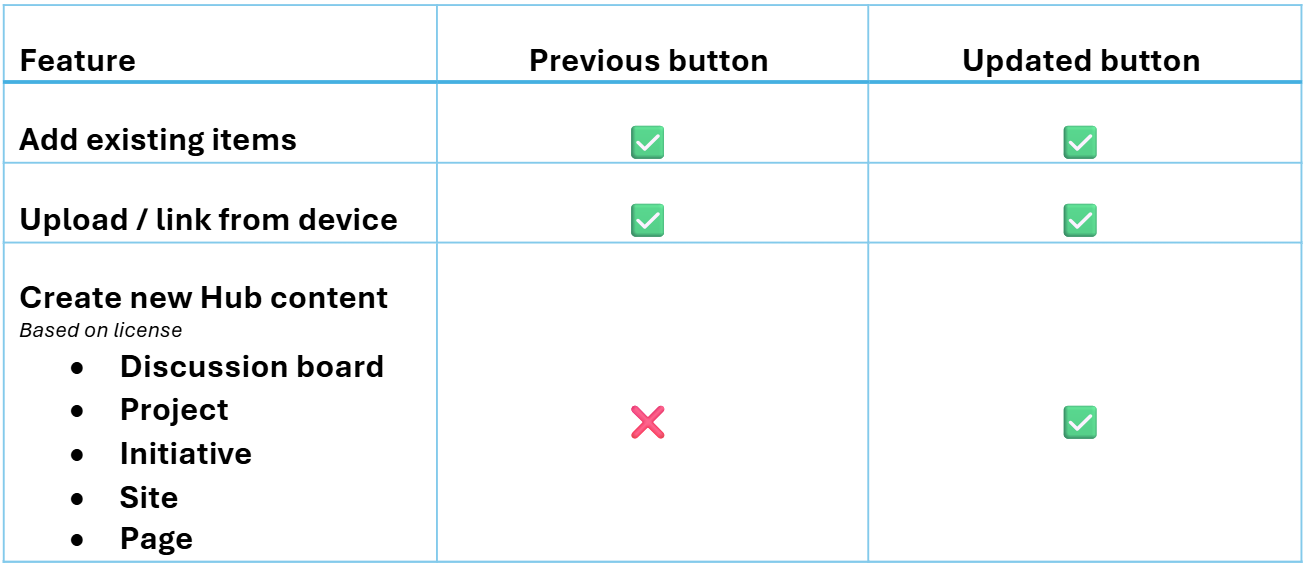
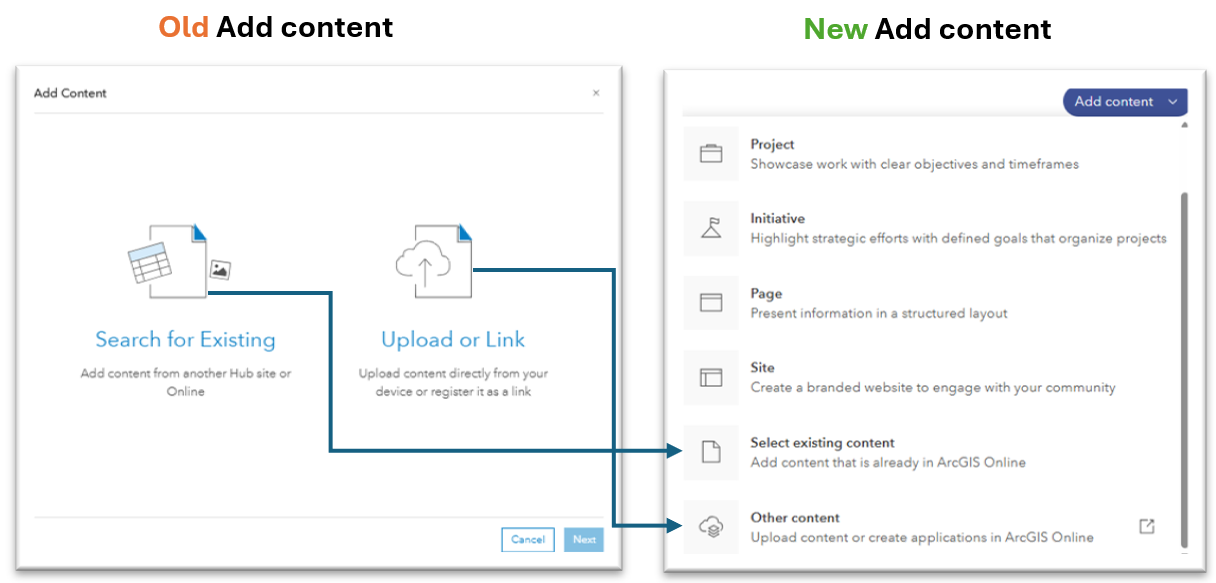
The updated button now launches the full Add content experience used in other views, with options to create content.
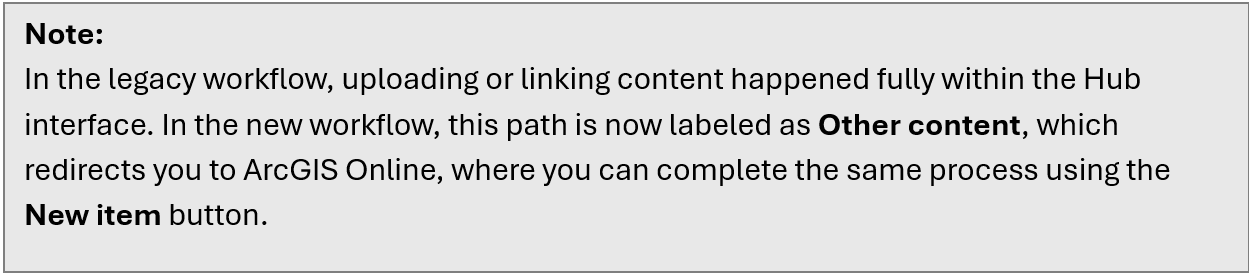
Comparison of the old vs new “Add content” options
Takeaway
This update is part of a broader effort to unify how content is added across ArcGIS Hub. By aligning the Group view with other gallery-driven views, content contributors now have a consistent and intuitive workflow no matter where they are working.
________________________________________________________________________________________
We want your feedback!
Do you have ideas or requests related to the Add content workflow in Hub? Let us know:
- General thoughts? Comment below.
Go further with ArcGIS Hub
- Find out what’s new and learn best practices on the ArcGIS Blog
- View presentations, demos, and how-to videos on our ArcGIS Hub playlists
- Find inspiration in the Hub gallery

