Hello,
I am trying to work out the % overlap between two polygon layers. To do this I:
- Imported my point locations and created buffers around these
- Ran an intersect (input features = buffer layers created)
- Calculated the area of the intersect using the calculate geometry option
- Calculated the % overlap((Overlap area / original area) *100)
However, I have ran into some issues where there are multiple polygons in the one area. For example, I am looking at the % overlap between the buffer around the red point (circled) and the buffer around the green point. However, the intersect created suggests this area is only small (see selected area highlighted in blue) and therefor does not provide an accurate % overlap (only 1% when it should be a lot higher).
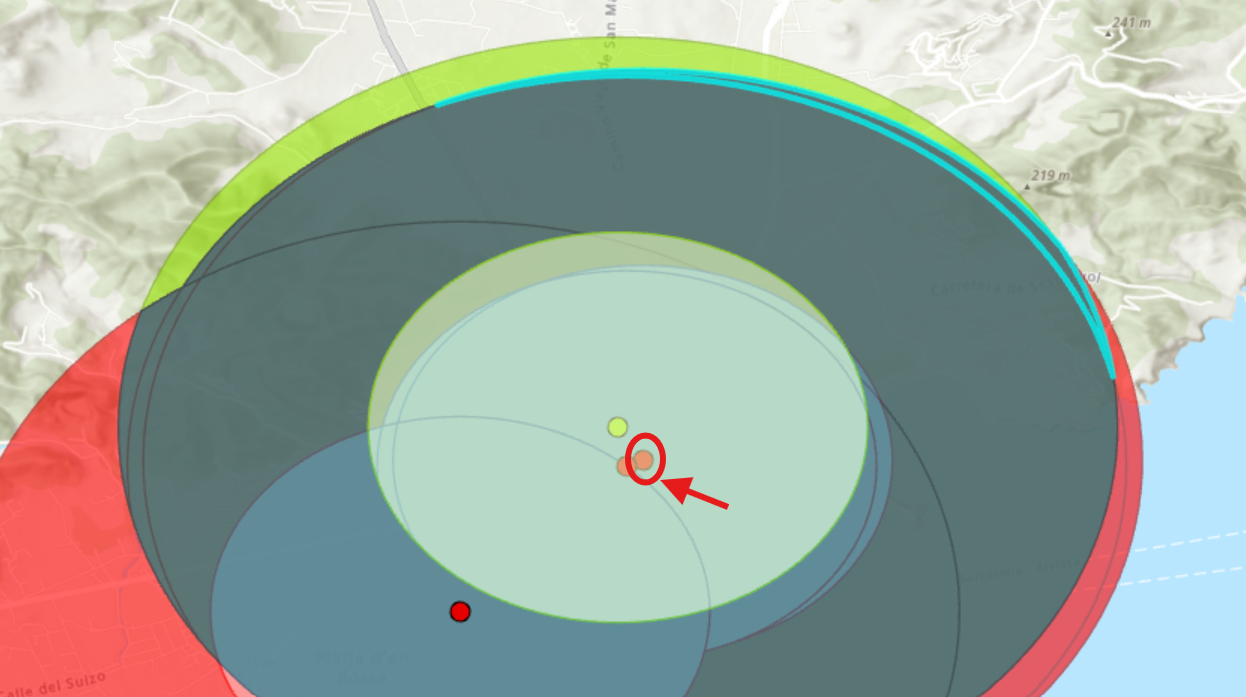
Any suggestion on how to avoid this error, or will I need to run the intersect tool for each location individually?
Thanks in advance!


