Hi Team,
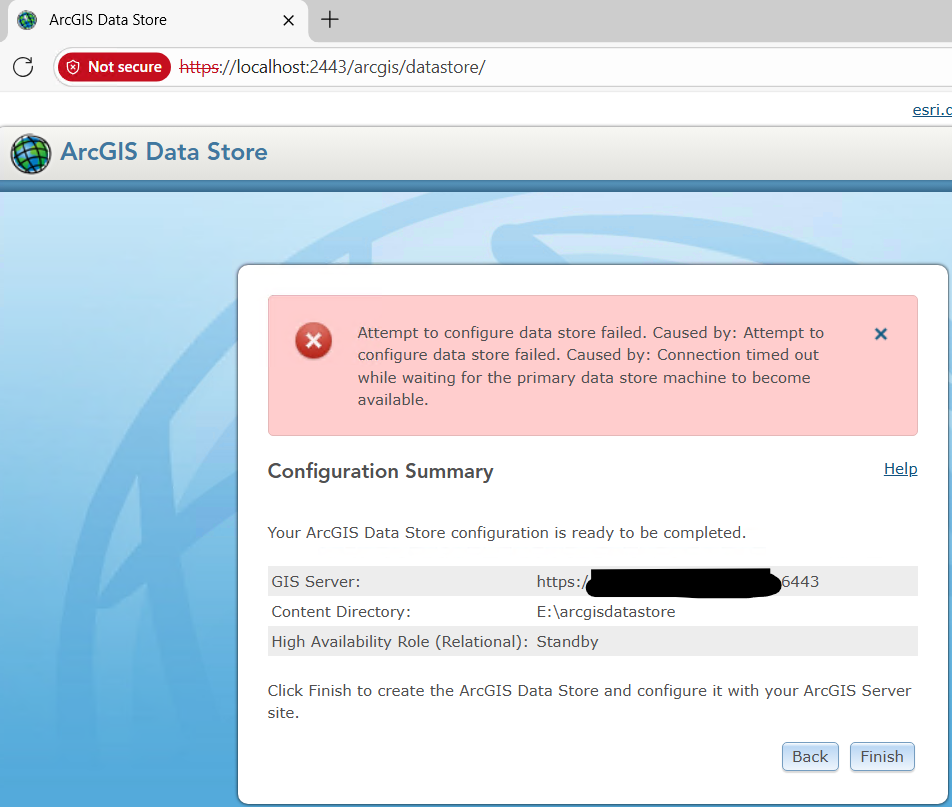
We are in the process of adding a new machine to the existing ArcGIS Data Store. After installing the ArcGIS Data Store on the new machine and attempting configuration through the Data Store Configuration Wizard, I am facing an issue. A snapshot of the error is attached here & logs is given below
<Msg time="2025-10-23T09:27:56,933" type="SEVERE" code="110303" source="Data Store" process="9492" thread="18" methodName="" machine="xyzx.xy.xy" user="" elapsed="0.0" requestID="">Attempt to configure data store failed. Attempt to configure data store failed. Caused by: Connection timed out while waiting for the primary data store machine to become available.</Msg>
As part of the troubleshooting, I have already performed the following checks:
- Added the required Data Store ports to Windows Defender Firewall.
- Updated the hosts file entries on both machines.
- Verified connectivity — confirmed access from the new machine to the existing Data Store and vice versa.
Thanks & Regards,
Kristofer



