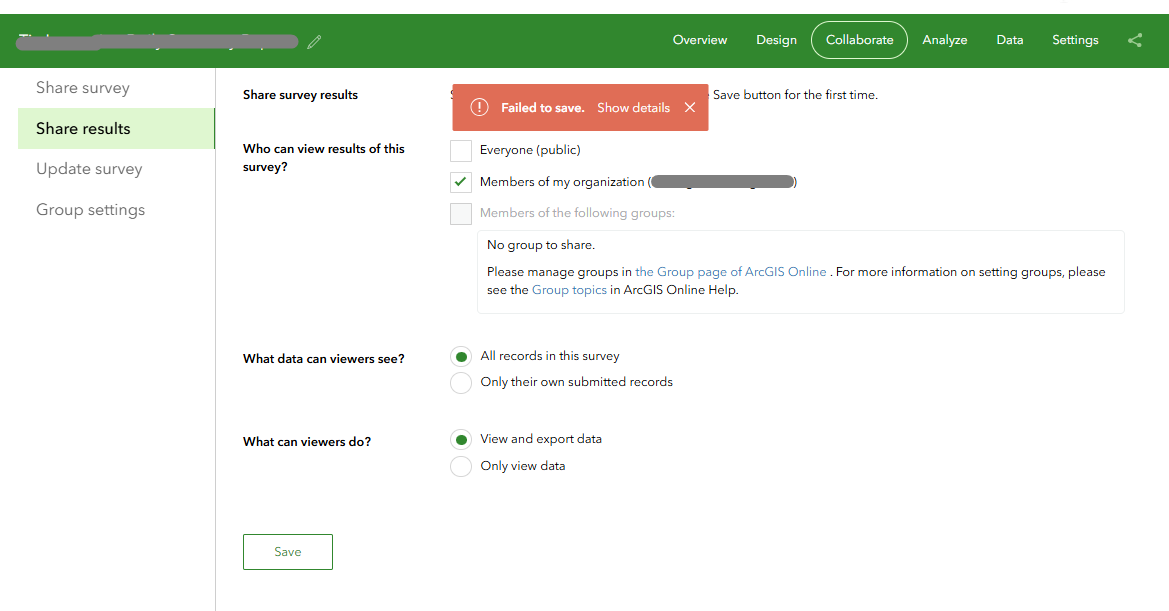
I'm running into a "Failed to save." error when trying to change the share results under the Collarborate settings for a survey. The survey was create in Survey 123 Connect, was published with no errors, and the media folder is less than 10MB (saw this as an issue in another post). I need to change the setting so that field techs can create reports. Currently others can collect, and a few surveys have already been submitted so republishing the survey isn't ideal. I know this has been an issue in the past. I tried EricaNova's solution on this post, but it did not work for me.
I've tried changing other settings on the Share Survey page and they were able to save. However, when I change the collaboration setting and hit save I get a Failed to Save pop-up.
What the details say are in the attached text file.
I'm completely at a loss on what to try next. Any tips or ideas would be greatly appreciated.
Thanks





