ArcGIS Pro 2.9.5; Oracle 18c 10.7.1 EGDB:
I've imported a .CSV to an enterprise geodatabase as a standalone table using the Table to Geodatabase geoprocessing tool.
Unfortunately, the tool has made the text fields way too long: 1073741822 characters, regardless of the max value length in a given field.
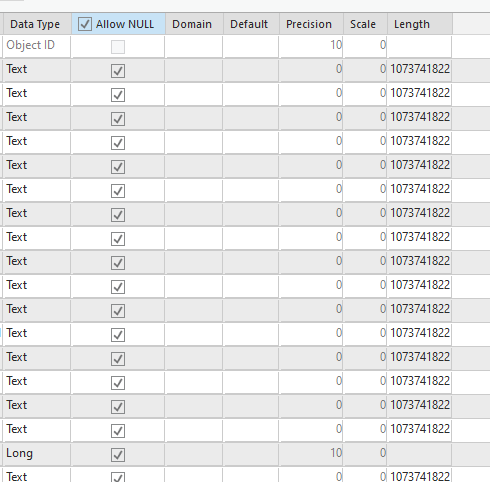
I've deleted all rows in the table to allow me to change the field lengths using the Fields View. (I'll re-load the data afterwards.) But the question is: What lengths to use? If I could determine what the max value length in all of the fields, then I'd set the max length to, say, 255 for all fields. But I don't know what the max text value length is.
How can I determine the max text value length of multiple fields using ArcGIS Pro?
Import Table — Set text field length to input field's max text value length



