In advance of several forthcoming updates, we’d like to make all of our members aware of changes you should expect to see implemented during the first half of September 2024.
“Worldwide” Category Changing to “Global”
In keeping with Esri’s naming conventions, the Worldwide category found in Esri Community platform navigation will instead be titled Global. This change utilizes cleaner, more contemporary terminology that promotes a better navigation experience.
The Global category hosts Esri distributor-run Places from around the world, offering region- and distributor-specific collaboration to members. Those Places will be collected under regional sub-categories to improve organization.
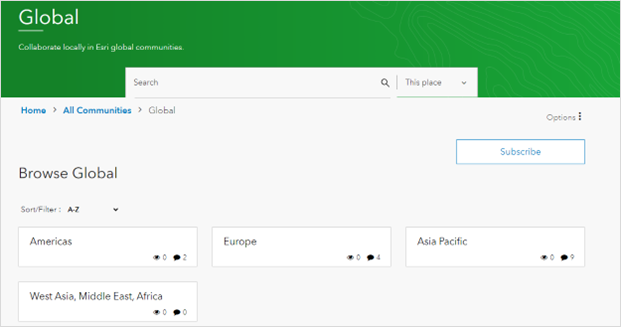
Example Global landing page with regional sub-categories.
New User Role and Pill: Esri Alum
Username pills appear beside certain members’ usernames when they author posts, comments, or replies. These pills visually denote that the user holds a unique role in the platform; e.g.- a green ‘Esri’ pill indicating someone is an official Esri team member or a purple ‘MVP’ pill indicating someone is an Esri Community MVP.
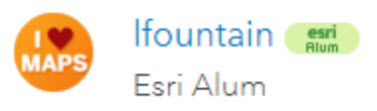
Esri Alum pill and role example.
To aid members in making more informed communication choices when attempting to connect with Esri staff in our platform, we’re introducing a pill that corresponds to a newly created role: Esri Alum. This new role is designed for former Esri team members whose accounts and post history live on in Esri Community. These roles will additionally feature a reduced set of permissions that include preventing Direct Messages from being sent to them (the accounts are not monitored) and removal from Top Contributor leaderboards.
Note that this update is not automatically being retroactively applied to all former Esri staff accounts. Relevant accounts will be updated on a moving-forward basis, including retroactive application when/where possible. Discrepancies are anticipated.
Rank Ladder Simplification
Esri Community ranks are one method of tracking an account’s degree of participation in the platform. They appear in a user’s profile beside their avatar and beside their username on posts they’ve authored.
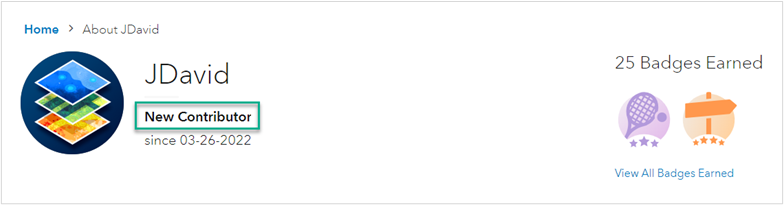
Example user’s rank as seen in their profile.
Ranks do more than just indicate how much Community participation a user has engaged in, though. They also facilitate movement between certain account roles and, subsequently, which permissions a member can make use of.
To improve efficiency, Esri Community is reducing the overall number of ranks available in our rank ladder and introducing a small number of new ranks to prevent gaps. These changes reflect a more authentic rank-journey our members take and address barriers to advancement.
Note that, following the update, members whose accounts reflect a removed rank will find that they’re automatically updated to a different rank based on their history of participation.
Learn more about ranks in our Community Member Rank Guide. The Rank Guide will be edited with relevant changes following the update.
. . . . .
Questions? Let us know in a comment below or email our team at esricommunity@esri.com.
