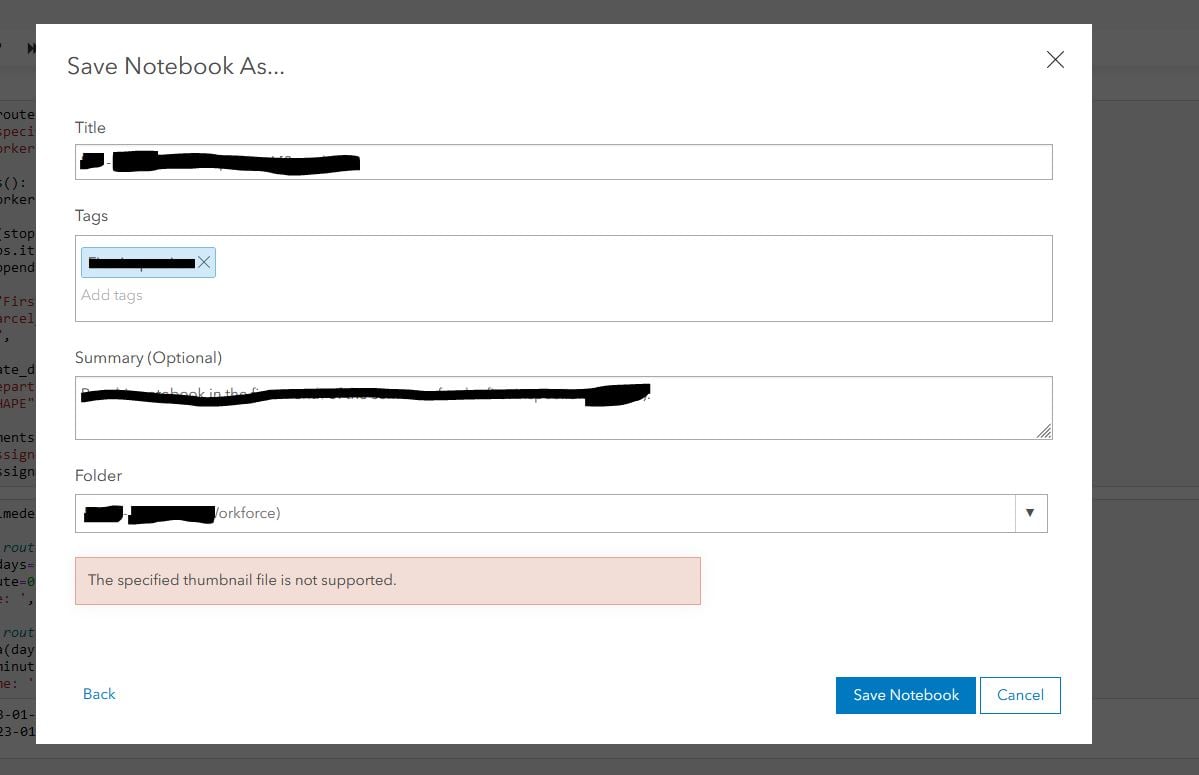
Hello,
I am the owner of a notebook and I am trying to save a new version of it (save as)
I get this error: "The specified thumbnail file is not supported."
There is no thumbnail that I am aware of.
I see the same issue with no answers.
"The specified thumbnail file is not supported." e... - Esri Community
Any idea?
Thanks!
Hi @PanGIS, thanks again for bringing this to our attention. Letting you know that you can expect a fix for this in the summer 2023 ArcGIS Online release and the Enterprise 11.2 release in the fall.
thanks!
Nick Giner, Product Manager
Hi @PanGIS - In addition to the question above from @NicholasGiner1 , can you share some additional details on how the notebook was created? was this a ipynb file that was imported into ArcGIS Online or ArcGIS Enterprise as a new notebook item, that you are trying to save as another notebook item? Was there any time between opening of this notebook and attempting "save-as" - i.e was the notebook idle for some time before you attempted save-as?
Thanks
Hi - does the original notebook item (the one you are "Saving As" a new version of) have a thumbnail associated with it? You can check by going to the Item Details of the original notebook item...
Signed in members can post, follow updates, and more. New here? Register a free account.
Find useful guides, FAQs, and documents to help you navigate and make the most of Esri Community.