I have an issue with a Tile Layer that is stuck trying to build a cache. Here's some background: published a tile layer about a month ago and proceeded to build the cache manually. I knew the process was going to take a bit of time, but it was smooth sailing until I began working on level 23, scale 1:70.53. I would run Manage Map Server Cache Tiles tool and it would crash with the 99999 error, some of that might have been due to a server rebooting. Or sometimes I would have to manually stop the build to kill a schema lock. But now I am in a situation where the server is stuck on trying to build on level 23, even though no processes are running. In fact, I have restarted both the service for ArcGIS Server and even rebooted the hosting machine and it is still showing as Building Cache.
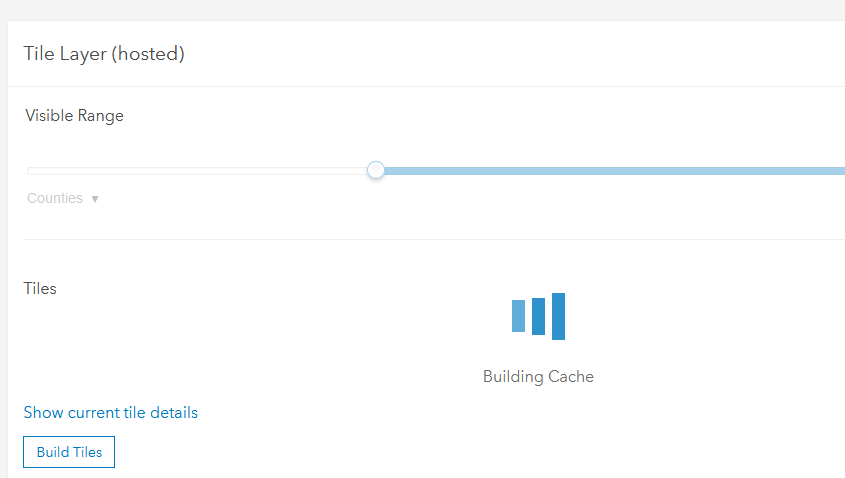
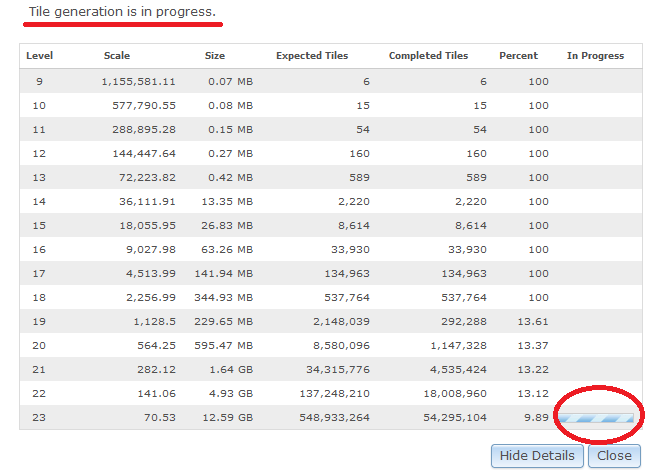
How can I stop this process??
Also, why can't I do any manipulation to the services (eg. starting/stopping) in ArcGIS Pro? It used to be a simple exercise in ArcMap but now it seems like manager must be used; but even then the options to start/stop the service is grayed out...
For reference our enterprise environment is at version 10.9.1 and we have separate servers for both ArcGIS Server and Portal.

