I'm creating a join from Test_FC to Test_table via a common ID field.
In Test_Table, I've accidently set the ID field's datatype to text instead of a long integer.
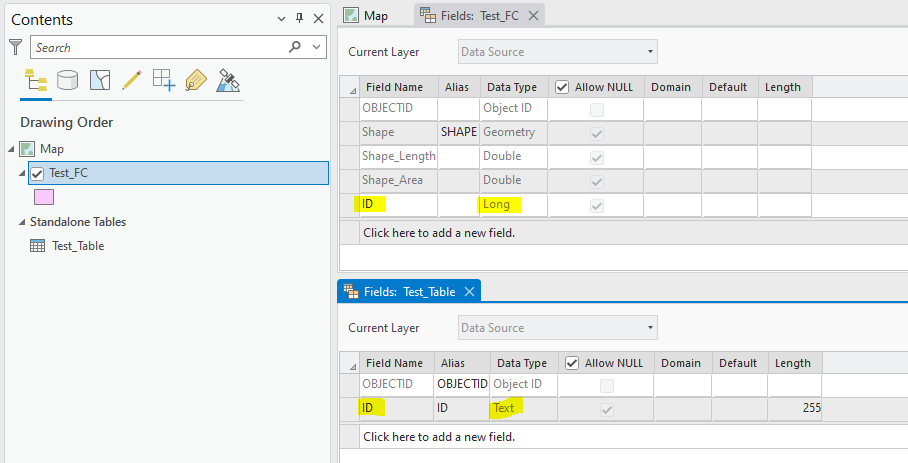
Not knowing about the mistake, I attempt to create a join in the attribute table of Test_FC.
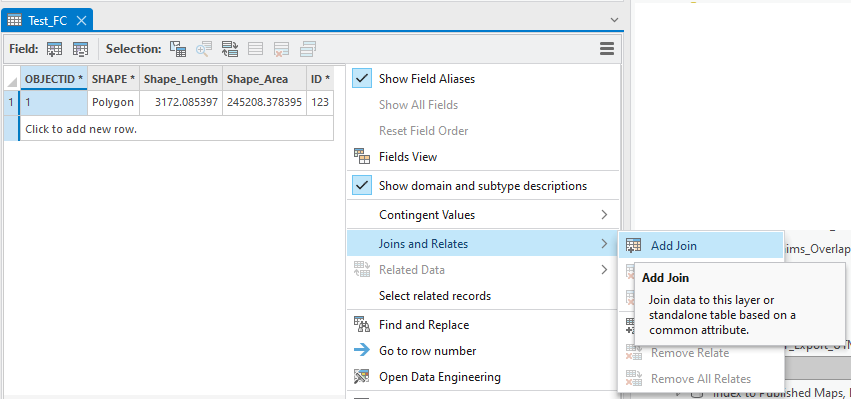
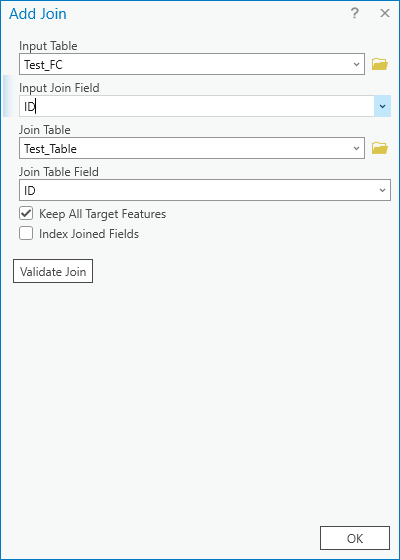
But, the join fails, because the ID field in Test_Table is text, not an integer.
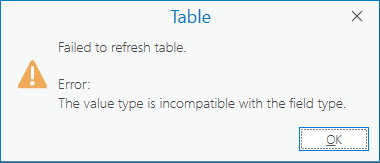
Failed to refresh table. Error: The value type is incompatible with the field type.
That error message is expected.
But what's not expected is: ArcGIS Pro creates a broken join that is fiddly to deal with.
- The Attribute Table automatically closes -- which isn't something I'm used to seeing.
- When I try to open the Attribute Table to investigate the join, I get the same error again: Failed to refresh table.
- I don't see a way to delete the join from the layer Properties:
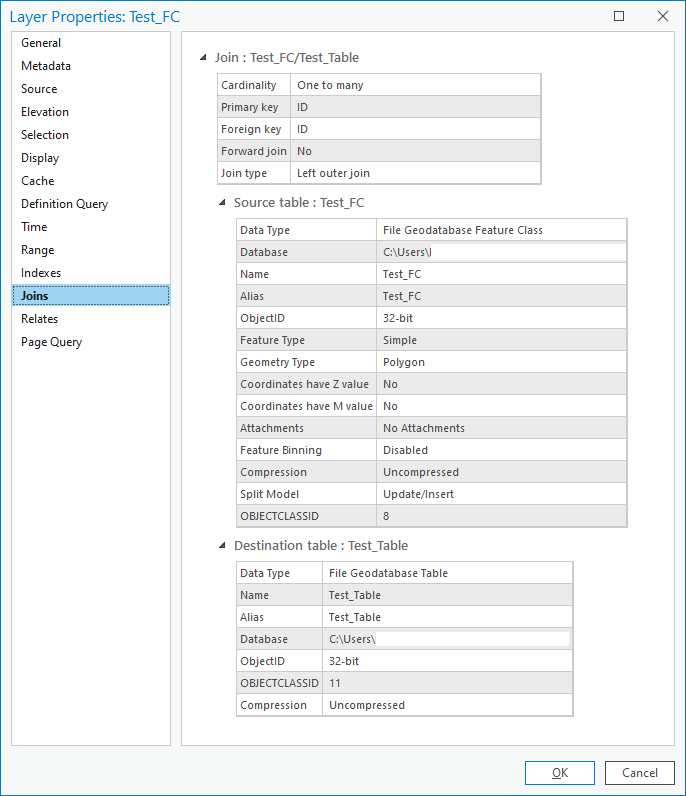
After spending some time clicking around in ArcGIS Pro, I can see that I can remove the join using the layer's right-click context menu.
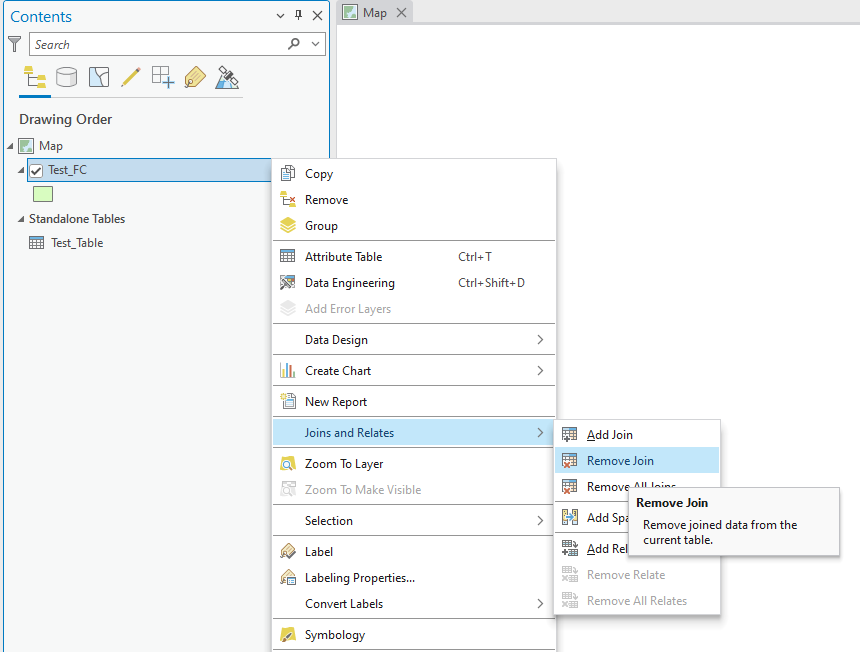
And that does seem to work -- I can remove the join and open the Attribute Table again without getting the error.
But it was a bit of a journey to get there.
Alternatively, if a join has an error, then I think ArcGIS Pro should simply not create the join, instead of creating a broken join.
Thanks.
ArcGIS Pro 3.0.2


