I am having an issue using Joins with ArcGIS Pro.
The goal here is to join the two tables by the 'PermitNumber' field in the 'mineralsCat' table and the 'mineid' field in the 'mineralsStatus' table.
See table below:
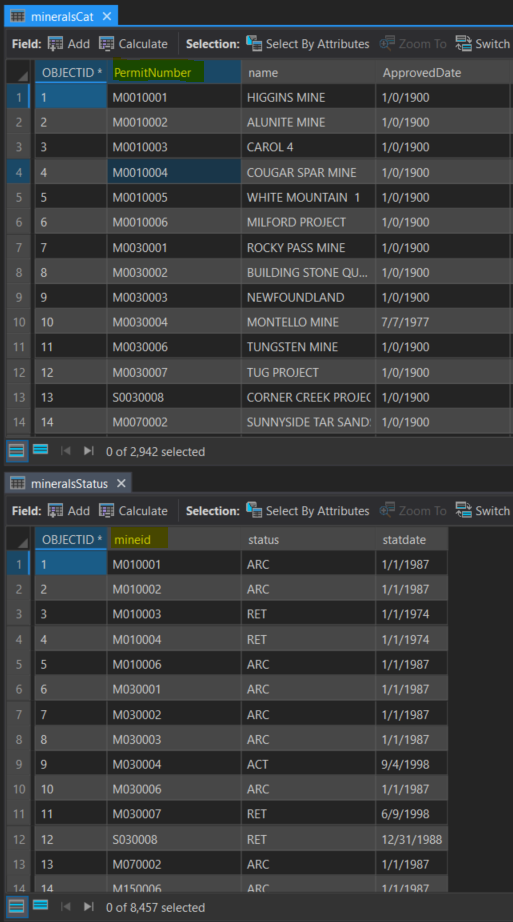
For context, these are permit numbers for mineral mines in my state.
Things I have checked for:
- Spaces in field names and field values (none found)
- Special characters in field names and field values (none found)
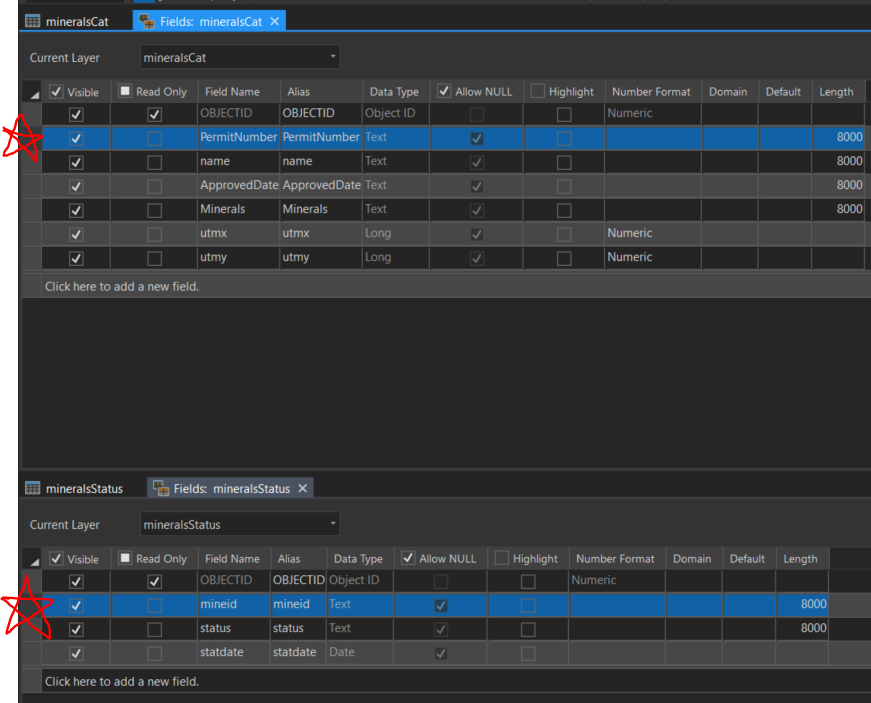
- That the field types are the same (both text with 8000 length value)
Things I have tried:
- Creating new text fields (255 in length) for both tables, calculating values using 'PermitNumber' and 'mineid'.
- Loading the tables in as both an excel and CSV file
- Creating a layer from the UTM values available for the 'mineralsCat' table and then attempting the join
- Saying, "Who cares if it doesn't validate. Let's see what happens." Then, as expected received null values for the join relating to the joining table
- Merge the tables in Excel using Vlookup also to no avail
Screenshot showing that the field types are the same:
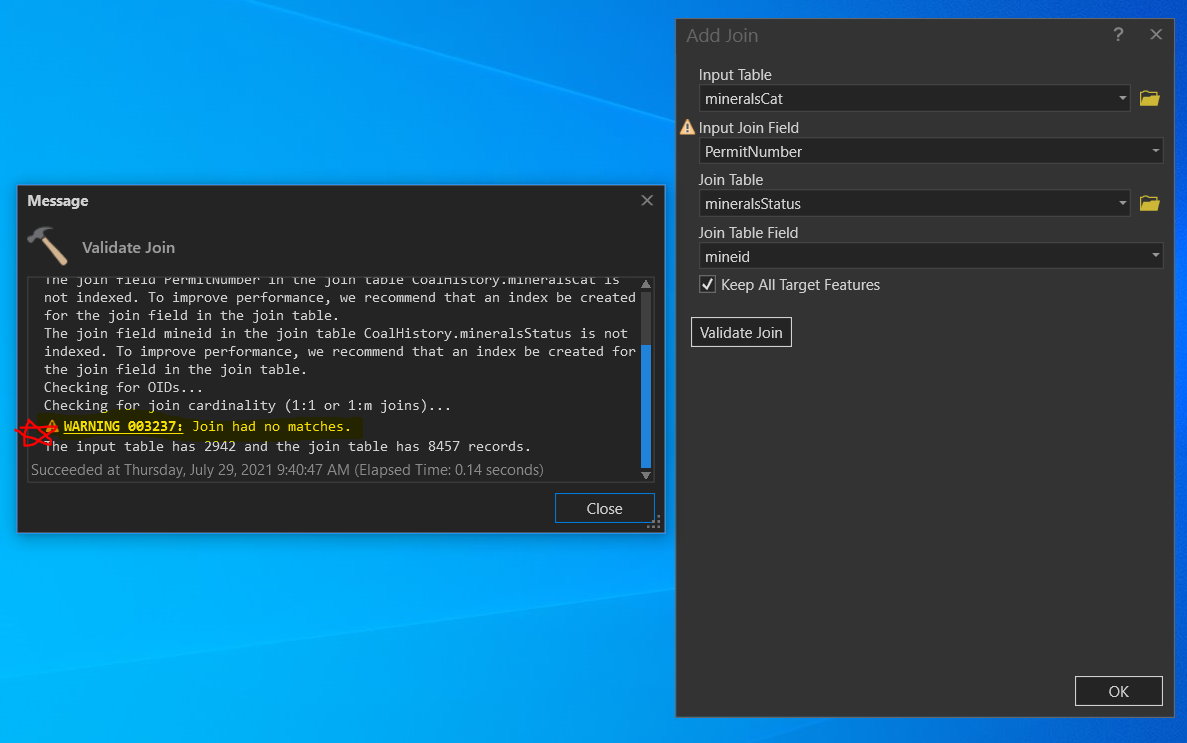
Screenshot showing the warning about no join matches:
I would appreciate any ideas that you have related to ArcPro, Excel, pandas, and/or numpy. I have not yet tried any coding solutions, but maybe pandas data frames could be the solution. Though I'm not sure.

