Maybe I'm missing something but is there any way to configure Pro so that when you have a layer symbolised using 'Unique Values' that you can toggle on/off individual sub-layers? The only way I can find to do this to create separate layers for each value using the Definition Query function. This is fine if my layer only has a small number of unique values, but if it has a lot of values this is really tedious to set up.
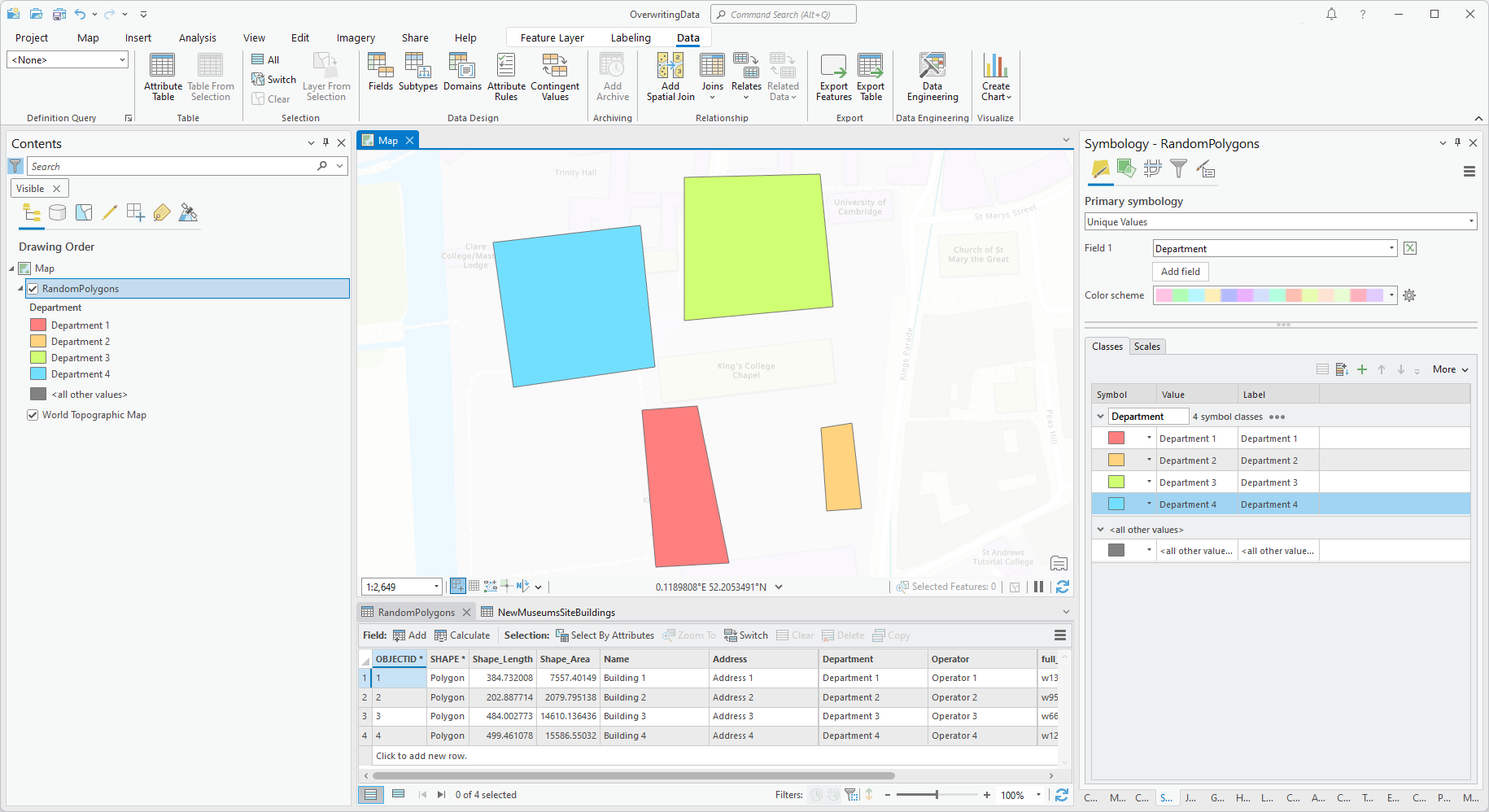
For example, in the image below I have configured the symbology to use the Department attribute, but I want to be able to control which departments are drawn on the map individually:
I can achieve the behaviour I want by creating four separate layers using Definition Queries:
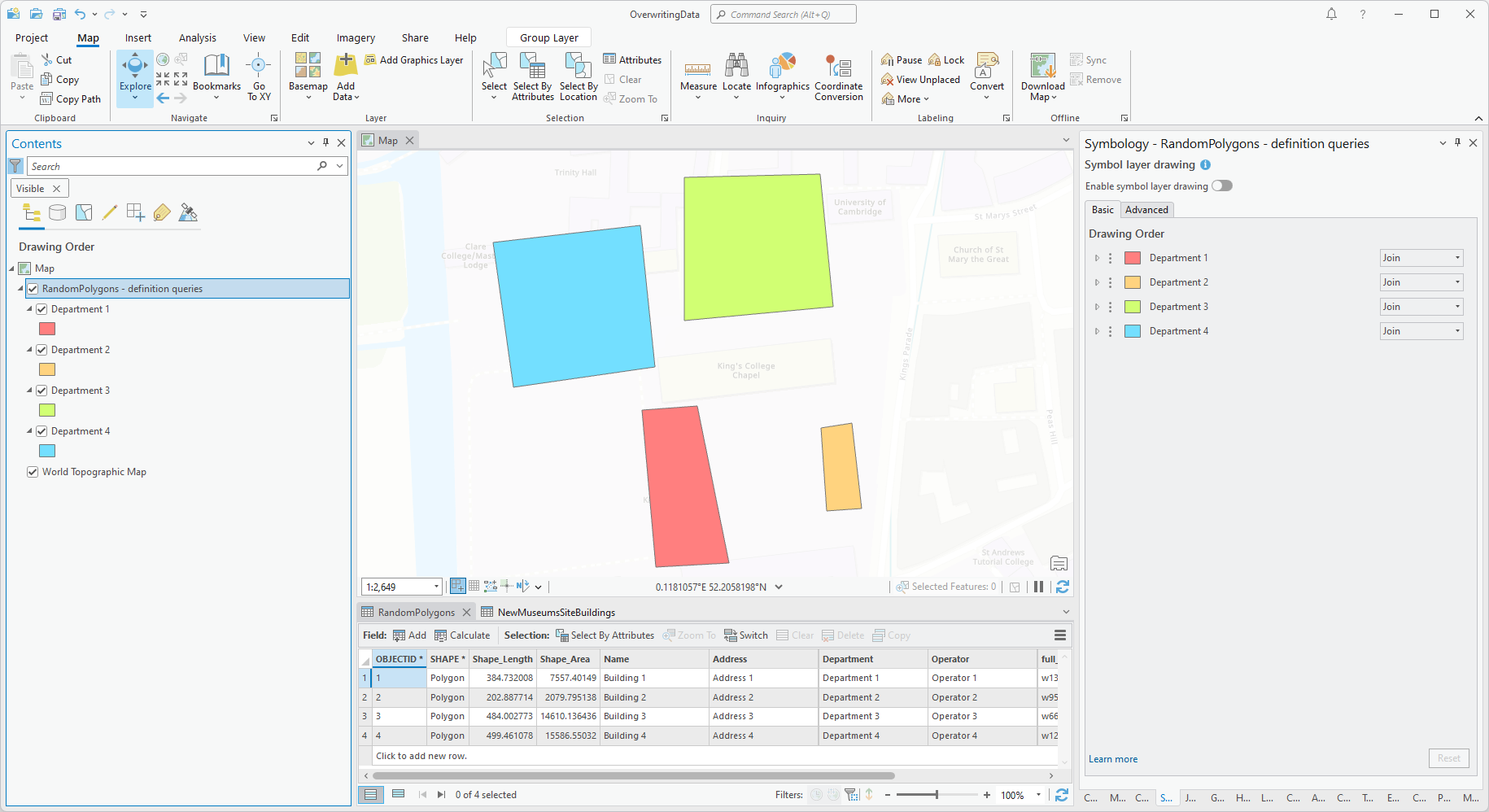
This gives me what I want but is a pain to set up if you have multiple unique values in the selected field.
I came across this post [opens in new page] from a few years ago where @KoryKramer suggests creating all the Definition Queries on a single layer then using the layer's Data > Definition Query group drop-down
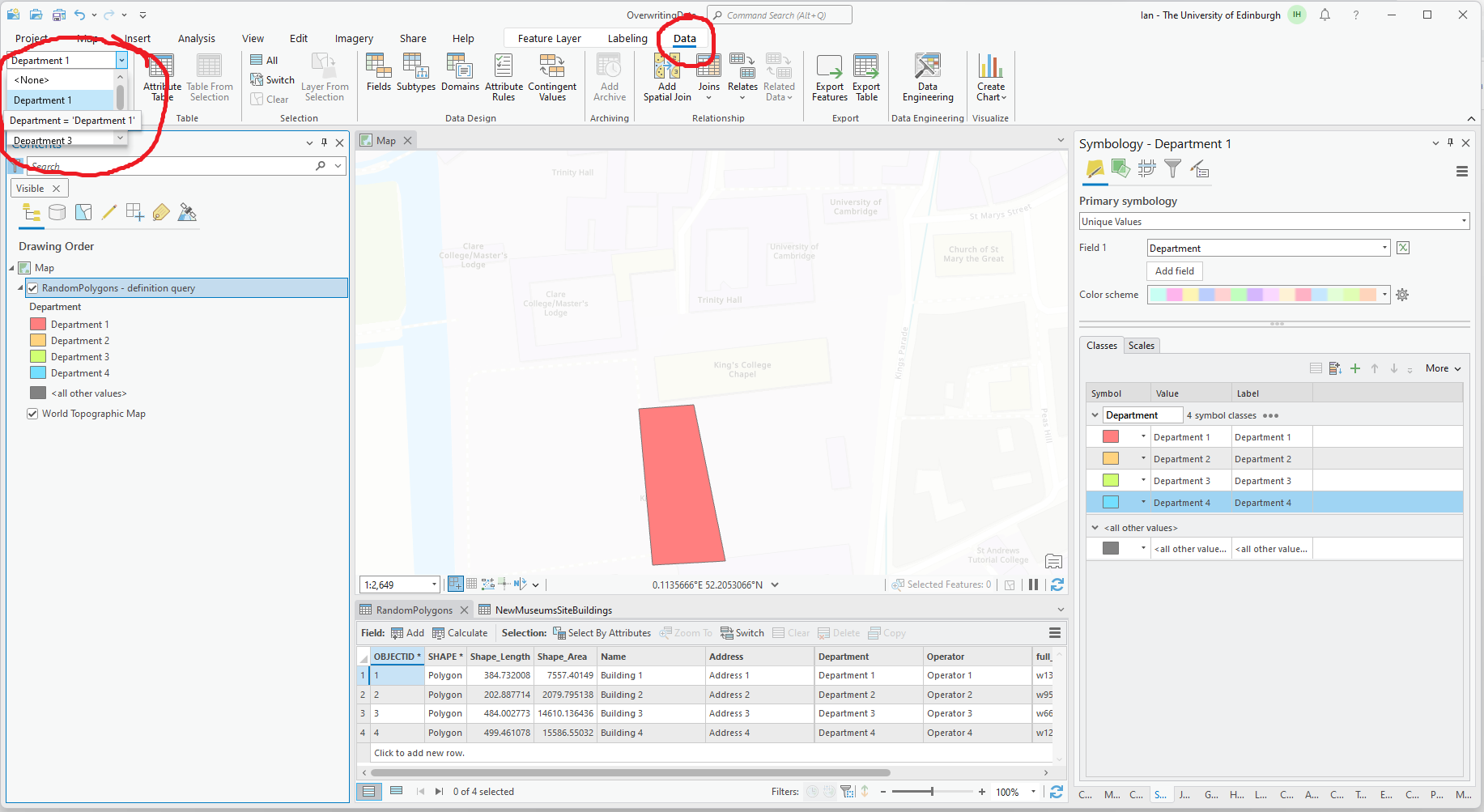
Again, this kind of gives me what I want but it's a pain to set up and the contents panel doesn't update to show what is being drawn so is a bit confusing.
It seems like such a basic function that it should be relatively easy to implement. The 'definition query' is already specified in the symbology panel, all we need is to extend the functionality in the Contents panel to allow individual sub-layers as specified in the 'definition query' to be toggled on/off.
Ultimately I'd like this to carry forward to ArcGIS Online for any layers configured like this so that the same toggle functionality is available once the layer is published to ArcGIS Online.
I'd love to know if this is possible already and I've simply just missed it or similarly I'd love to know if you think this is a good idea in which case I'll stick it in the Ideas channel.




