I'm working with a user to develop a web form for public reporting. The Excel file has 2 date questions - BB_HarvestDate and CheckinScheduledDate. The BB_HarvestDate field has a constraint of .<=today() to validate that the user selects a date of today or in the past. The CheckinScheduledDate field has a constraint of .>=today() to validate that the user selects a date of today or in the future. Both of these constraints worked perfectly in the web form in 2 different browsers, mobile browsers (Safari, Chrome) and the native iOS S123 app last Friday.
This morning the date constraint on just the first date question (BB_HarvestDate) is not working properly in the native iOS app. If a user selects today's date, it throws an error and doesn't allow submission of the record. Today IS July 29, 2019.
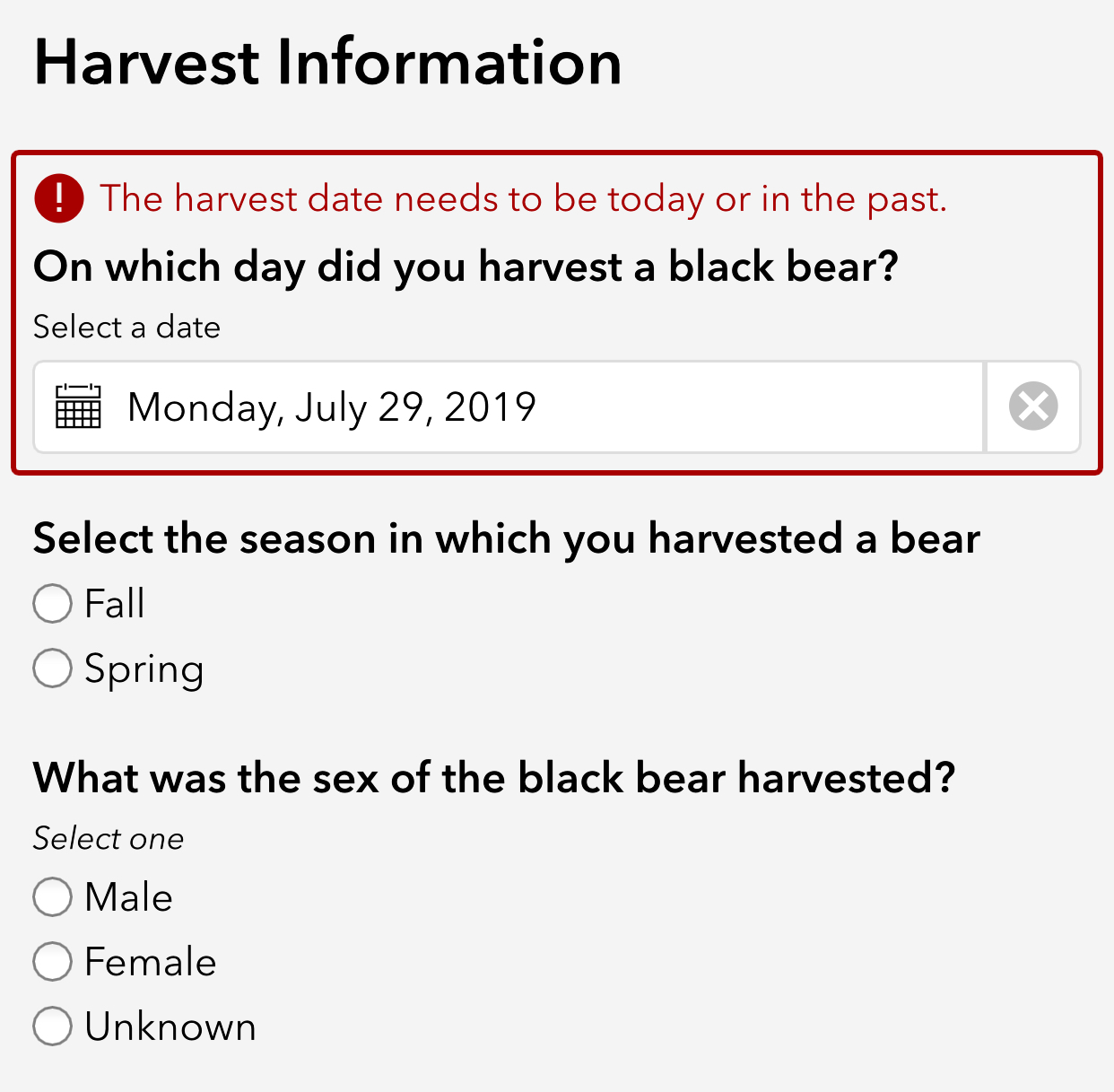
Here's a screenshot of the question w/ its constraint .<=today (this is NOT working in the native iOS app).

The other date question (CheckinScheduledDate) with the constraint of .>= today() works fine.

Has anyone else ran into this?


