It seems that I found a bug when submitting a survey. I stumbled on this bug when trying to restrict access to the hosted feature service of a public survey. I followed the settings recommended in this Survey123 blog post. In the hosted feature service settings, I checked the option 'Editors can't see any features, even those they add'
Steps to reproduce the bug
- Open Survey123 app and ensure that i am not logged into AGOL
- Open the public survey, complete it, and click the Submit button
- The app seems to be submitting the survey, but when it finishes the 'error indicator' is shown on the survey's name. Clicking on the survey name, opens this dialog
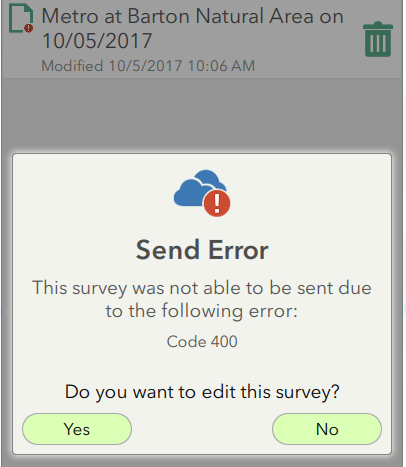
- I tap the 'No' button and the dialog closes
- Then if I click the ‘Send’ button again (attempting to re-send/re-submit the survey), I get the following error message:
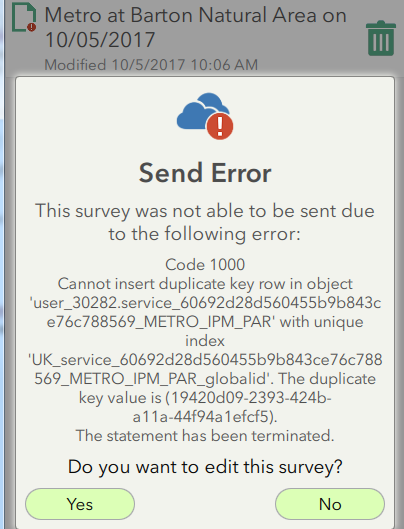
And sure enough, when I query the REST endpoint of the underlying hosted feature service, I see that the survey was successfully submitted the first time. My attempt to re-send would indeed be creating a duplicate record.
It seems that Survey123 is falsely reporting that the Survey submittal failed.
If i go back to the hosted feature layer's settings and select the option 'Editors can see all features', i can successfully complete and send new surveys.
Thanks


