ArcGIS Pro currently allows panes (Catalog, Contents, Geoprocessing, etc.) to be auto-hidden using the push-pin icon, but attribute tables docked at the bottom of the interface do not have an equivalent minimize or auto-hide option.
Requested Enhancement:
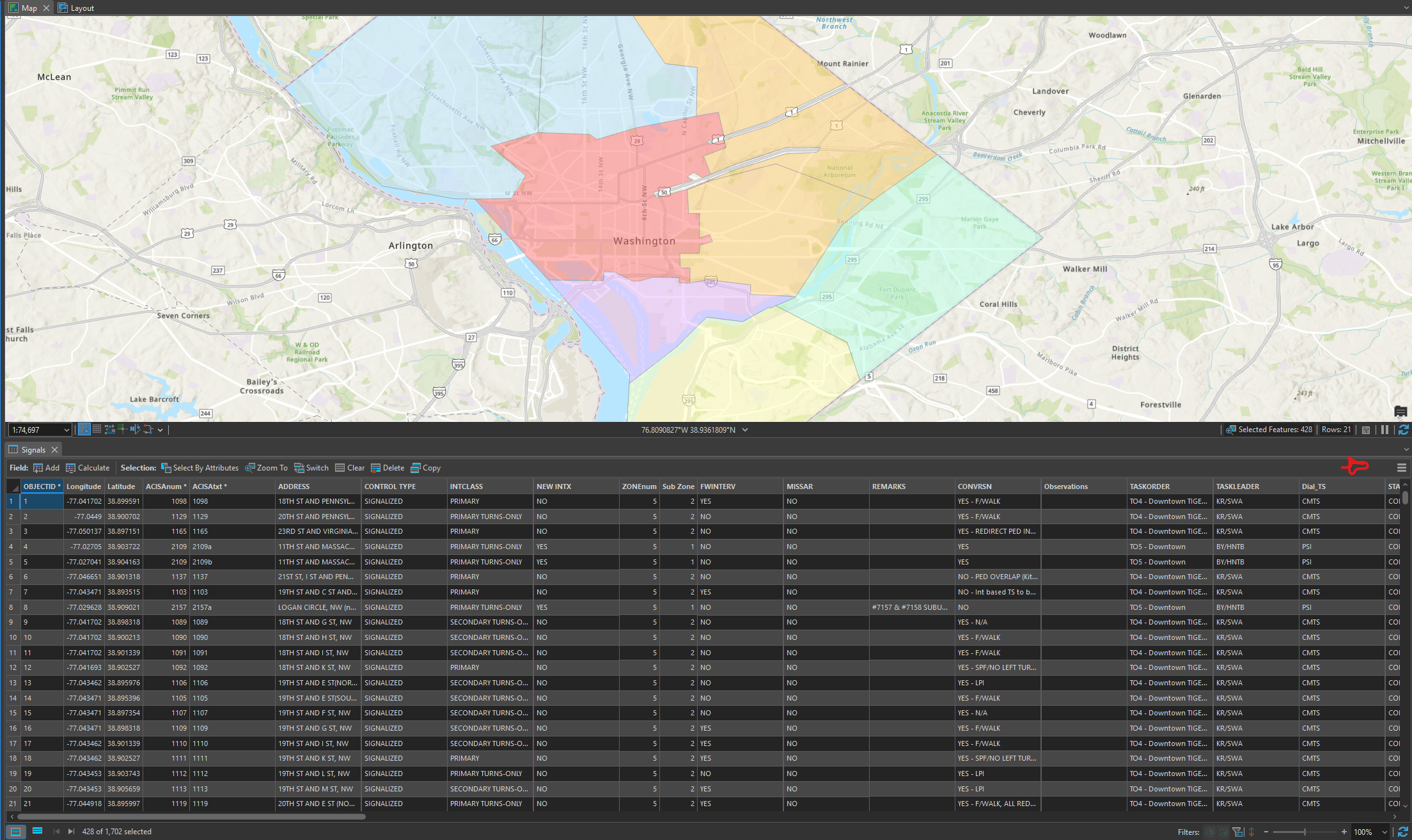
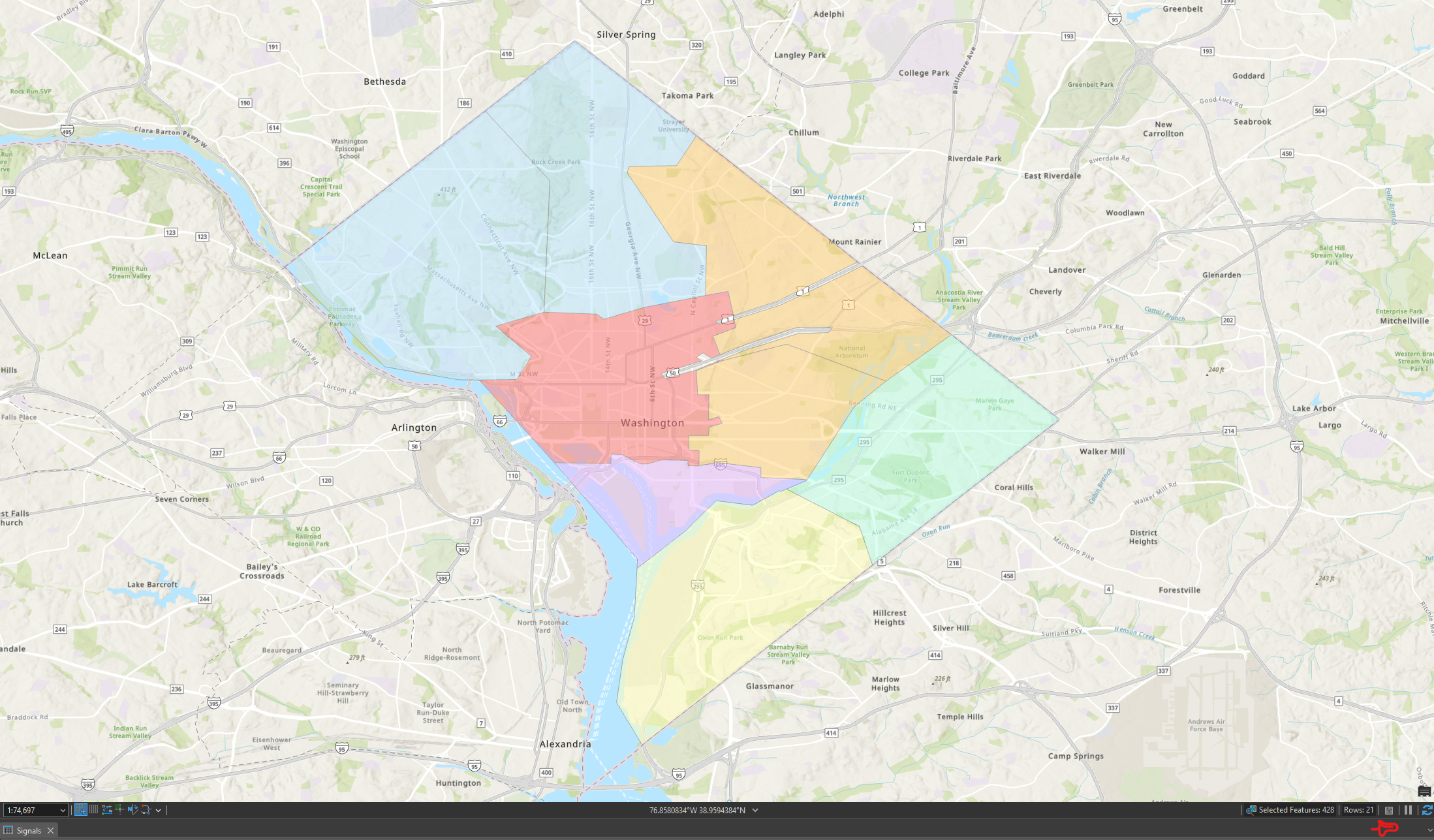
Add a push-pin (auto-hide) or minimize control to docked attribute table views, especially when docked horizontally at the bottom of the interface.
Opened Table (with pin icon drawn on):
Collapsed Table (after selecting the proposed pin icon):
Benefits:
Consistent UI behavior with other ArcGIS Pro panes
Improved usability on smaller screens and laptops
Faster workflows when switching focus between the map and table
Reduced need to repeatedly close and reopen tables
When working with many feature classes or tables, attribute tables can consume a large portion of screen space. The only current options are to manually resize the pane height, close the table entirely, or undock the table into a floating window (which then allows minimize). None of these options provide the same efficiency as auto-hide behavior available for other panes.
It may seem like a small enhancement, but it's something I would certainly use daily. Manually adjusting the table height to be functionally hidden is annoying. And if this ability already exists, please let me know, but also please consider making it more obvious!
A “Collapse All Tables” option would also be a convenient addition.
Thank you for considering this enhancement.
EDIT: Later found out an existing post exists for this idea:
Auto hide attribute table in ArcGIS Pro






