Hello,
We are working in parcel fabric and creating points at an absolute X and Y location using a Feature Template.
When testing this, I am using the same steps as the below link:
Specify an exact x,y,z location—ArcGIS Pro | Documentation
I first click Create Features > Points template. I then right clicking on the map > Absolute X, Y, Z > enter the relevant coordinates and press Enter.
I am working in metres and MGA coordinate systems and have the map settings and zone configured accordingly. I set my map to the relevant coordinate system before beginning and enter the coordinates like this.
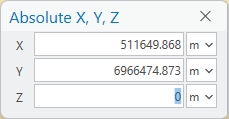
This works really well, sometimes and the X and Y attribute fields are populated well.
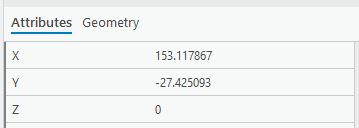
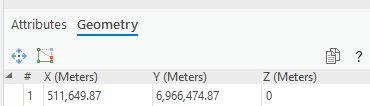
However, maybe 30 percent of the time, the X and Y attribute fields will not be populated from the Absolute X, Y, Z tool.
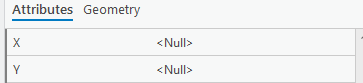
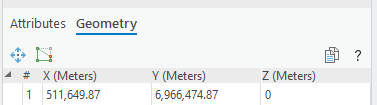
I was wondering if there is an issue with the tool or if there is a setting we are missing that can ensure that the X, Y value comes across to the X, Y attribute fields every time?
Any suggestions would be much appreciated.
Thanks,
Jessica

