Yup! A couple of final tweaks on the old algorithm and a teeny-tiny problem surfaces.
I got sick of reading about how various algorithms can be implemented (eg. Vatti, Sutherland–Hodgman and a slew more). There are implementations in various languages and lots of academic papers but they all have common downfalls. They use the words or phrases such as "just" or "well-known" in their explanations or they limit their application to strict geometry inputs like perfect axis-aligned convex shapes.
I will elaborate on some of the pitfalls over time... as I find them.
Today, unexpected overlaps.
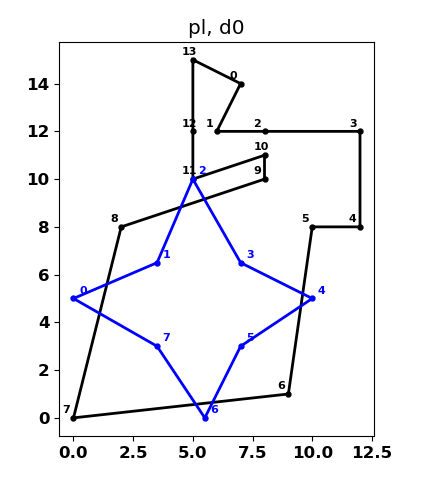
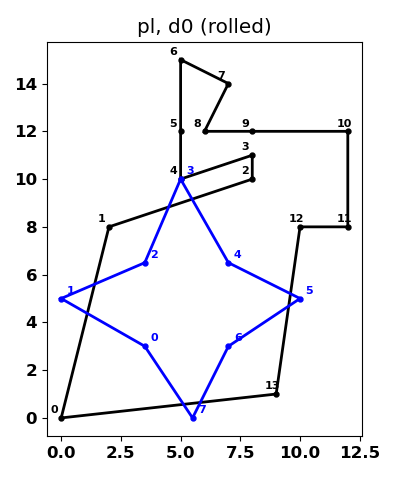
Two polygons:
- pl - a concave clockwise oriented polygon, consisting of vertices 0 to 13 as per arcpy preferences.
- d0 - similar to the above since I got bored working with rectangles and I was working on generating shapes using numpy arrays.
Original and rolled geometry
The first image on the left is their original layout of the shapes and their vertices. The one on the right, subtitled (rolled), is one of the things I like to do with my geometry objects because it makes it easier for me to keep track of the vertices and where they intersect. I "roll" them so that vertex 0 has the shortest distance to it's extent origin... not the map origin or the group origin, just the shape's extent origin.
Does it need to be done? probably not, but I don't care anyway.
Piecing the points together
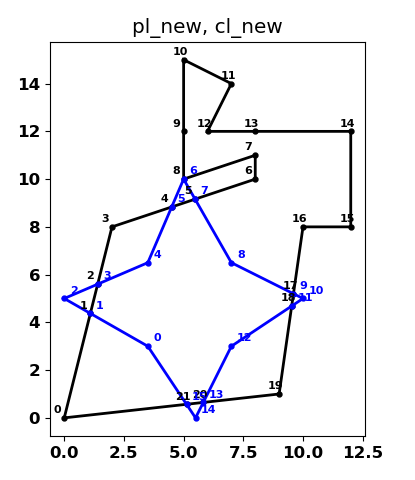
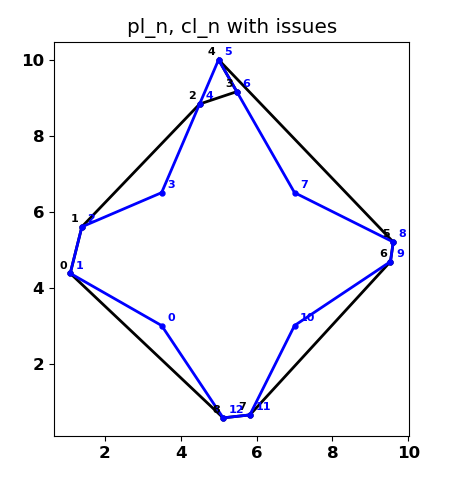
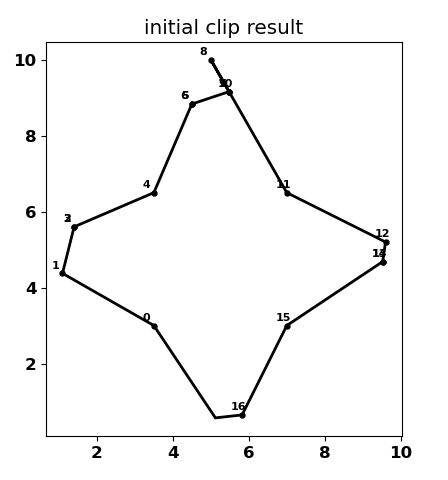
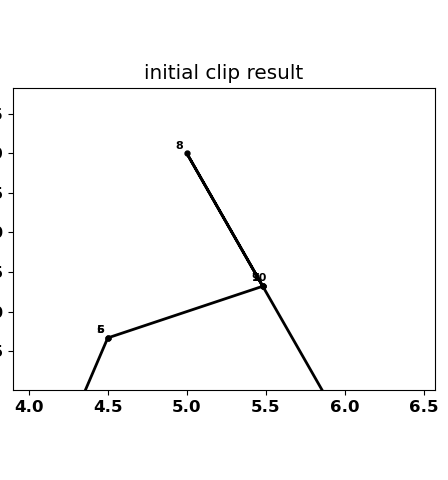
The images below are the results of a clip. During the process I added the intersection points onto the geometry... because I could. The first clue that things might be going fully as planned are shown on the right-most image on the top portion of the clip. The "only" difference in the clip in the 4 quadrants of the clip polygon is that it touches (aka, intersects) just a teeny bit with an extra segment (technically 2) on the polygon pl_ (see pl_new, point 8). The circuitous path in pl_n from points 2, 3, 4, 5, 6 was not what I wanted obviously. There is probably some "well known" algorithm that "just" orders them correctly, but I couldn't implement one without creating a whole load of classes and bloating my code 3-fold.
Points now ordered but...
I use NumPy magic to determine the intersection points all at once and to categorize all the points as to whether:
- polygon points fall within the clip polygon
- clipper points fall within the polygon and
- polygon and clip points intersect one another
From that I ordered the intersection points on each segment. There is no way of knowing this apriori since the intersections were returned with respect to the segment IDs meaning that on a segment where there were multiple intersections, there was no guarantee that the first intersection was the closest one to the start of the segment. That topic will be the topic of another blog since it is pretty cool and is probably "just" another "well known" algorithm that I couldn't find or figure out without code bloat. The result isn't too bad.. just some pesky little pokey bit sticking up from point 7 to 8.
You probably noticed that a couple of the point lables look blurry... that is because, there ae duplicate points on the segments.
Finally getting rid of fiddly-bits
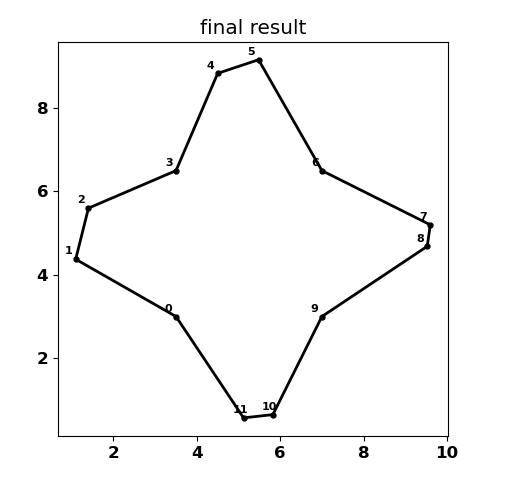
Here it is, I "just" "simply" had to identify the segments that overlapped one another. It works great! see!
until you clip a polygon that happens to result in multipart outputs.
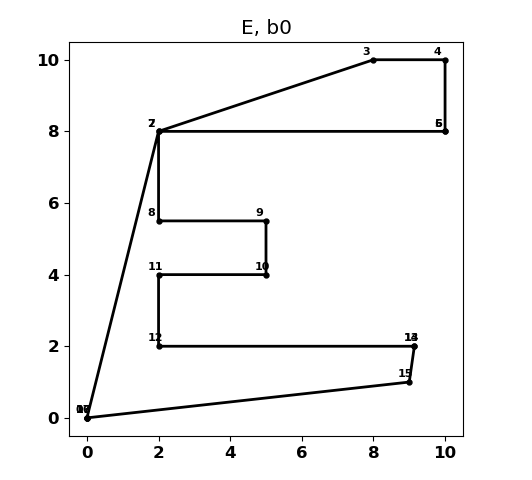
Or one that has a couple of stringy-bits connecting the parts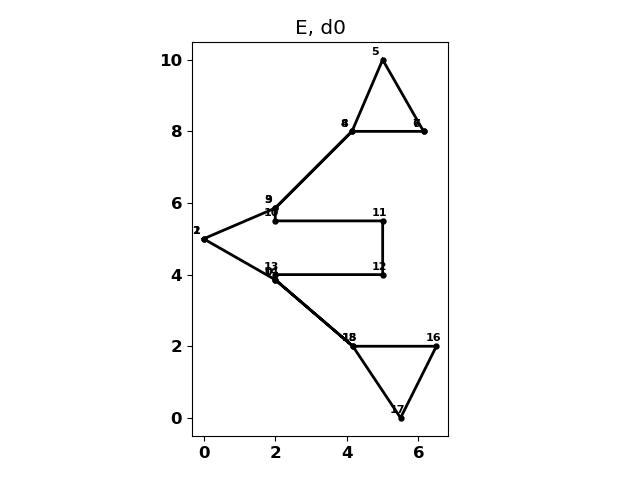
Details will come in future blogs.
So "just" remember that most of these can be implemented by "well-known' algorithms, so you don't need to roll them out on your own, unless you want to see how things work under the hood.
Homework
Intersections polygon overlay operations
