Hello,
I have authored a survey with Connect. It is intended ONLY to allow users to provide suggestions related with existing features (i.e. the surveys are always opened in mode=copy). Surveys are designed to be used only from the web app.
The issue I am having is with the edition of the geometry.
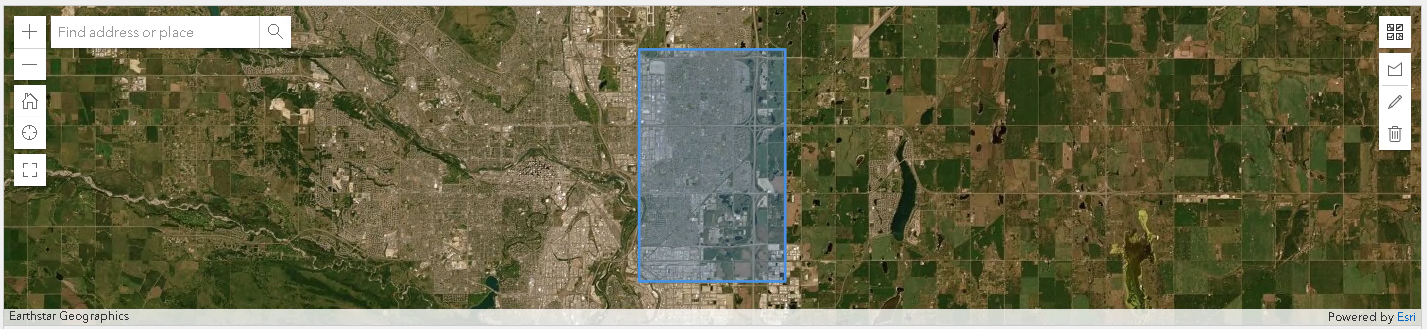
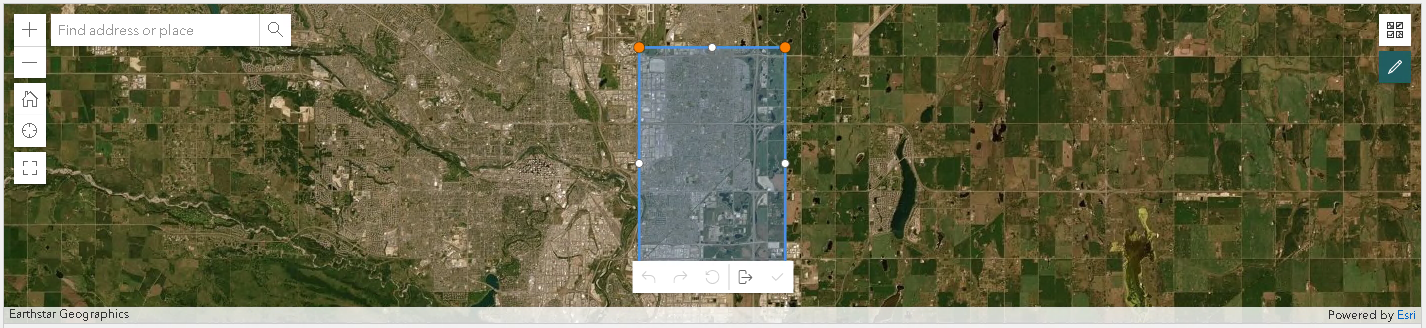
Now, when surveys are opened in a 'PC', the interface is quite intuitive and allow users to click a button to start the edition, move the vertices, undo/redo, reset the changes, exit without saving, exit saving changes... all is good (see 2 images below):
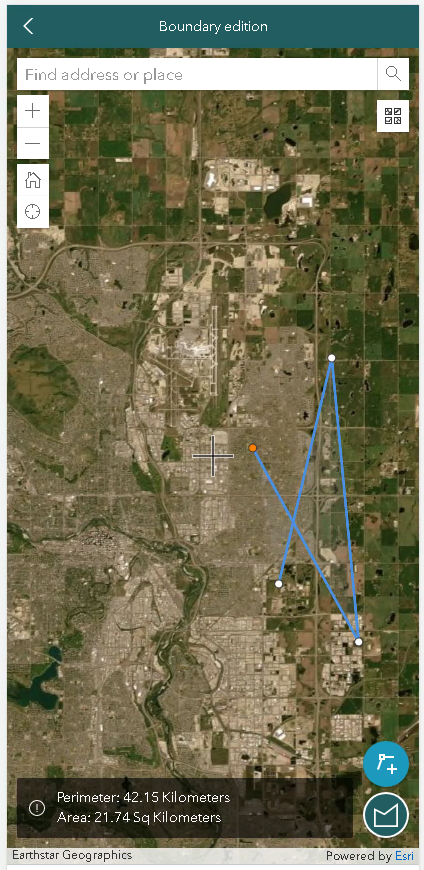
However, when I open the survey in a mobile device, this is the interface that I get. No matter what tool I use, the existing geometry is gone, and I can only (and hardly) create a new geometry from scratch.
My question is, from the config. (Excel) file in Connect, is there any way to force this 'geometry-editing' interface to be the same as the desktop version?
Thanks.