I wanted to report some strange behavior in the Survey123 web form when working with repeats. Perhaps I have some configuration issues in my Excel form and am looking for some feedback. Please let me know if I can provide additional clarification.
- Survey123 Connect version 3.7.62
- "Pages" style survey
- Have tried both, "Always use latest version (3.9)" and "use the version the survey was published with (3.7)" with varying results.
- Custom URL with mode=edit to open existing survey forms from a webmap
- Using "table-list" as the appearance attribute for the groups that I want to create pages out of. I am using field-list on the last group, because the status select-one question was appearing strangely in the web form when table-list was used.
I am using an AGOL webmap to open and edit existing surveys via the web form. The survey has a repeat section that allows up to 10 attachments before a constraint message appears and limits the number of attachments. The repeat group has a select-one question to dynamically display certain fields for input. All of this functionality works when I launch a new survey in the browser. When I click on an existing survey from the AGOL webmap, the functionality does not work as expected:
1) The first page gets skipped. The user can click the Back button to navigate to the first page, despite the survey saying the user is on page 1 of 7, though they are actually on page 2. *Seems to only happen when using latest version.
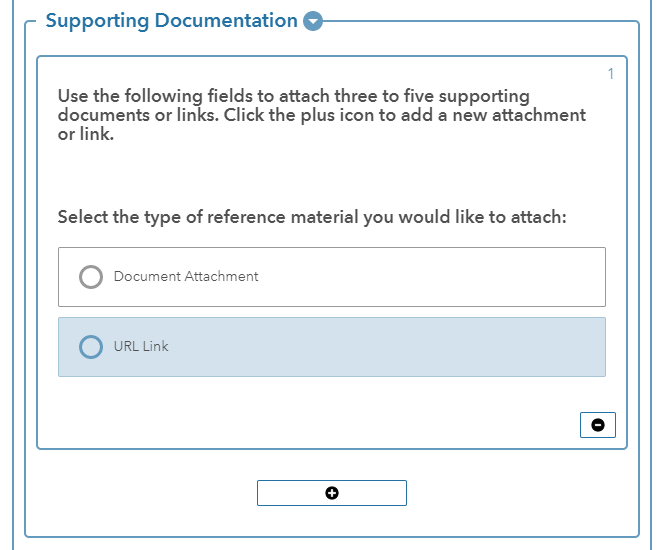
2) The select-one button for the type of "reference material" does not dynamically display the additional fields on the first repeat. The following image illustrates this. There should be additional text boxes to allow for a URL, page number and description when URL Link is clicked. *Seems to only happen when using latest version.
3) After selecting the plus icon to create a new repeat, the select-one button works to display the expected fields:
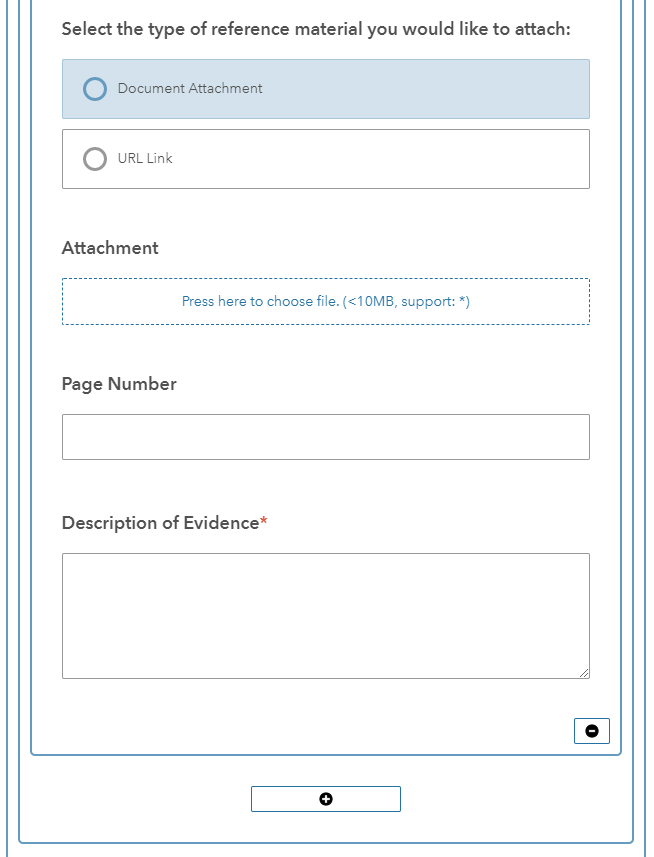
4) After a selection has been made, and the other button is selected, both radio buttons appear to be selected and the fields do not update with the latest selection. Note- If the first selection is clicked again, it will be "un-selected" and the fields appear as expected. *Seems to only happen when using latest version.
5) The constraint message appears once more than 10 attachments have been added, but the user can still click to the next page. *Doesn't matter whether using latest version or 3.7
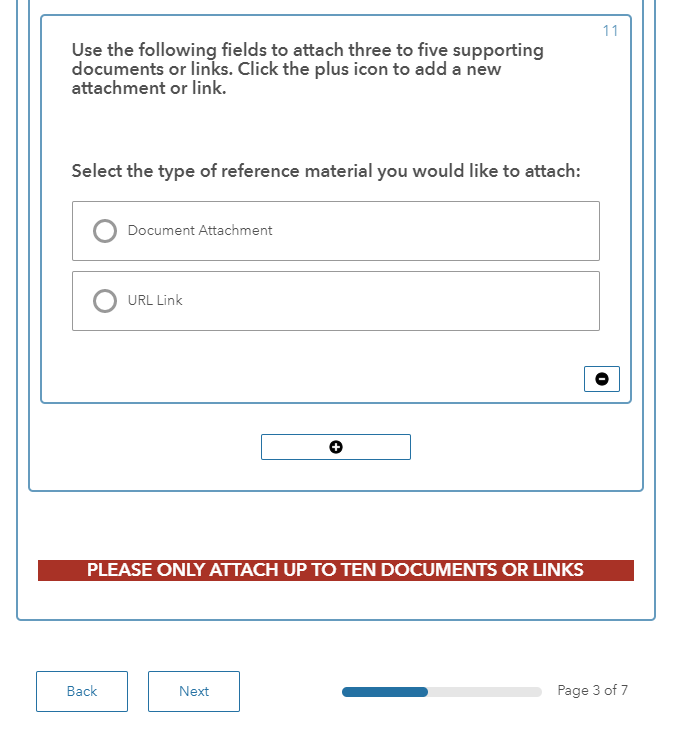
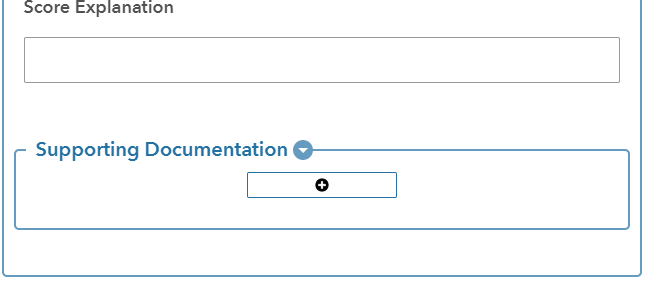
6) The repeat group requires the plus icon to be clicked before seeing the attachment select-one question. Not a big deal, but this appears to only happen when clicking an existing feature. It just makes the form less user-friendly.
7) The select-one radio buttons don't get "filled in". This can be observed in the above attachments.



