How do I update/refresh an old survey with a newer version when viewing it on desktop? Is there a way to make it so it automatically retrieves the latest version??
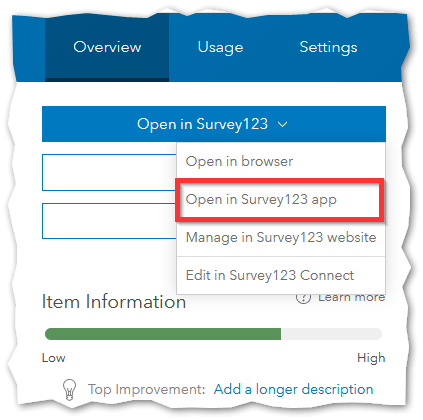
For example, when I navigate to a Form (meaning as an Item in AGOL), I select "Open in Survey 123 App" and I assume that I am opening the latest version because I am directly accessing the item from AGOL.
However, instead of opening the latest version, Survey123 for ArcGIS accesses whatever version it has stored here: C:\Users\<username>\ArcGIS\My Surveys\<AGOL Item ID>\
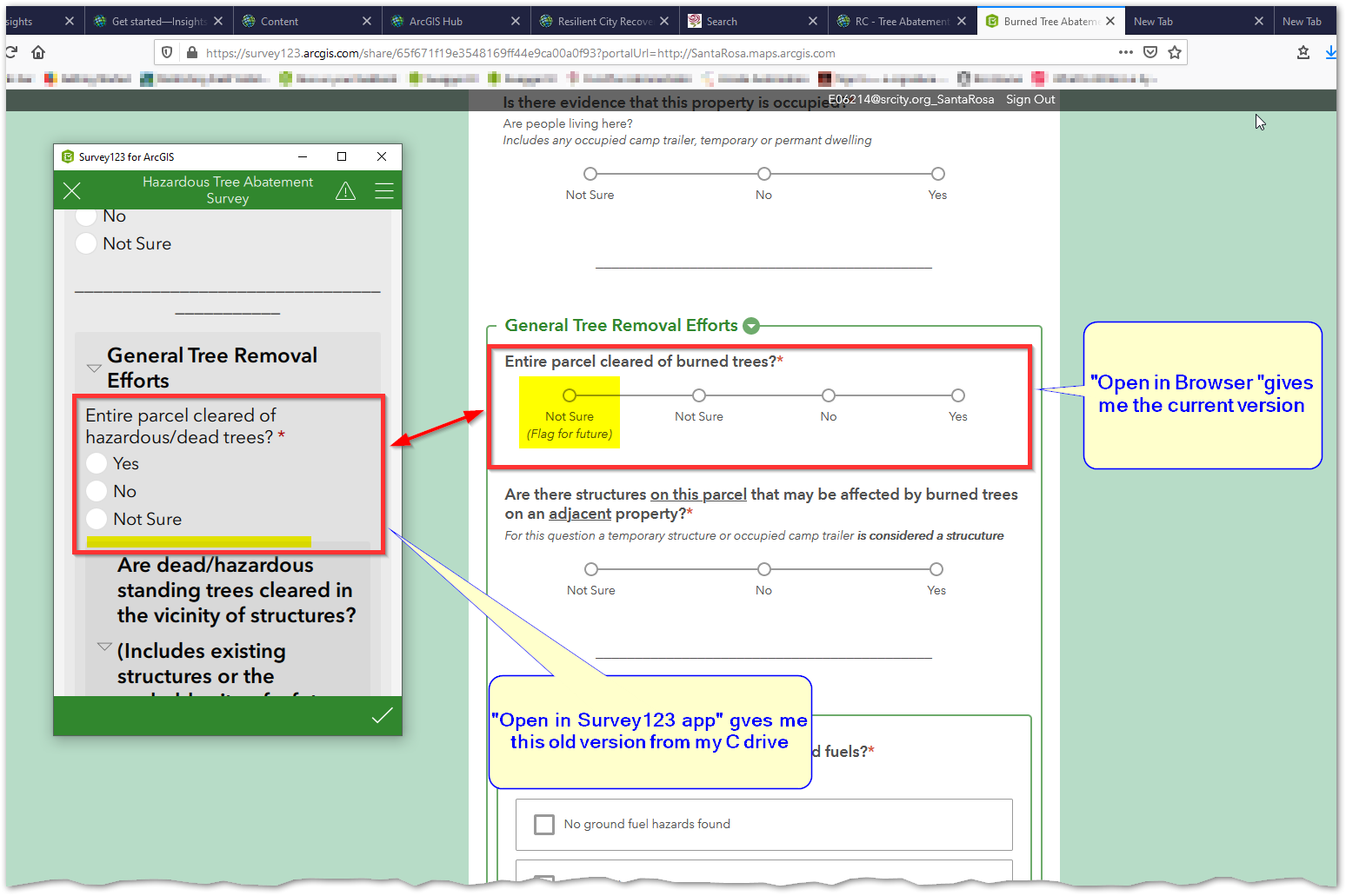
To my knowledge the only way of accessing the latest version of a survey is to hunt down the folder where its stored and delete the folder. Please tell me there's a better way...
Which version pf the app am I running? I assume there's an easy way to query the app and find out but I am not finding one. When I look here C:\Users\<username>\Applications\ArcGIS\Survey123forArcGIS\version.txt it tells me I'm running 4.1.70. However the file I downloaded is Survey123_x64_3_7_57.exe which I assume means version 3.7.57.
Survey 123 is an awesome tool, thank you for keeping it awesome.
