This is a really strange issue and I am completely baffled to what's happening here, so hopefully someone can help. I'll be using screenshots in my explanation, some of them from an structurally identical form with a different name.
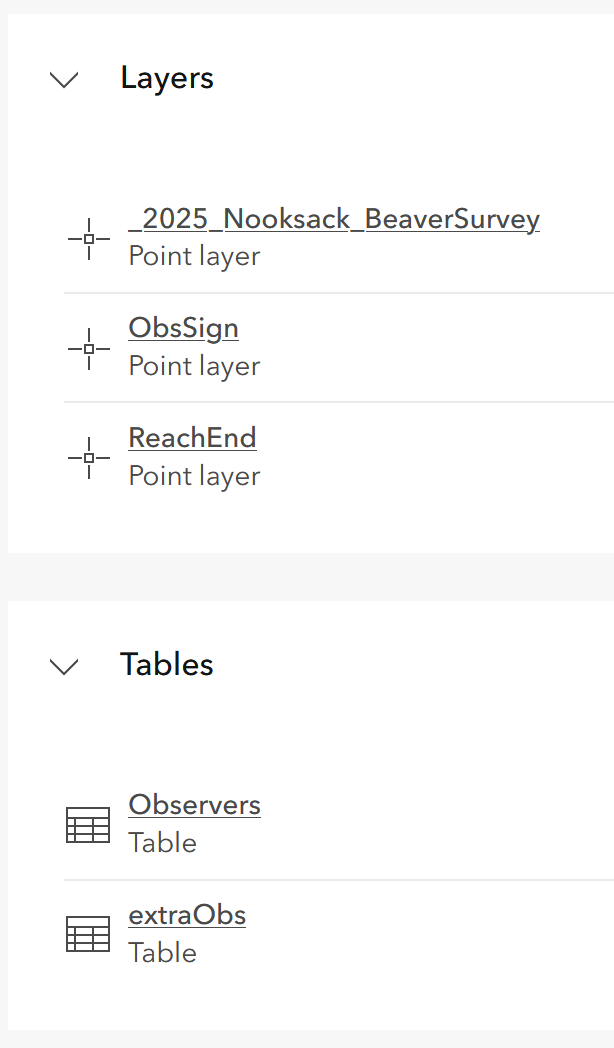
I have a form with four repeat sets of questions, two of them involve geopoint questions, so the resulting related layer/table set up looks like this:
An earlier version of the form had certain answers hiding a geopoint question without assigning a default location, leading to many points being assigned to null island (0,0). So I needed to relocate a multitude of bugged geopoints to specific coordinates. These geopoints belonged to one of the related layers, rather than the main layer. I figured the easiest way to do this would be in ArcGIS Pro and use the Move To tool.
So I went to the main survey feature layer item page and used the Open in ArcGIS Pro feature. This opened up the feature layer along with all of the related layers and tables in the project. From there I edited the features in the related layer that needed fixing a then selected Save Web Layer.
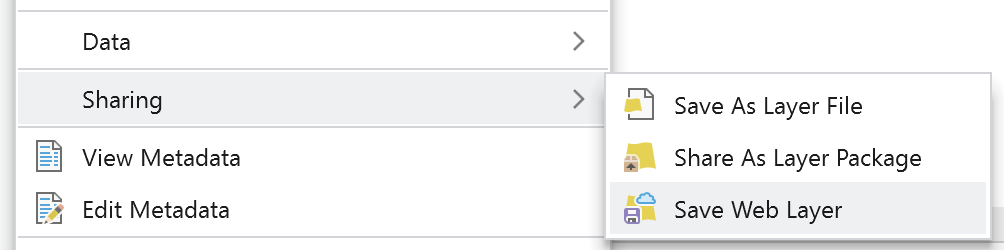
The points are now fixed and that is reflected on the Survey123 website, which is great. However, there's a really strange issue with the feature layer now.
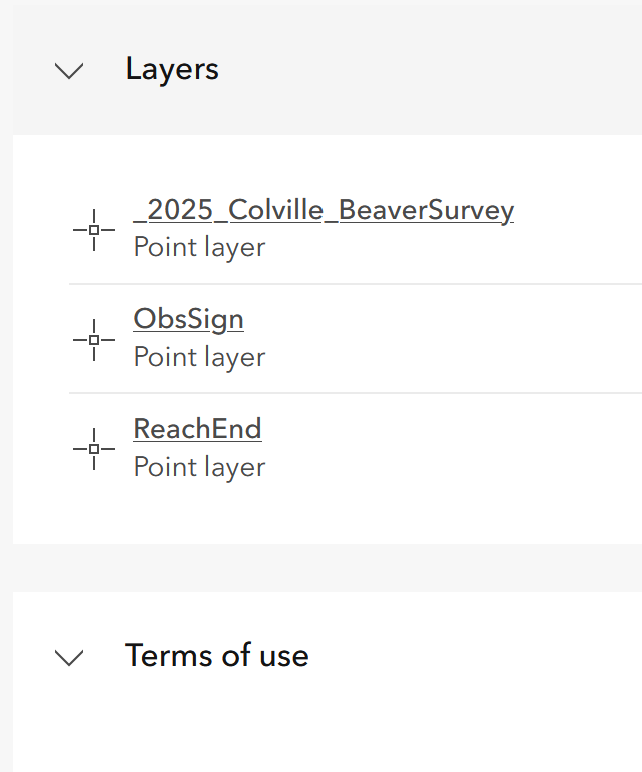
The related tables no longer appear on the item page for the main feature layer, but they're still there on the _form and _results views.
Additionally, when using the Open in ArcGIS Pro feature, the layer list looks like this:
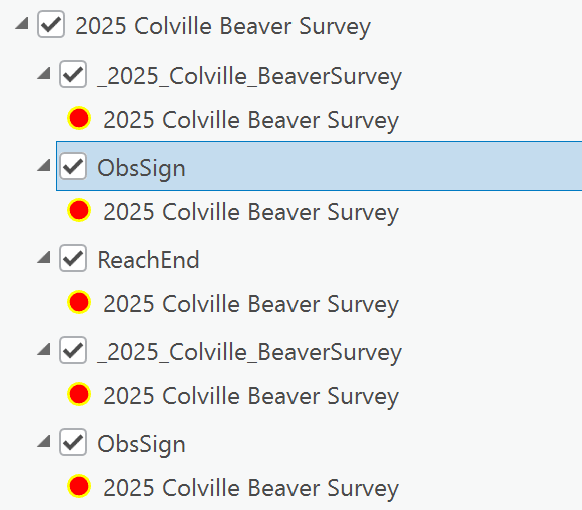
It duplicates the first two layers and puts them in place of where the related tables would be.
What's really throwing me off is that if I use Export Data on the feature layer item page, the resulting data is back in its original configuration and the tables are there again.
If anyone has an insight on what is going on and if there's anything I could do to fix this, please let me know. I would also appreciate any recommendations anyone has for editing/cleaning survey data in the future.
Thank you very much for any assistance!



