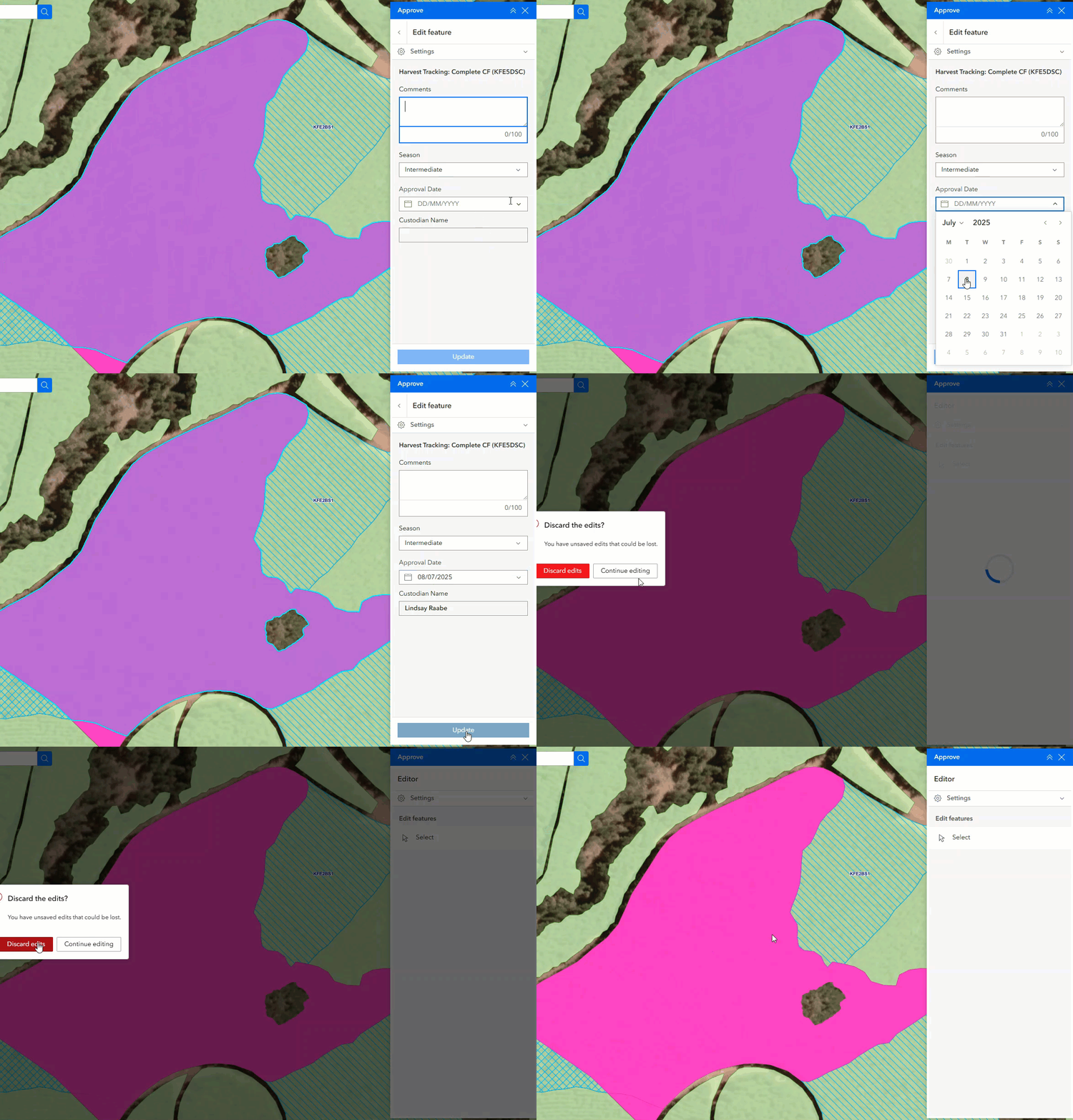
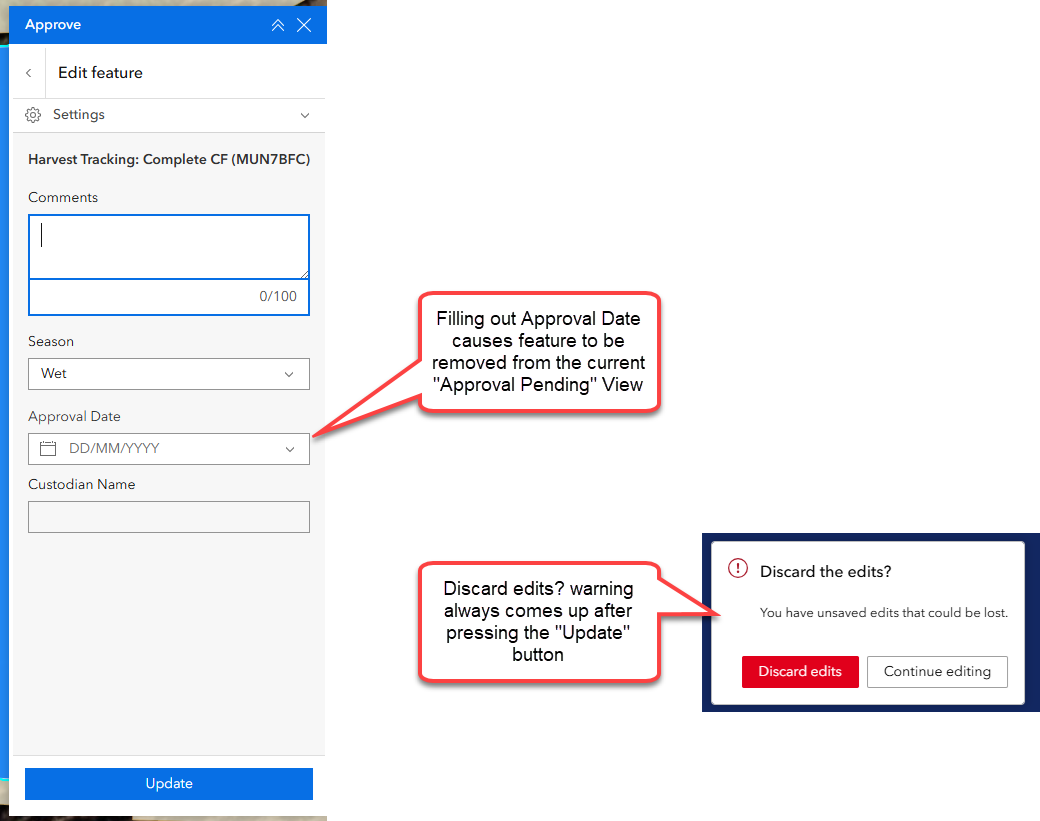
In Experience Builder, we have found that when a feature is updated and those updates cause the feature to no longer be visible in the View layer being edited, it then brings up the "Discard the edits?" confirmation box. This is despite the updates having been applied. It then doesn't matter whether you select "Discard edits" or "Continue editing", the feature is gone and the Edit widget is cleared.
Example in action - note that after hitting "Update", the shape doesn't disappear off the screen until the layer refreshes (takes a minute or two).