I used to have no issue with this, but in the last two years, something has changed with the way geopoint collection works. Basically, I want the user to only click on the cross hair when they arrive at the location, and I do not want them to be able to manually adjust their location. In the past, I would just set "appearance" to 'press-to-locate' and "readonly" to 'yes'. However, that combination looks like this in the mobile app:
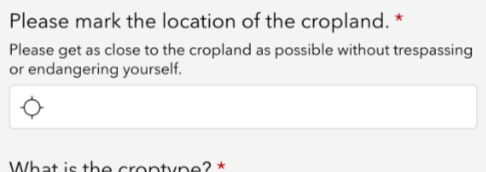
Clicking the crosshair or the whitespace do nothing, and it seems I cannot capture location this way.
If I set "appearance" to 'press-to-locate' and "readonly" to blank, it looks like this:
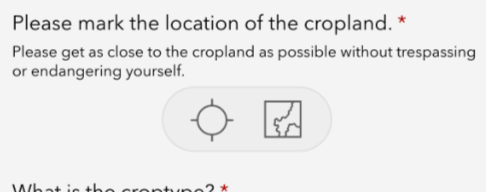
This is not acceptable because of the map option where users can update their location. My current work around is to check the horizontalAccuracy (which sets to 0 if the user manually adjusts their location), and massively negatively weight those points.
If I set "appearance" to blank and "readonly" to 'yes', it looks like this:
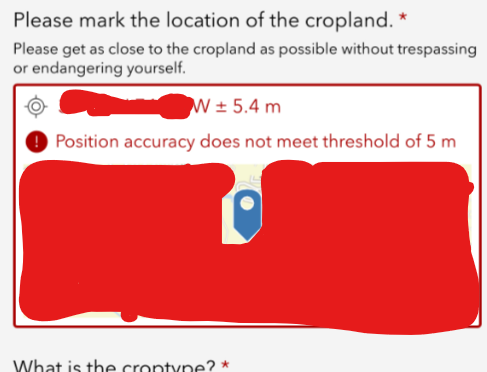
It attempts to immediately capture my location, which causes many issues. Users may not have left their car or entered the exact field they are capturing, or if their accuracy is poor, it will keep searching for their location even after they leave the field.
What I would like is just the crosshair icon, with no map icon next to it. How can I achieve this? Do I have some setting somewhere changed that I am missing?


