Hi
Survey123Webform + setQuestionValue with multiline
We have a survey published from S123Connect with a multi-line textbox. The survey is opened in a Survey123Webform using setQuestionValue and the contents of the textbox are prefilled with text pulled from other data sources.
survey123WebForm.setQuestionValue({
comments: encodeURIComponent(this.comments),
});
where this.comments contains:
Test Entry 2\nB7 reports fire completely out.\nb50 reports fire out\nB15 reports that the fire is out.\nB10 reports the fire is out
The earlier version published via S123C 3.9 definitely used to work as expected (multi-line contents displayed without additional encoding values.
displayed correctly as:
Test Entry 2
B7 reports fire completely out.
b50 reports fire out
B15 reports that the fire is out.
B10 reports the fire is out
Now the same function encodeURIComponent(this.comments) when passing the data to the S123 textbox displays as:
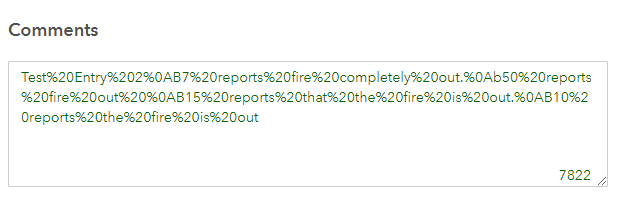
I am not sure when this behaviour changed as I have not looked at this specific survey for a while. Is there a workaround to get the linefeeds back into the displayed text?
If the multiline textbox is updated and the data is saved into the underlying feature service and the survey is re-opened in edit mode using globalid as a parameter, the lines are displayed correctly across multiple lines
If you do not use encodeURIComponent then only the first line of the question value appears. This is similar to the behaviour we have noticed with:
Web survey opened from link with field settings using encodeURIComponent
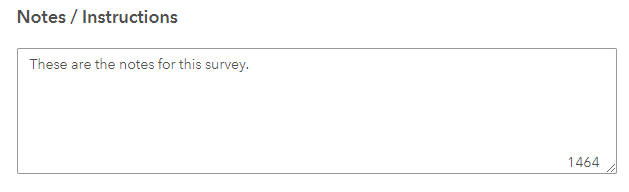
https://survey123.arcgis.com/share/xxxxitemidxxxxx?portalUrl=https://domain.com/portal&open=web&field:notesinstructions=These%20are%20the%20notes%20for%20this%20survey.There%20is%20more%20than%20one%20line%20of%20text&field:jobid=469&field:moduleid=1&field:location=8793%20Plein%20Street
In this scenario the text is cut off after line 1, but we do not see the html encoding characters