Hi All,
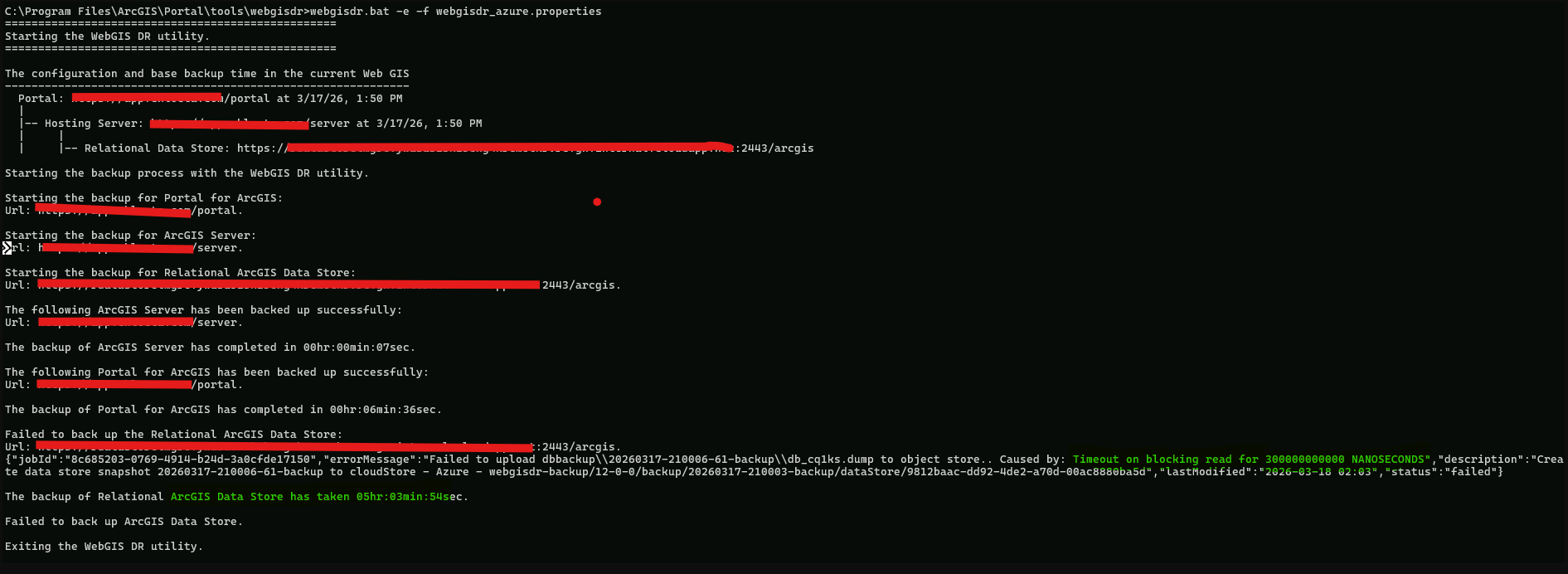
We are using ArcGIS Enterprise 12.0 and encountered an issue using WebGISDR tool when trying to directly upload to Azure Blob Storage
The error message goes like this:
Failed to back up the Relational Data Store
.....
Caused by: Timeout on blocking read 300000000000 NANOSECONDS
For context it took around 5 hours to create the data store back up file and it was around 450GB.
Is there a way to increase the timeout or completely remove it?