
- Mark as New
- Bookmark
- Subscribe
- Mute
- Subscribe to RSS Feed
- Permalink
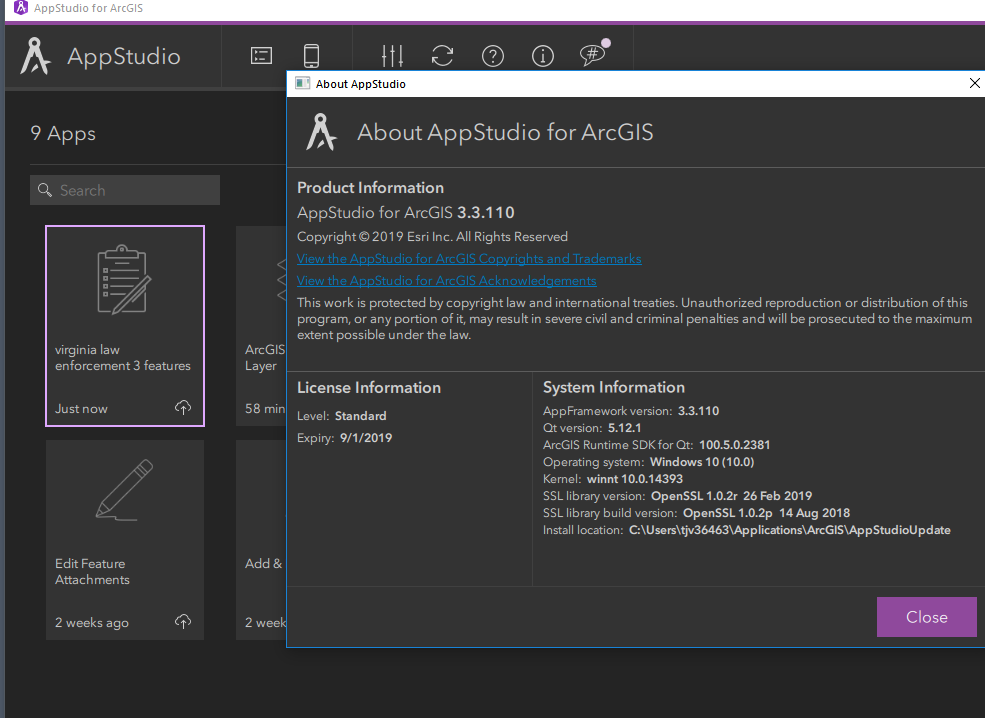
Yea...I started with 3.3.110 and used Quick report 3.3
Im going to try and create another to see.
- Mark as New
- Bookmark
- Subscribe
- Mute
- Subscribe to RSS Feed
- Permalink
hmmmm...I created a new app and it seems to work fine....I created the other app a few days ago and did not update anything...so weird that it does not work on the 3 day old app.
Thanks
- Mark as New
- Bookmark
- Subscribe
- Mute
- Subscribe to RSS Feed
- Permalink
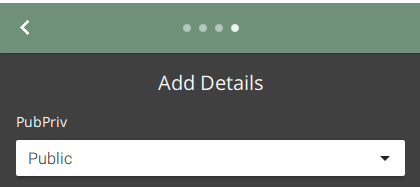
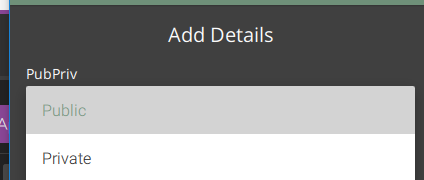
One question....The second app that I Created (the same way as the first) has different drop down boxes....
I have been trying to sort this out....I think the first one below is default...not sure how it changed....
The first had this and I like this where they are black

The new one looks like this - white and all bloated looking


- Mark as New
- Bookmark
- Subscribe
- Mute
- Subscribe to RSS Feed
- Permalink
Yes, they have been updated to use the newer style combobox. When working with combobox in QR they are unusable in Android ARMv64 builds (no issues on ARMv7 though). Since we now support the ARMv64 we needed to make that change.
- Mark as New
- Bookmark
- Subscribe
- Mute
- Subscribe to RSS Feed
- Permalink
Was this update done in the last few days or week? Is there a way I can revert back to the smaller and more streamlined ones?
I tired editing the EditComboBoxStyle.qml and nothing changes.
Can I edit the new look and feel? Change background color? Height? Font size?
If so where?
- Mark as New
- Bookmark
- Subscribe
- Mute
- Subscribe to RSS Feed
- Permalink
This was done with the release of AppStudio 3.3 templates. If you have an old app from 3.2 version. You could find changes in the following files. You can use the same files from old app and replace them in the new app.
Alternatively, you can download the following 3.2 version of the app in Player or download AppStudio 3.2
https://www.arcgis.com/home/item.html?id=b1716e4e5db8455b811d8a1b2b4f86b8
Nakul
- Mark as New
- Bookmark
- Subscribe
- Mute
- Subscribe to RSS Feed
- Permalink
Perfect THANKS!!!!!
