Why StreetMap Premium for Higher Education?
ArcGIS Online includes the World Geocoder for most geocoding and network analysis needs, but we have seen an increased need for Higher Education users to look at using StreetMap Premium.
The most common use cases are the following:
- Need for secure geocoding (HIPAA compliant or sensitive data)
- You don’t want to consume credits in ArcGIS Online for geocoding and network analysis (geocoding and network analysis is typically the heaviest consumer of ArcGIS Online credits)
- Volume. If users want to geocode millions of records, the consumption of ArcGIS Online credits is a factor, but local analysis will be significantly faster.
What is StreetMap Premium?
StreetMap Premium is a data product that Esri offers at a discounted price to Education customers. It is not included in Departmental or Institution Agreements. This is because Esri licenses the address and network data from partners, for which Esri incurs a royalty fee.
"ArcGIS StreetMap Premium provides enriched street data for use in ArcGIS to deliver high-quality and multiscale cartographic map display; accurate geocoding (batch, reverse, and interactive search); and optimized routing, driving directions, and network analysis. StreetMap Premium is an out-of-the-box solution that is designed specifically to use with ArcGIS Pro and ArcGIS Enterprise. It can be deployed rapidly on-premises behind your firewall with no data preparation." (https://doc.arcgis.com/en/streetmap-premium/latest/get-started/overview.htm).
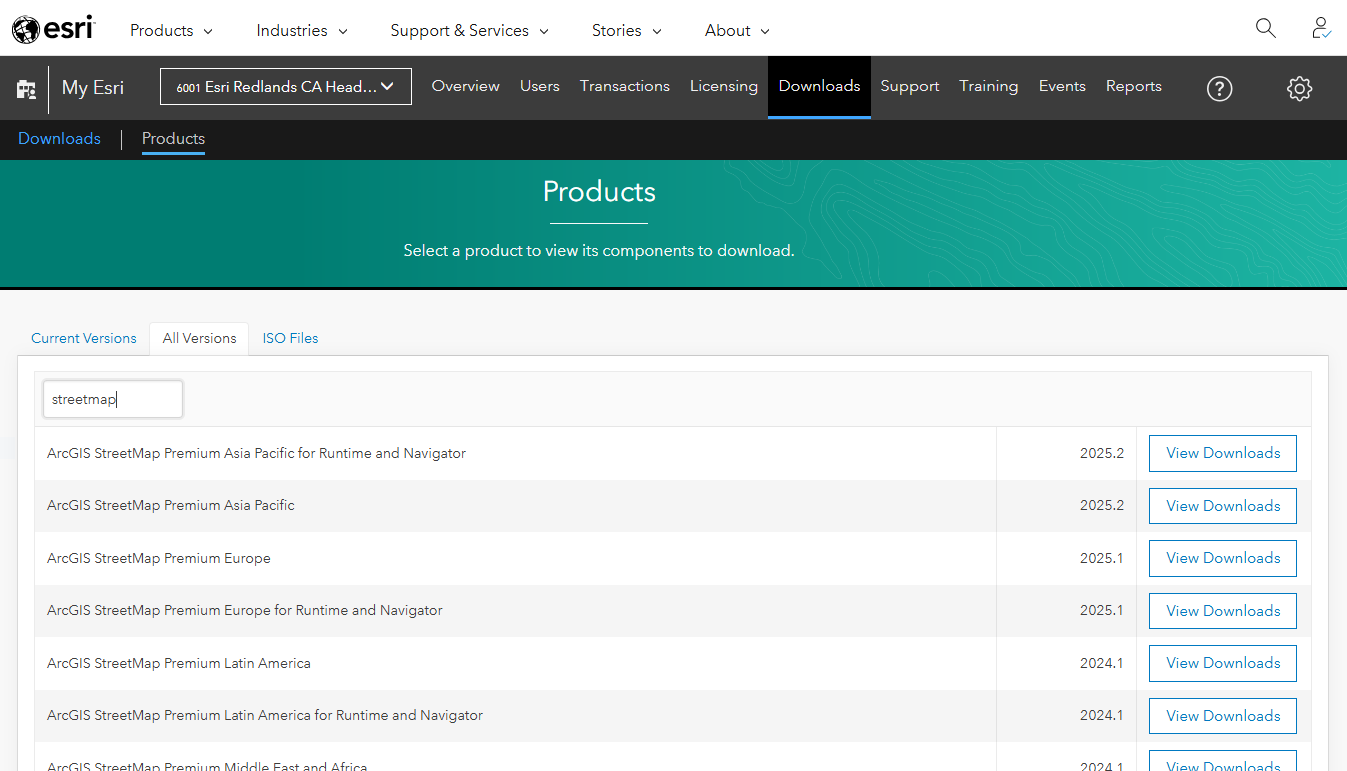
The data and locators are updated quarterly and are provided as downloads in MyEsri.
When users conduct any geocoding or network analysis using StreetMap Premium, there is NO interaction with Esri servers.
The following outlines the various ways that users can license StreetMap Premium:
- By geography – users select the geography they want to license (ex. North America, Europe, Asia Pacific, etc.)
- Institution vs. Department
- Users with an Esri Education Institution Agreement, have the option to purchase an Institutional License of StreetMap Premium based on a set number of users (5, 10, or 50). Each of these licenses also come with 2 ArcGIS Server StreetMap Premium Extensions.
- Users with Departmental Agreements have the option to purchase licenses on a per user basis.
- Academic vs. Administrative
- Both Institution and Departmental licenses offer academic and administrative (campus operational) use of StreetMap Premium
Why do I already see thousands of licenses for StreetMap Premium?
For any college or university with an Esri Institution Agreement (not Departmental Agreement), it might be confusing to discover that you already have StreetMap Premium ArcGIS Pro extensions. But this does not mean you have StreetMap Premium. If you have 5,000 Professional Plus users, you should see 5,000 StreetMap Premium North America licenses as well. The reason for this is that a ‘light’ version of StreetMap Premium is included as part of the ArcGIS Pro Business Analyst extension. The goal is to enable ‘local’ (within ArcGIS Pro) Business Analyst functionality that will not consume credits for users related to network analysis and geocoding.
This ‘light’ license of StreetMap Premium does not include the StreetMap Premium locators or datasets, so they will not be visible as downloads within MyEsri. This license is to be used solely with the ArcGIS Pro Business Analyst extension.
How can you enable the use of StreetMap Premium?
StreetMap Premium can be used on a PC by a single user, in a secure air-gapped environment, published as a service to be made available to hundreds or thousands of users, etc. There are a range of different ways that you can deploy and use StreetMap Premium depending on the needs of your campus community. If your needs differ than the general patterns of use outlined below, please reach out!
Via Named User
The easiest way to use StreetMap Premium, is by adding it to any named user as a Pro Extension.
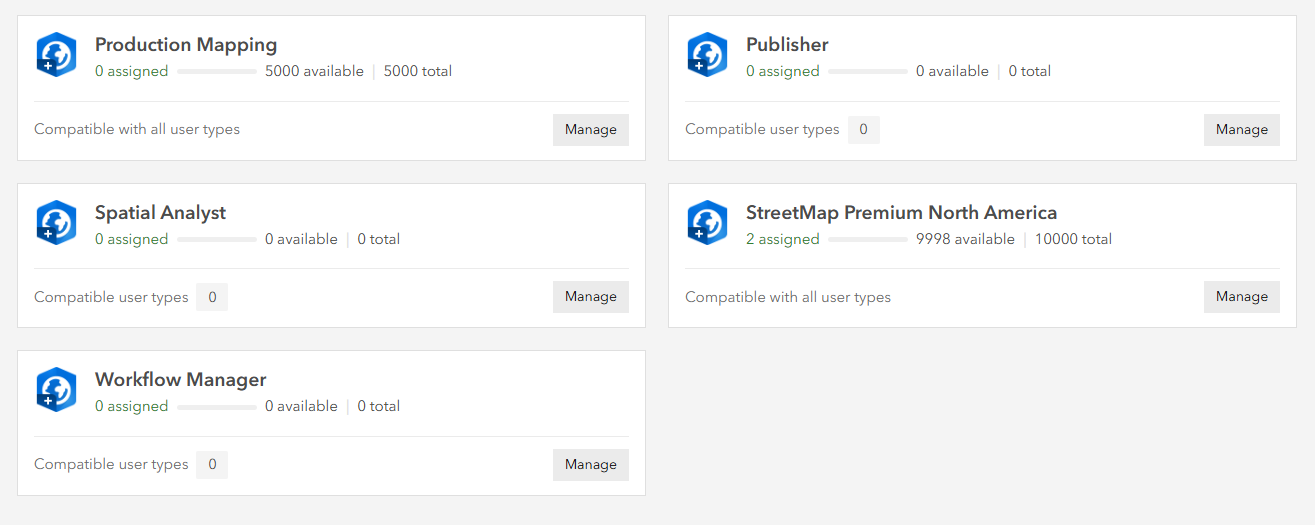
From within MyEsri, an administrator can then download the latest StreetMap Premium data as a Mobile Map Package (MMPK). This MMPK contains maps and locators. Users can open and use the MMPK within their own project or use the locator files when they are unpacked.
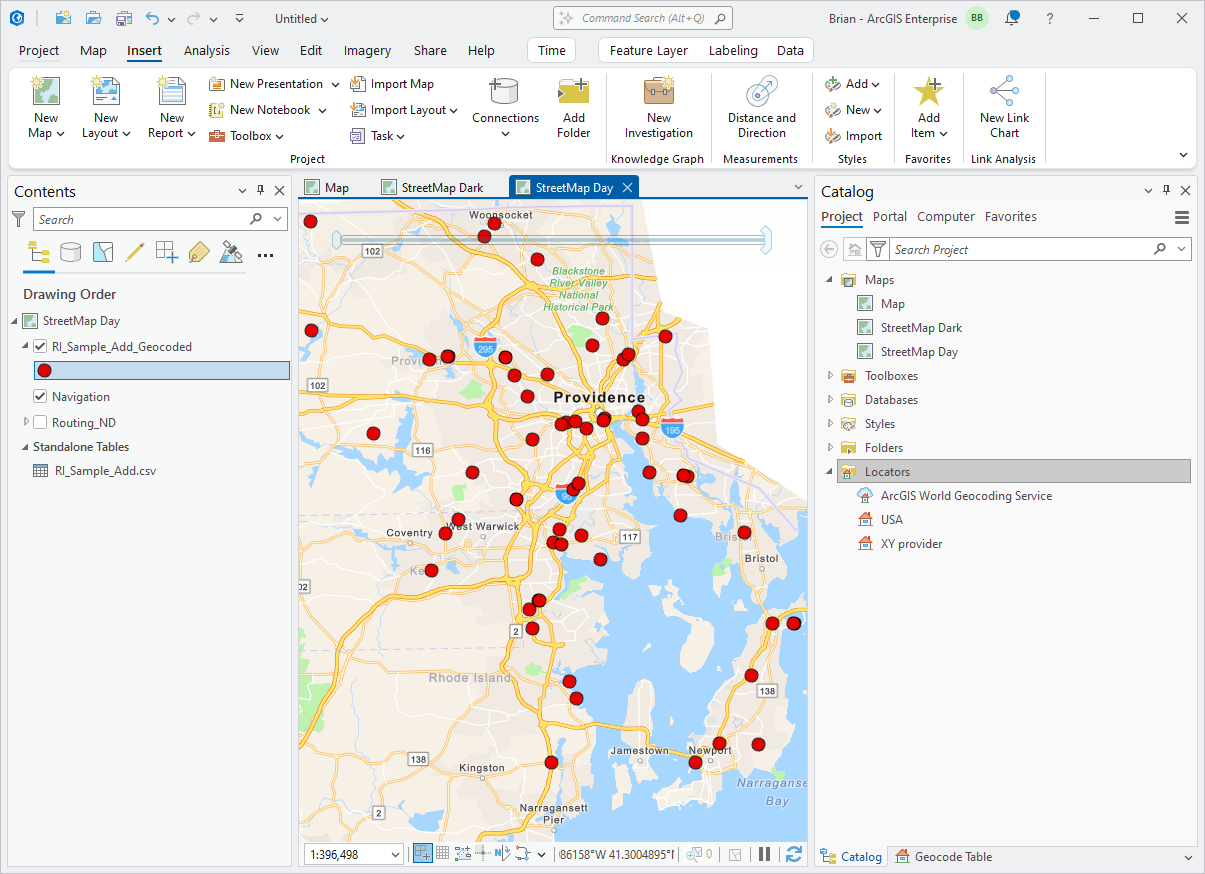
Now, a user just needs to ensure that they select the correct locator when they conduct their geocoding (in this case, USA, NOT the World Geocoding Service).
Multiple Users
If you are supporting multiple users on campus with StreetMap Premium, you can follow the same steps outlined above, or if you purchased an Enterprise license of StreetMap Premium, you can deploy it as a service on your ArcGIS Enterprise instance. In this way, users won’t need to have a local StreetMap Premium MMPK file, they can simply connect to the service and use it for geocoding.
To license ArcGIS Enterprise for StreetMap Premium, you will need to apply the ArcGIS Server StreetMap Premium Extension license.
To publish a locator service, a user needs to have the StreetMap Premium Pro Extension enabled and load the MMPK of interest. They can then right-click on the locator and publish it as a service to the Enterprise instance.
The locator will then be visible as an item in ArcGIS Enterprise and can be shared with users just like any other item.

Users will not require a StreetMap Premium license to utilize this locator and they can access it in ArcGIS Pro or via the web.
Single Users (secure/air-gapped)
In cases with sensitive data (HIPAA, etc.) users cannot utilize the named user license for ArcGIS Pro and StreetMap Premium, because licensing via a named user requires an internet connection.
To support these use cases, there is now a standalone StreetMap Premium license that is bundled with ArcGIS Pro Basic. This is licensed in a similar manner to Single Use licensing, thereby not requiring a named user or an internet connection.
Please reach out to your Account Manager if you require or have any questions about this type of deployment.
Multiple Users (secure/air-gapped)
If you have multiple users in an air-gapped environment, you can use the licensing process outlined above for Single Users, where you purchase multiple licenses of the ‘stand-alone’ license per machine. Another option is the ability to use Portal for ArcGIS as a license manager. By standing up only Portal for ArcGIS (not ArcGIS Server, Data Store, etc.), users can apply their StreetMap Premium and ArcGIS Pro licenses to the Portal instance and manage multiple users. Users would then use ArcGIS Pro to authenticate to that Portal instance and they would use StreetMap Premium locally on the Pro machine.
Close
If you have any questions at all, please reach out. Some of the ways that StreetMap Premium can be deployed has changed a bit over the past 2 years, so there may be some confusion in how to get started. Overall, if you have any of the geocoding or networking needs outlined at the start of this blog, then it offers a great solution.

