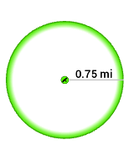
This tutorial from 2017 has a Move Effect in the Format Polygon Symbol pane.
I've added a gradient stroke, but I don't see the Move Effect option. Where is it now? I'm on v. 3.5.2
Hey @JaredPilbeam2
I believe it moved to here:
In Global Effects!
Cody
You should also be able to apply it to specific symbol layers.
In general, Offset and Dash are automatically added to default symbols, but everything else you have to add yourself. Also, order matters.
Signed in members can post, follow updates, and more. New here? Register a free account.
Find useful guides, FAQs, and documents to help you navigate and make the most of Esri Community.